> ## Documentation Index
> Fetch the complete documentation index at: https://docs.theoptimizer.io/llms.txt
> Use this file to discover all available pages before exploring further.
# Campaign Manager
> Your unified workspace for managing campaigns, ad sets, and ads across all connected ad networks — all from a single table.
export const ArcadeVideoButton = ({id, title = "Watch interactive demo", label = "Watch Video"}) => {
const [open, setOpen] = useState(false);
return
;
};
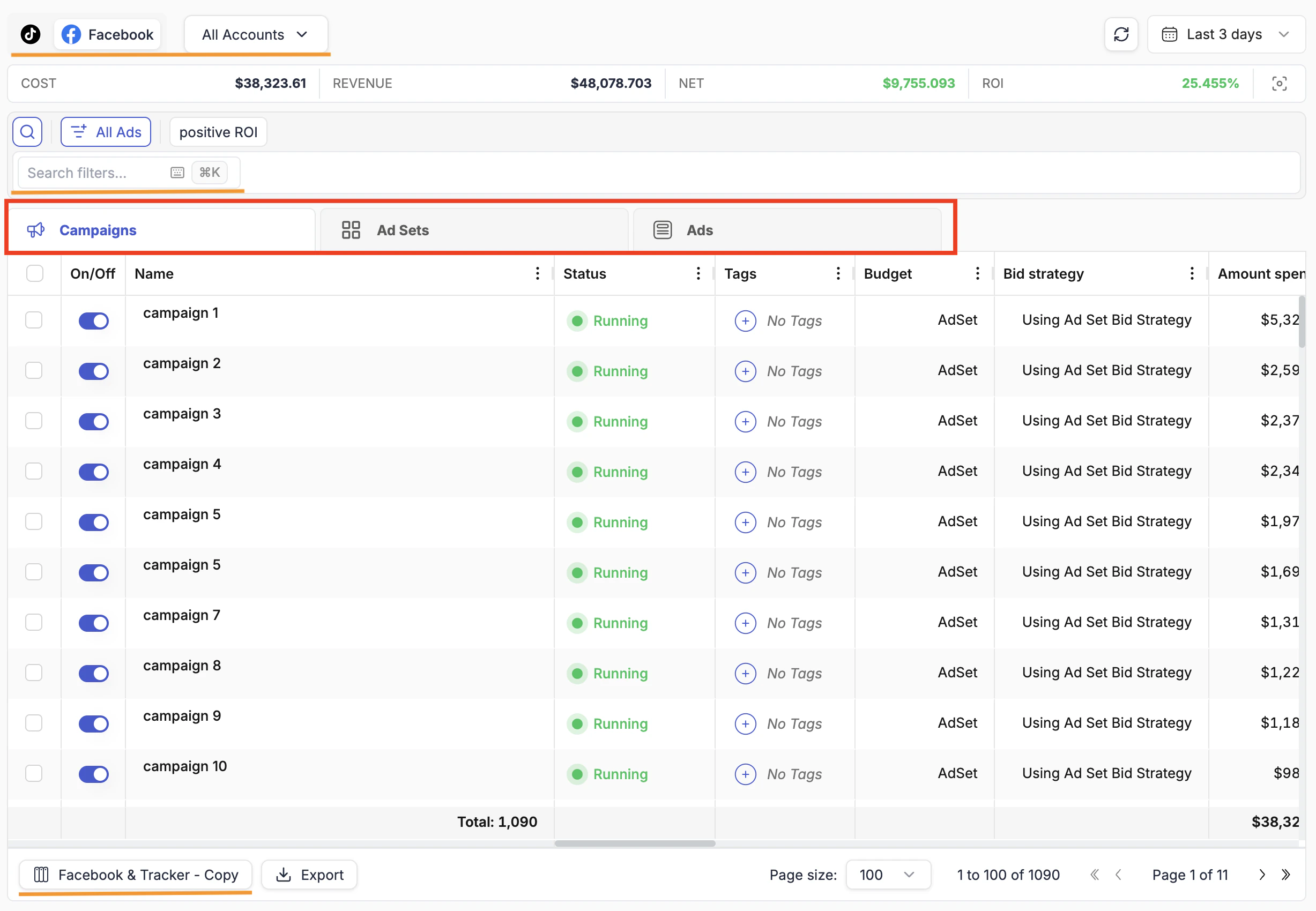
The Campaign Manager is the operational core of TheOptimizer. It replaces your native ad managers — Facebook Ads Manager, TikTok Ads, Taboola, Outbrain, and others — with a single workspace where you can view and act on campaigns, ad sets, and ads across every connected account at the same time.
Everything you would normally do inside a native dashboard can be done here, across all your ad accounts, at the same time — filtering, pausing, editing budgets, reviewing performance, and managing automation rules.
This guide walks through the Campaign Manager from top to bottom. Use the navigation on the left to jump to any section.
 The Campaign Manager is the operational core of TheOptimizer. It replaces your native ad managers — Facebook Ads Manager, TikTok Ads, Taboola, Outbrain, and others — with a single workspace where you can view and act on campaigns, ad sets, and ads across every connected account at the same time.
Everything you would normally do inside a native dashboard can be done here, across all your ad accounts, at the same time — filtering, pausing, editing budgets, reviewing performance, and managing automation rules.
This guide walks through the Campaign Manager from top to bottom. Use the navigation on the left to jump to any section.
The Campaign Manager is the operational core of TheOptimizer. It replaces your native ad managers — Facebook Ads Manager, TikTok Ads, Taboola, Outbrain, and others — with a single workspace where you can view and act on campaigns, ad sets, and ads across every connected account at the same time.
Everything you would normally do inside a native dashboard can be done here, across all your ad accounts, at the same time — filtering, pausing, editing budgets, reviewing performance, and managing automation rules.
This guide walks through the Campaign Manager from top to bottom. Use the navigation on the left to jump to any section.