KPIs
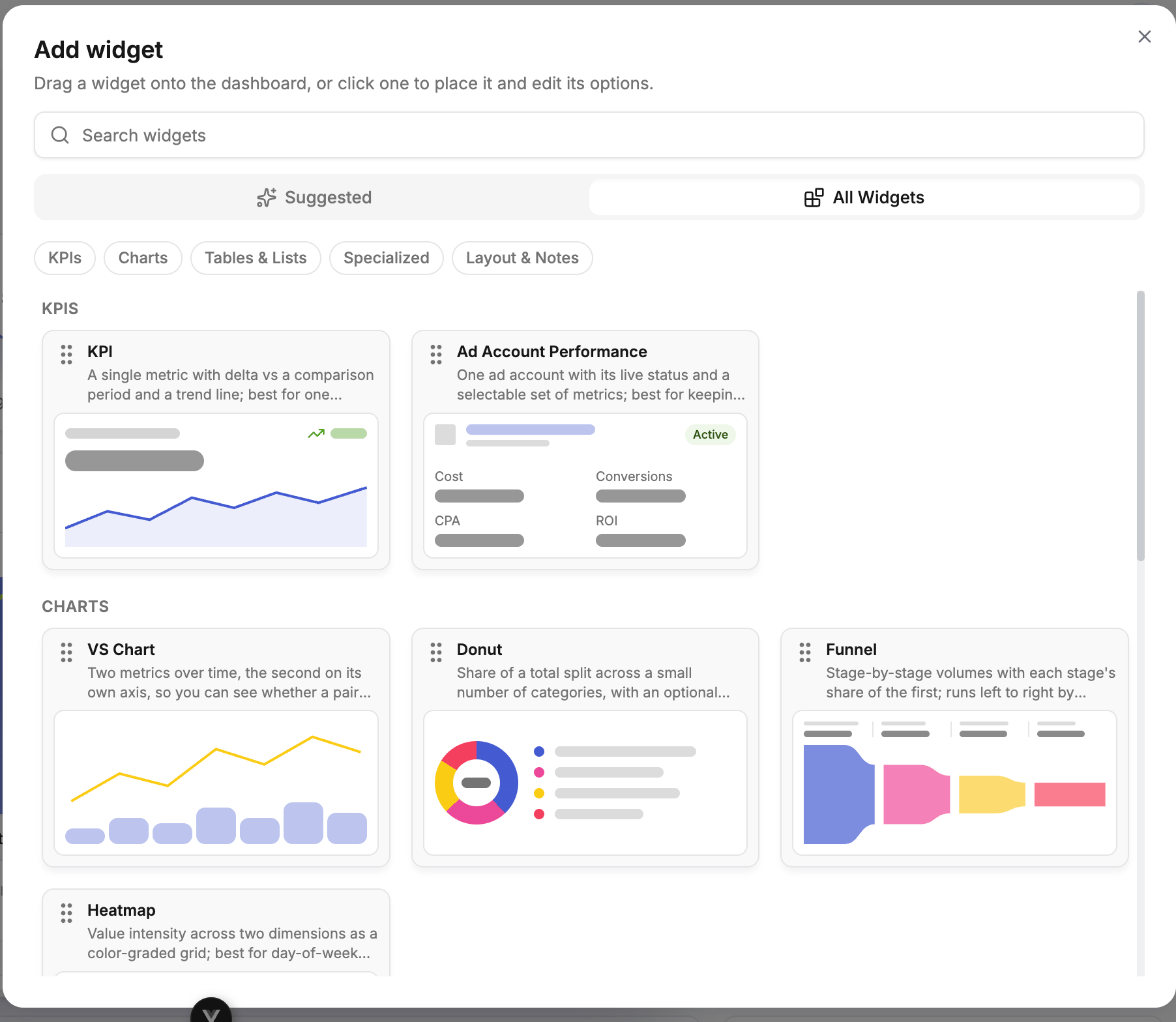
KPI
One headline number with its delta and a trend line. Use it for the figures you want to read without interpreting anything — spend, revenue, ROI, profit.
Ad Account Performance
A single ad account with its live status and a selectable set of metrics. The status is the point — it makes a billing or policy problem obvious before it costs you delivery.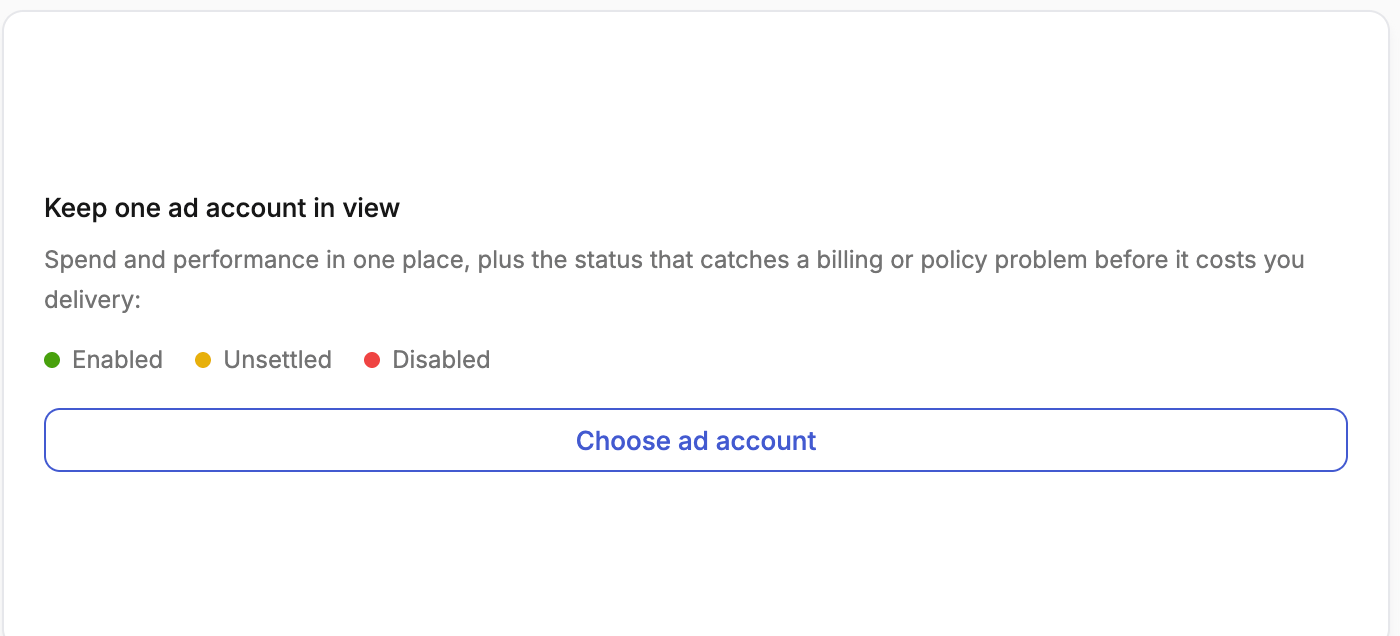
Charts
VS Chart
Two or more metrics over time, the second on its own axis, so you can see whether a pair moves together or apart. Rendered as bar, stacked bar, stacked 100%, line, area or combo — use stacked variants when you care about composition over time, and combo when you want a rate plotted against a volume.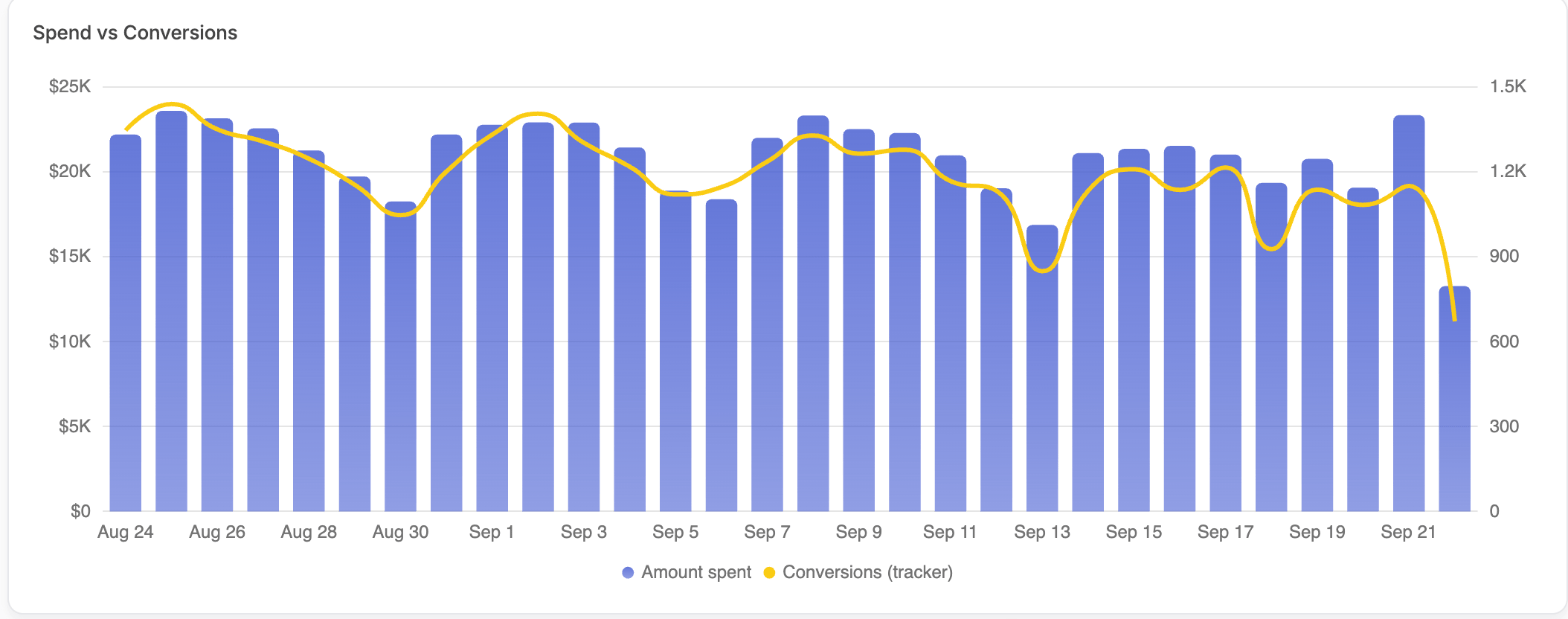
Donut
Share of a total split across a small number of categories, with an optional centre total — spend or conversion share by channel, platform or campaign type.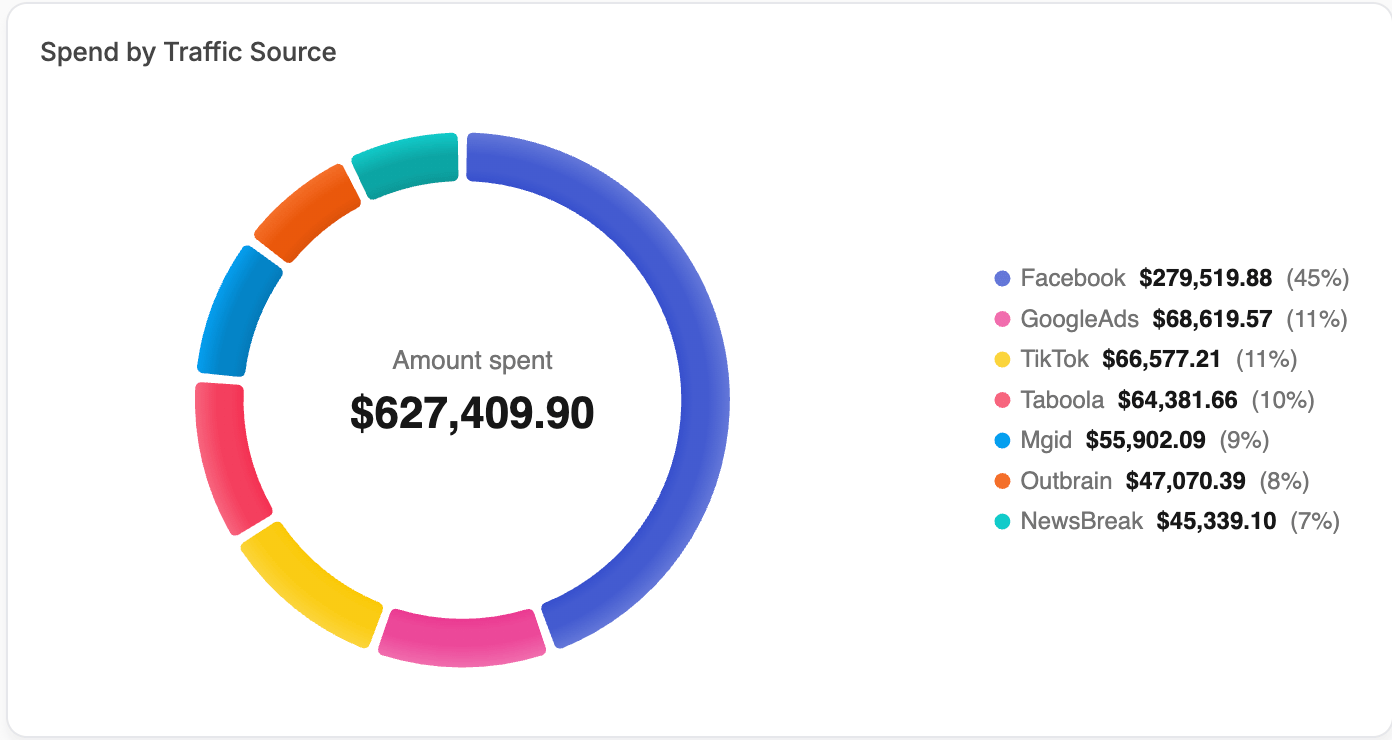
Funnel
Stage-by-stage volumes with each stage’s share of the first — impressions → clicks → leads → sales. Runs left to right by default, or stacked top to bottom.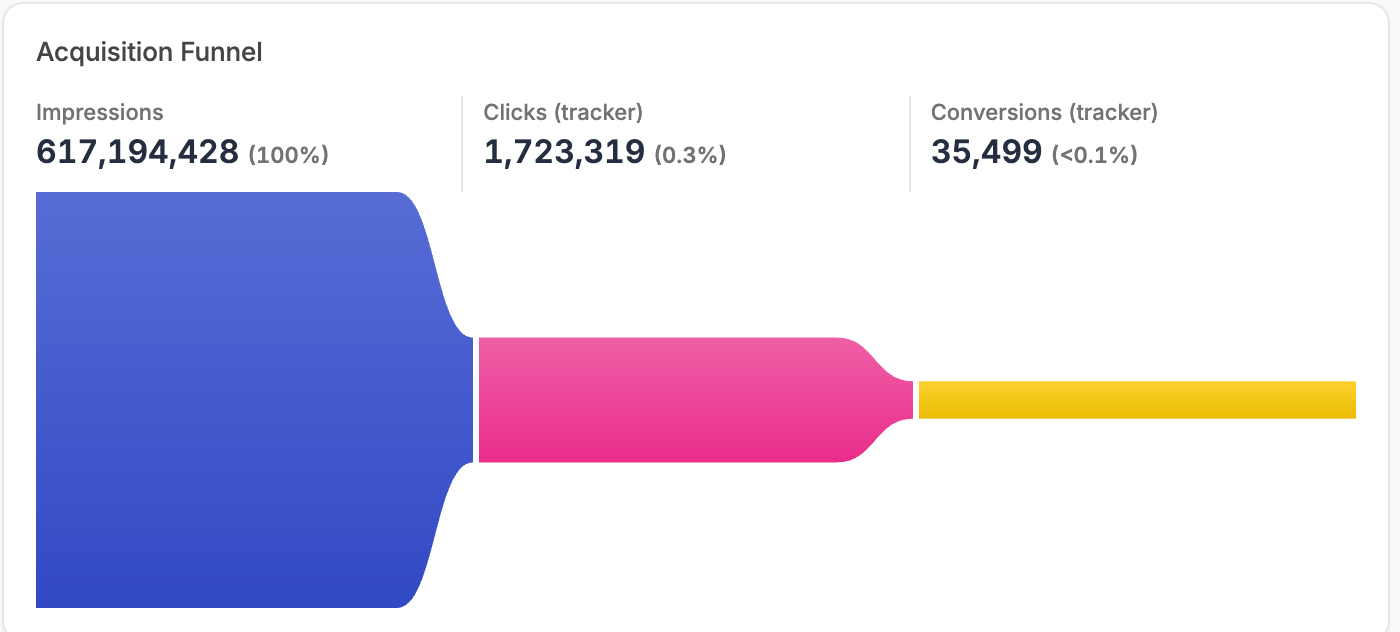
Heatmap
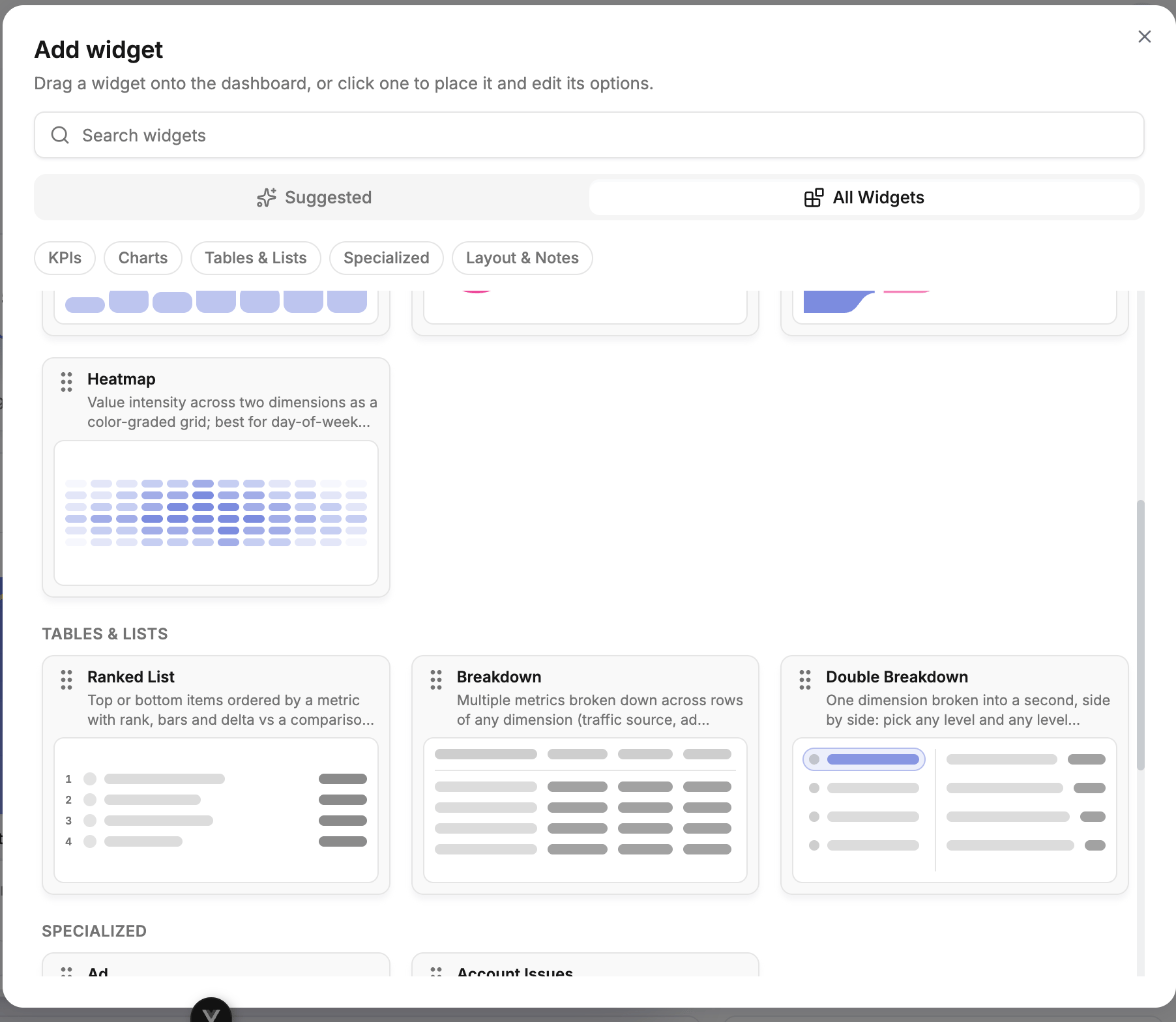
Value intensity across two dimensions as a colour-graded grid — day-of-week against hour-of-day, shaded by intensity.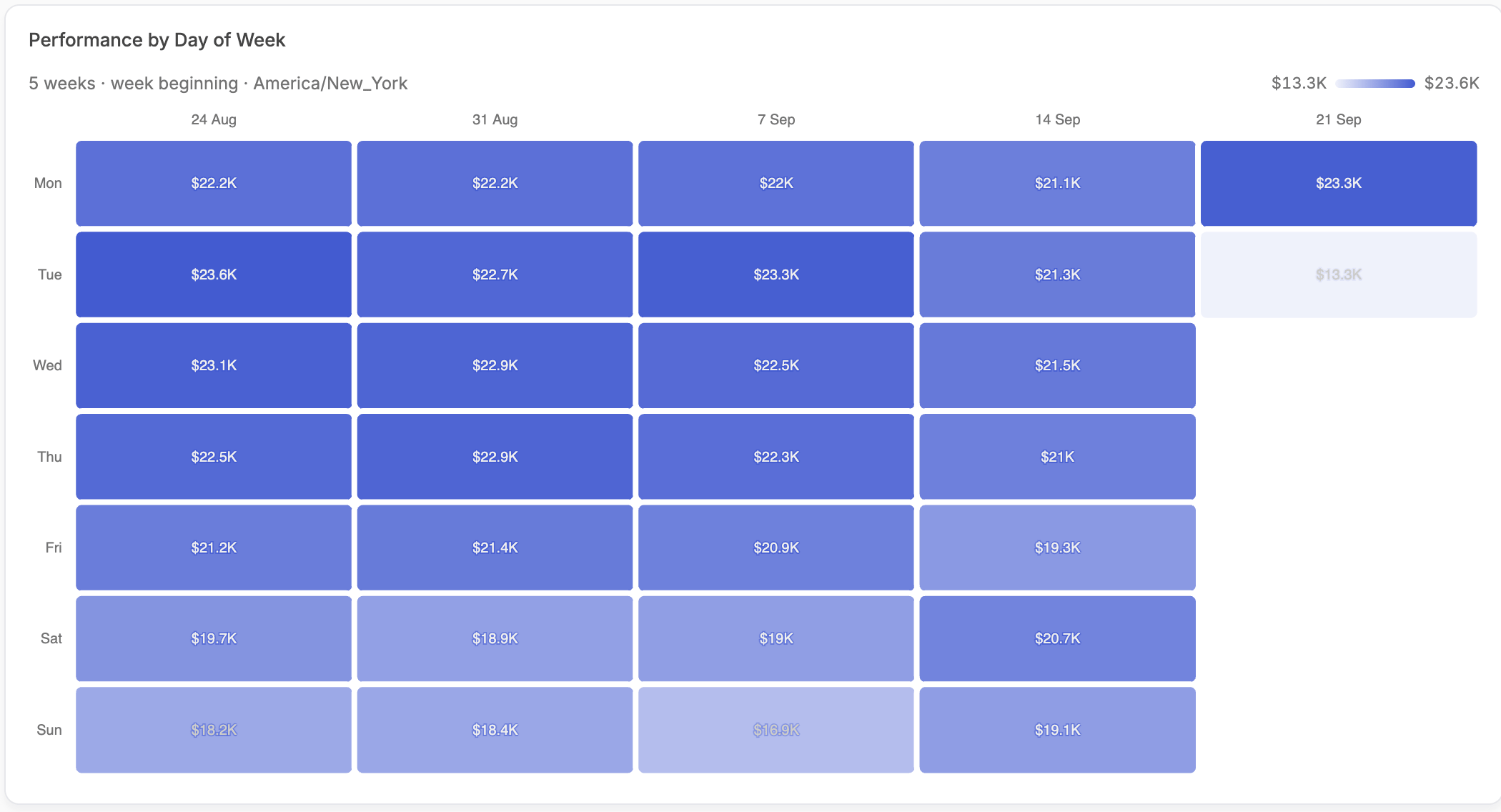
Tables & Lists
Ranked List
Top or bottom N rows ordered by a metric, with ranks, inline bars and deltas, and optional further metrics per row.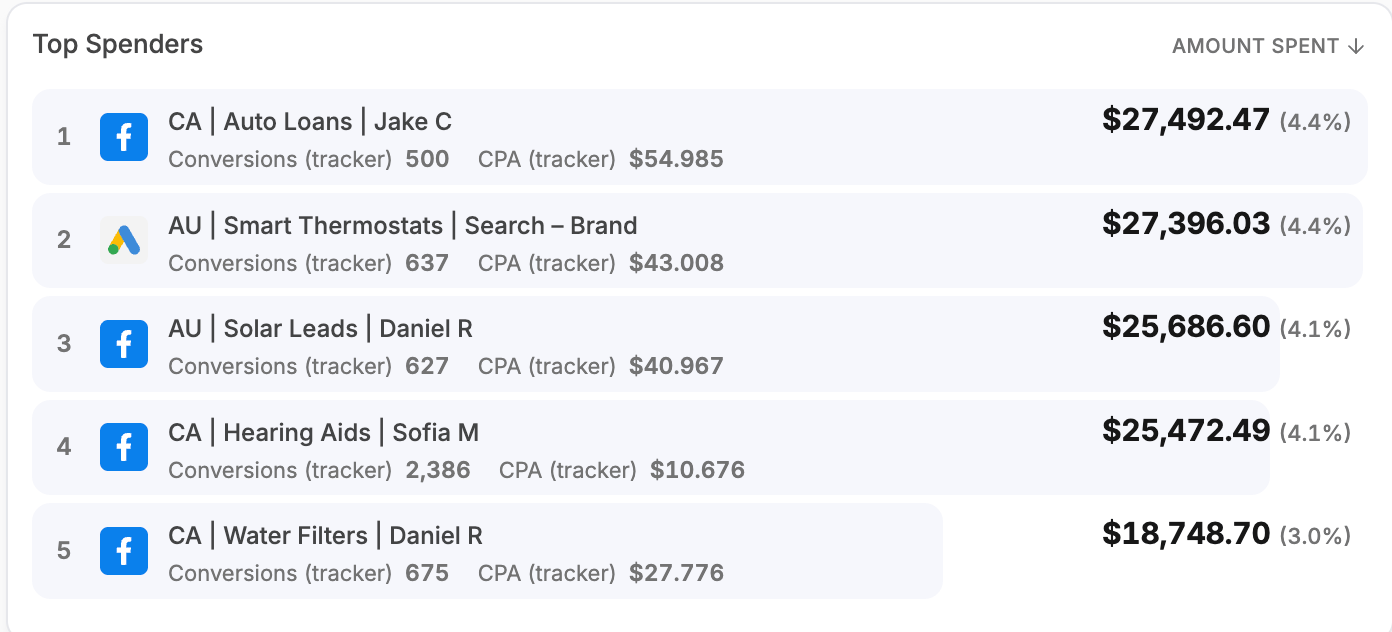
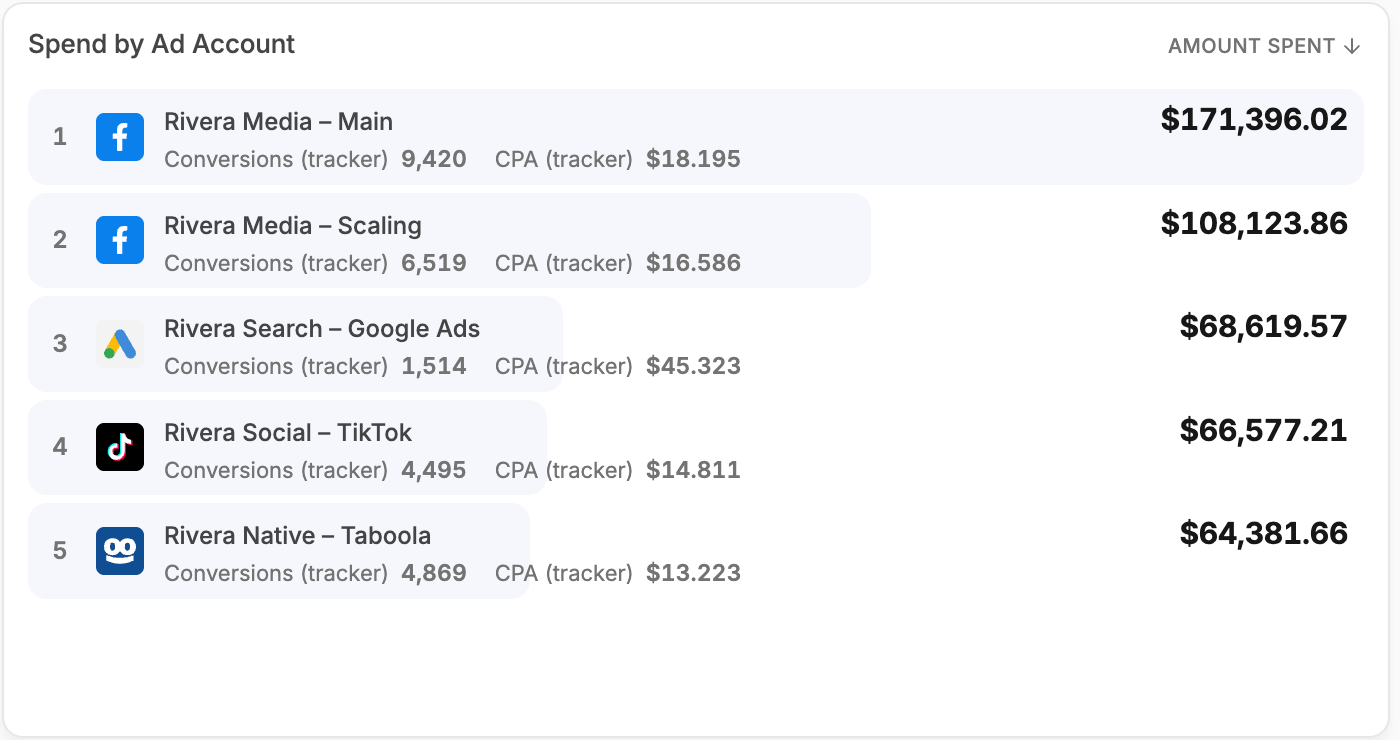
Breakdown
Many metrics across rows of any dimension — ad network, ad account, campaign — displayed either as a list or as a sortable table with a totals row.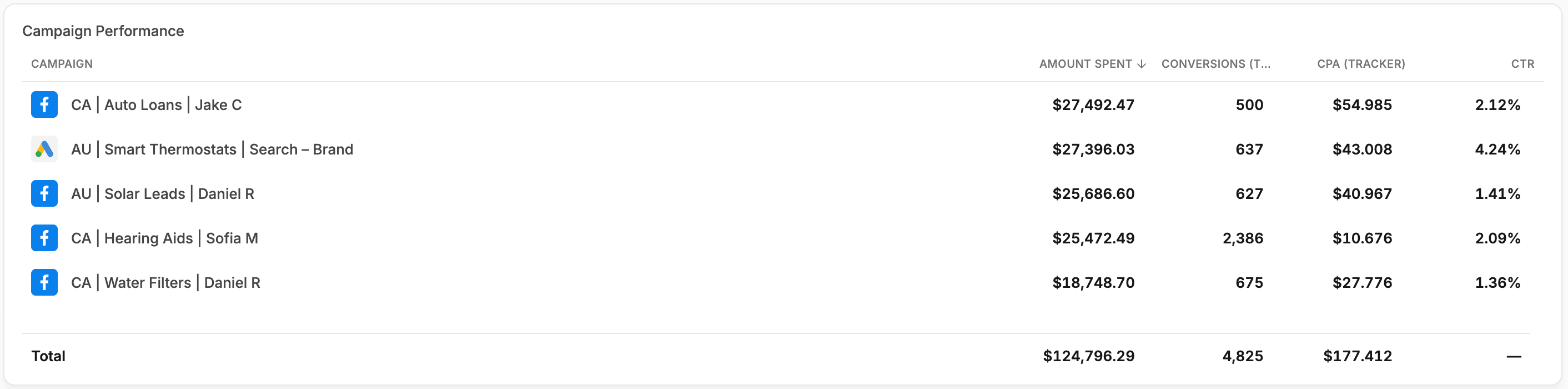
Double Breakdown
One dimension broken into a second, side by side: pick any level and any level nested inside it — a network into its accounts, campaigns or ads, an account into its campaigns or ads, a campaign into its ads.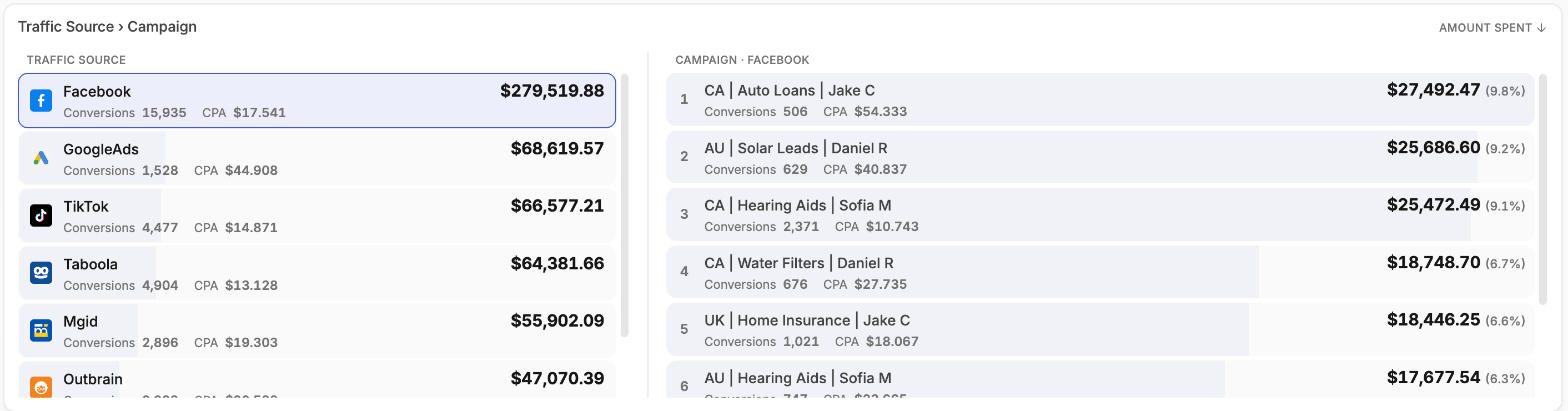
Specialized
Ad
The actual creative, drawn in its own platform’s chrome — a Facebook post, a TikTok in-feed video, a Google result, a native recommendation — with its metrics alongside. It opens on the best ad by the metric it is sorted on and pages through the rest.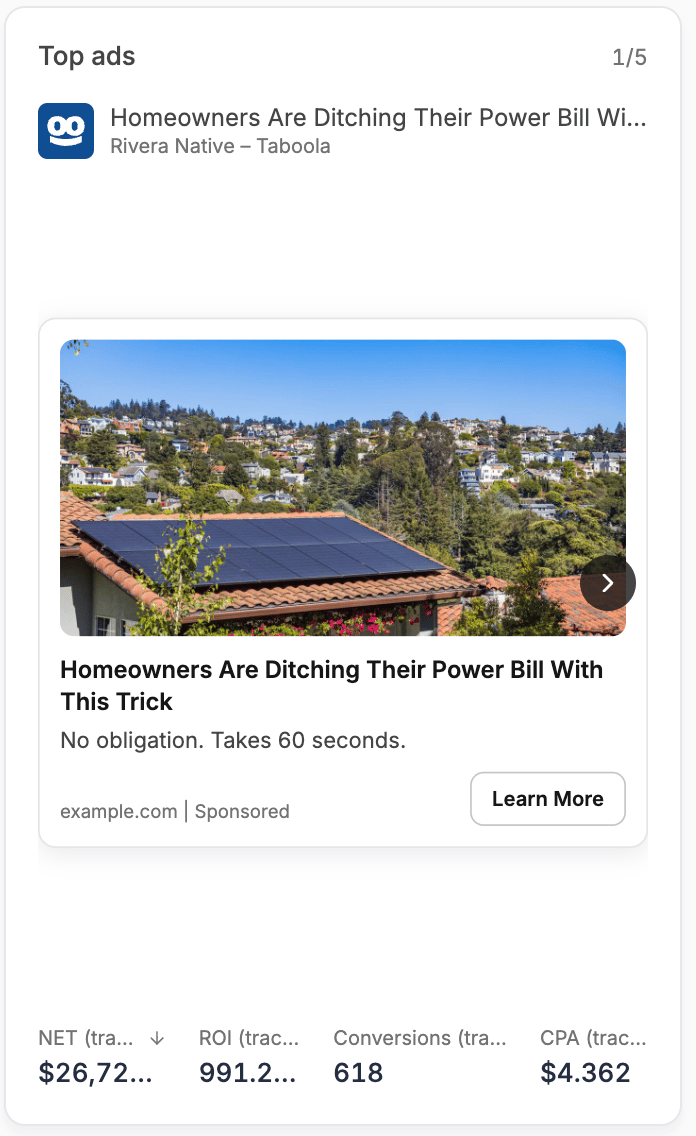
Account Issues
Ad accounts flagged with issues by their own network, each with the network logo, account name and the reported problem. It shows an all-clear state when nothing needs attention.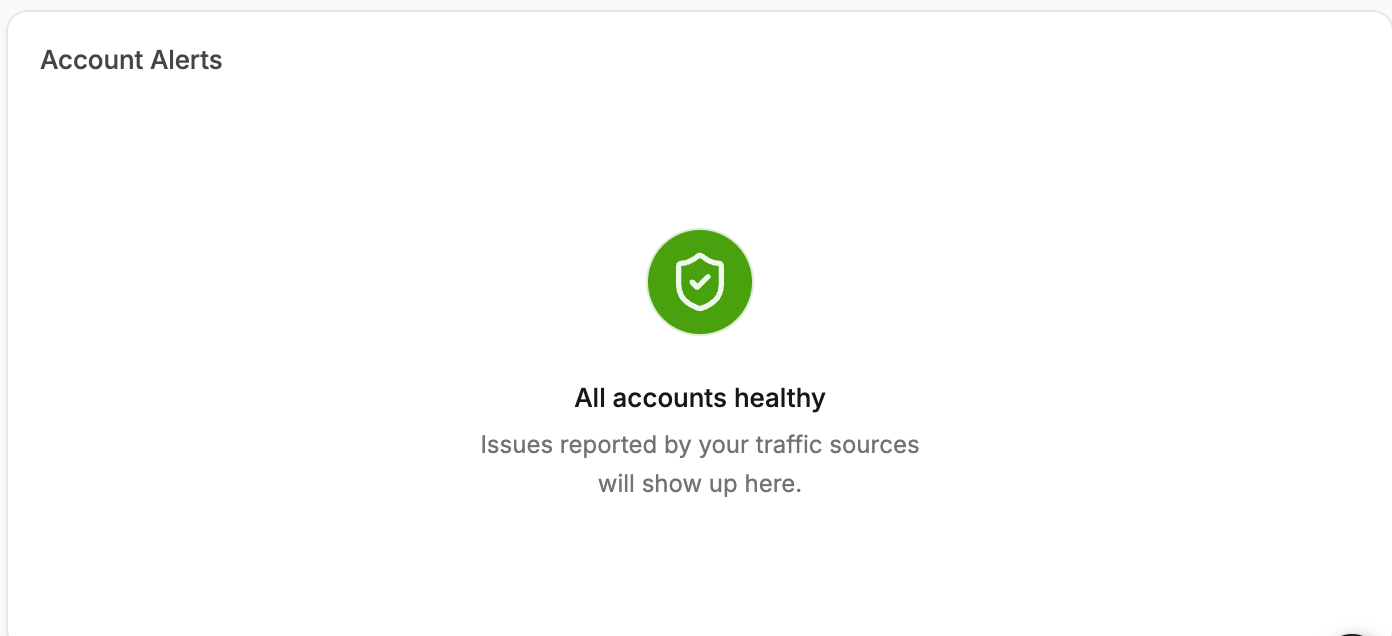
Account Issues reflects what the ad network itself reports. It complements, rather than replaces, the alerts covered in Notifications.
Layout & Notes
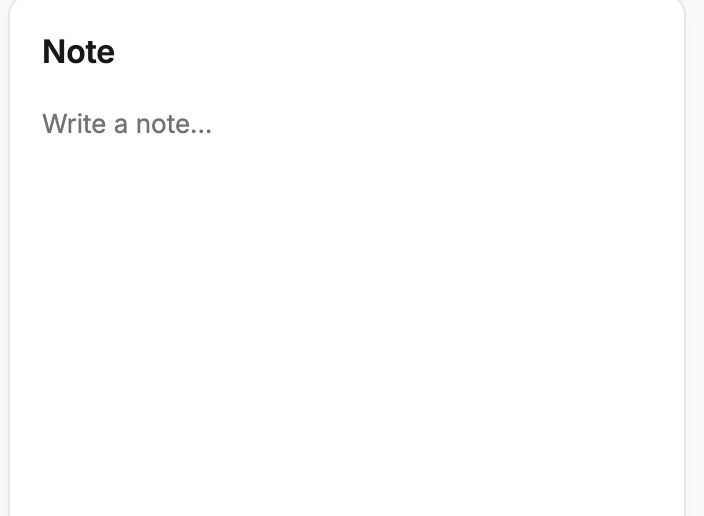
Text
A freeform block for notes, context or commentary, placed anywhere on the grid. Useful on client boards for explaining what a section means or flagging a known anomaly in the period.