
Supported Ad Networks
Auth Methods
OAuth (Facebook, Google Ads, TikTok) — you log in directly with your social account. TheOptimizer stores a token after the OAuth flow completes. Tokens expire when you change your account password, the ad network detects suspicious activity, or security settings change. When a token expires, re-authentication is required. API credentials (all other networks) — you enter an API key and secret provided by the ad network. These credentials do not expire unless you regenerate them in the ad network.Connecting an Ad Network
OAuth Networks (Facebook, Google Ads, TikTok)
1
Click Connect
From the Integrations page, find the ad network and click Connect →.
2
Complete the OAuth flow
Log in with your account and grant the requested permissions. For Facebook, you will be asked which Pages and Business Managers to include — select all current and future Pages to avoid re-authorising every time you add a new Page.
3
Connection confirmed
TheOptimizer shows a confirmation screen with the number of ad accounts added. Initial sync takes up to 20–30 minutes. Campaigns and ads may not appear immediately — this is expected.
4
Connect a tracker (optional)
From the confirmation screen, click Connect Tracker to link a tracking platform to this ad network. You can also do this later from the Integrations page.
API Credential Networks (Taboola, Outbrain, MGID, and others)
1
Get your API credentials
Log in to the ad network’s dashboard and locate your API key and secret. The exact location varies by network — typically found under Settings → API or Account → Integrations.
2
Click Connect in TheOptimizer
From the Integrations page, find the ad network and click Connect →.
3
Enter your credentials
Paste your API key and secret. Give the integration a name for your reference (e.g., “Taboola — Main Account”).
4
Confirm and sync
Click Connect. TheOptimizer verifies the credentials and pulls in your ad accounts. Initial sync takes up to 20–30 minutes.
Managing Ad Accounts
Once an ad network is connected, click on the integration to see the list of associated ad accounts.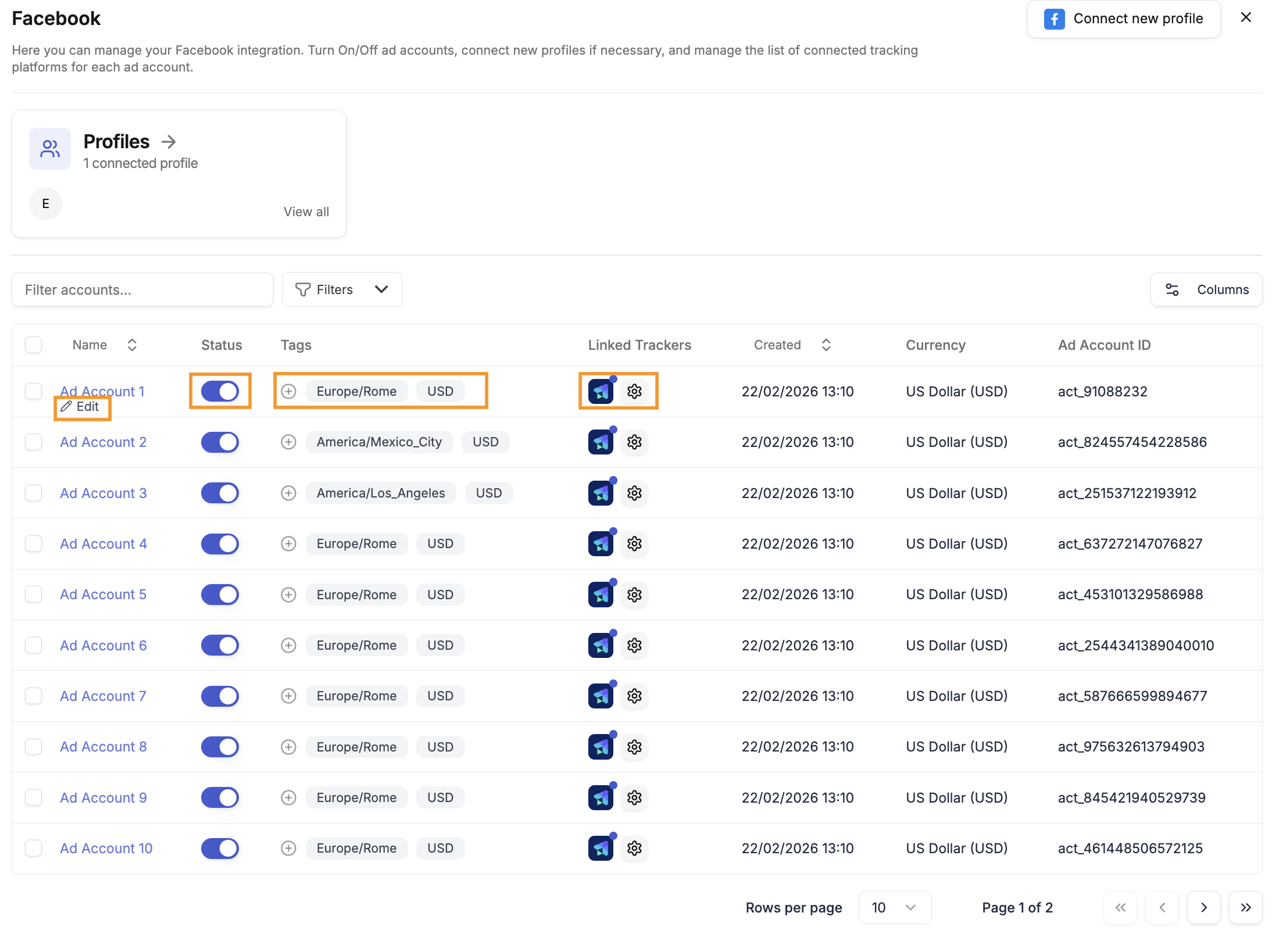
Managing Profiles
