
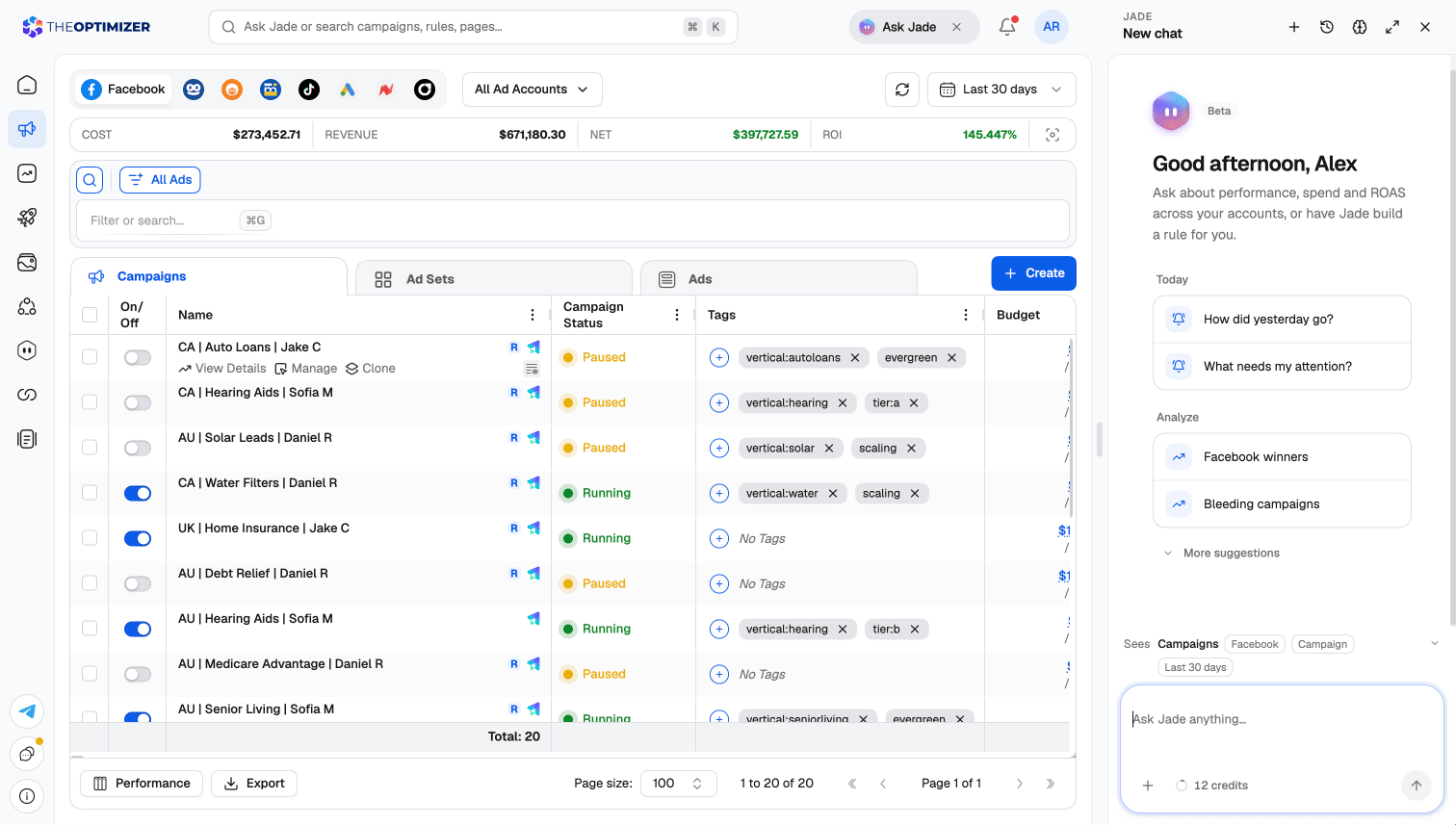
Opening Jade
You can reach Jade from anywhere in the platform:
Jade opens as a panel on the right side of the page, so you can keep working while you chat. To give a conversation the whole screen, click Open full page in the panel header.
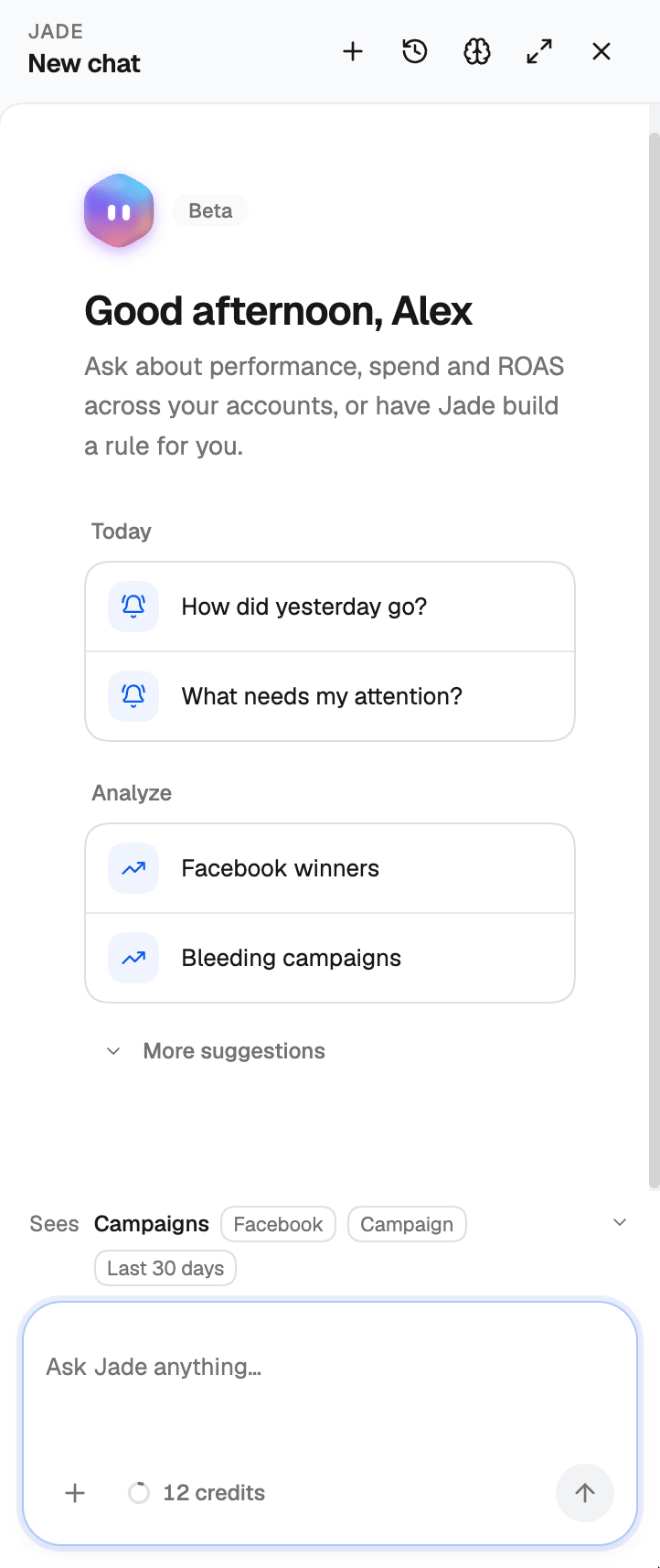
- New chat (+) — start a fresh conversation.
- Chat history — reopen an earlier conversation.
- Memories — review what Jade remembers about you. See Memory.
- Open full page — move the conversation to the full-page Jade view.
- Close — hide the panel. Your conversation is kept.
Jade sees the page you’re on
Above the message box, the Sees line shows what Jade is looking at: the page, the ad network, the level, the date range, and any rows you’ve selected. Ask “why did these drop?” on a filtered Campaigns page and Jade answers about exactly those campaigns, without you naming them.Mentioning items with @
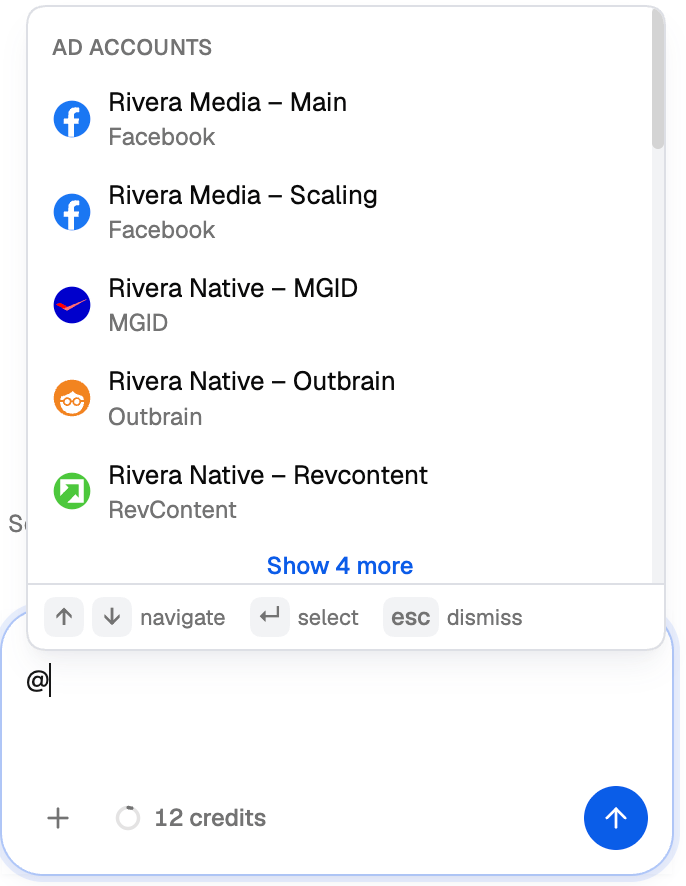
Type @ in the message box to point Jade at something specific. A menu opens with matching items, grouped as:- Traffic Sources (ad networks)
- Ad Accounts
- Account Tags
- Metrics
- Campaigns
- Trackers
- Rules
- Smart Lists
Ask AI about specific campaigns
1
Select campaigns
In the Campaign Manager, tick the campaigns you want to ask about. The bulk action bar appears at the bottom of the page.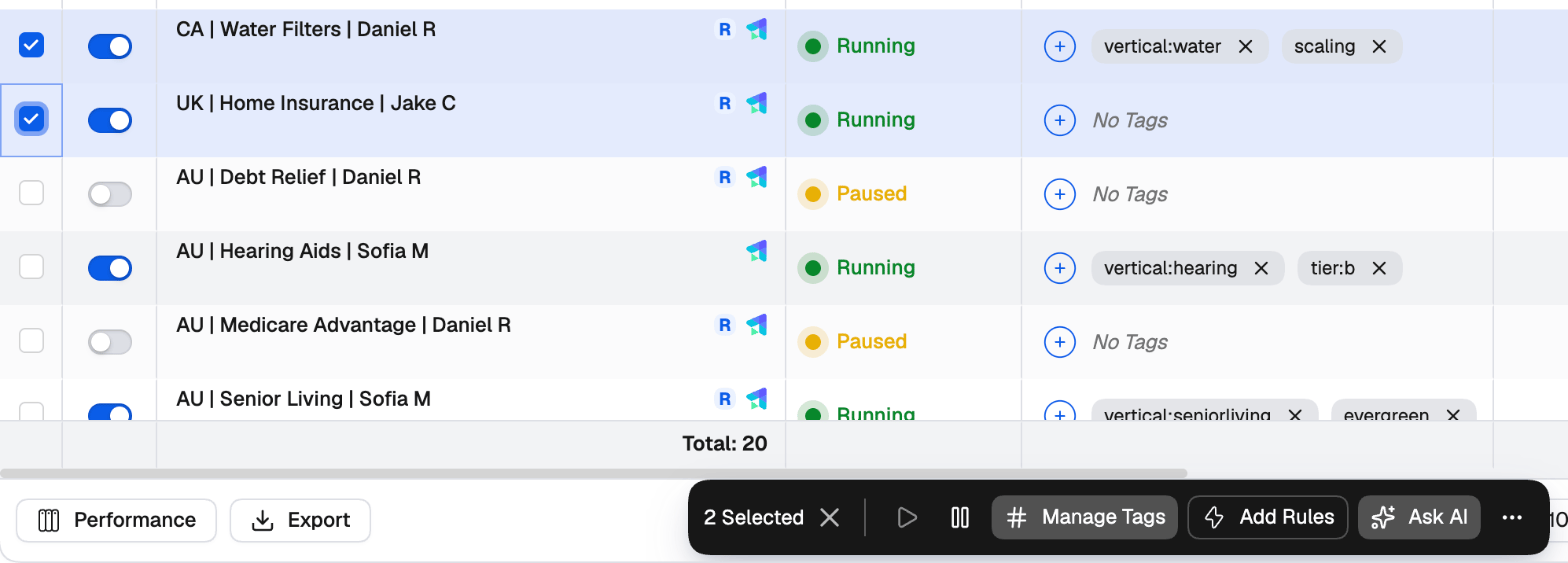
2
Click Ask AI
Jade opens a new chat with the selected campaigns already mentioned and a prompt that starts “Analyze these campaigns and …”.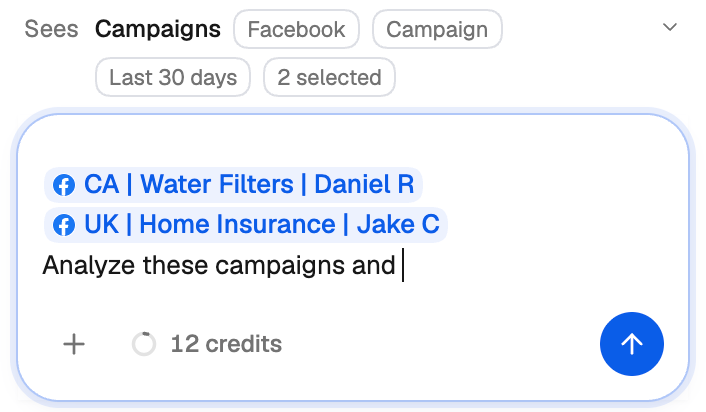
3
Finish the question
Complete the sentence with what you want to know — for example, ”… tell me which one to scale” — and send it.
What Jade can do
- Answer questions about performance. “How did yesterday go?”, “Which ads are losing money over the last 7 days?”, “Why did ROI drop on TikTok this week?”
- Answer questions about the platform. How a feature works, how to connect a tracker, what a rule setting means.
- Make changes to your campaigns. Pause, activate, or change budgets and bids — always with your approval. See Approving changes.
- Create rules. Describe the strategy in plain English and Jade drafts one or more rules to match. Open each draft with Review and save, check it and save it. See the Rules guide.
- Build reports and dashboards. Ask for a board and Jade builds it — KPIs compared with the previous period, heatmaps, funnels, top ads side by side, and more. See Building a board with Jade.
- Set up scheduled tasks. Describe something you want done every day and Jade schedules it. See Scheduled tasks.
Explore: ideas to start from
Not sure what to ask? Click Explore in the Jade section of the left navigation. It lists ready-made prompts grouped by topic — reporting, automation, scheduled tasks and creative. Pick one and Jade opens a chat with it written out, ready for you to adjust and send.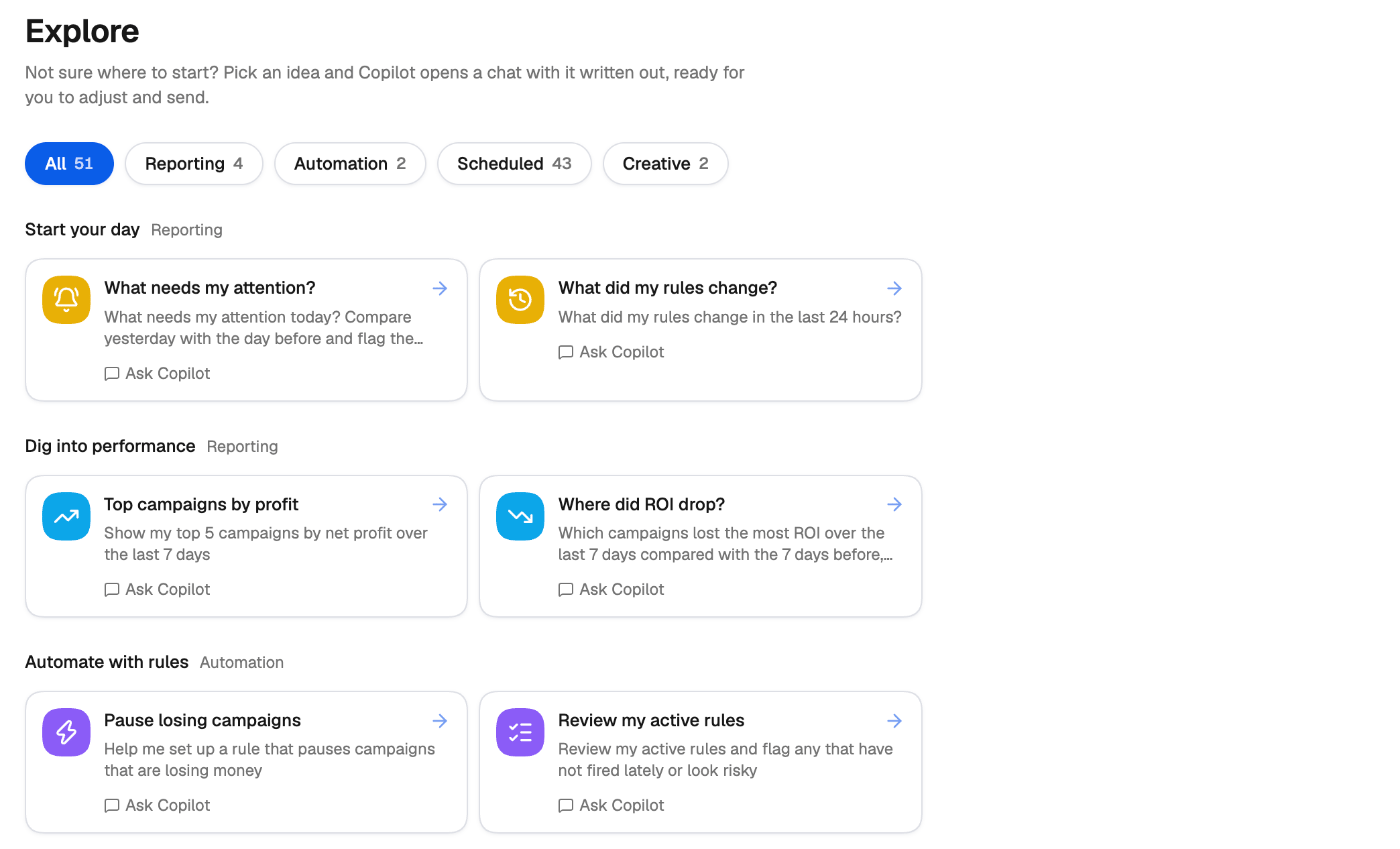
Approving changes
Jade never changes your campaigns without asking. When it wants to make a change, it shows an approval card in the chat that describes exactly what will happen: which items, what changes, and from what value to what value.- Click the action button (it names the action, for example Pause) to approve, or Decline to reject. If you decline, nothing is changed.
- When the change covers several items, you can untick the ones you want to leave alone. The button updates to show how many will be changed, for example Pause 3 of 5.
- After you approve, the card shows the outcome for each item, including any that the ad network rejected.
Undoing changes
Changes Jade makes are recorded in Logs like any other change, so you can always see what happened. For Facebook changes made by Jade, you can undo them:- From Logs — select the entries and click Rollback Activities. See Rolling back changes.
- From the chat — ask Jade to undo what it just did. It shows an approval card for the undo, like any other change.
Memory
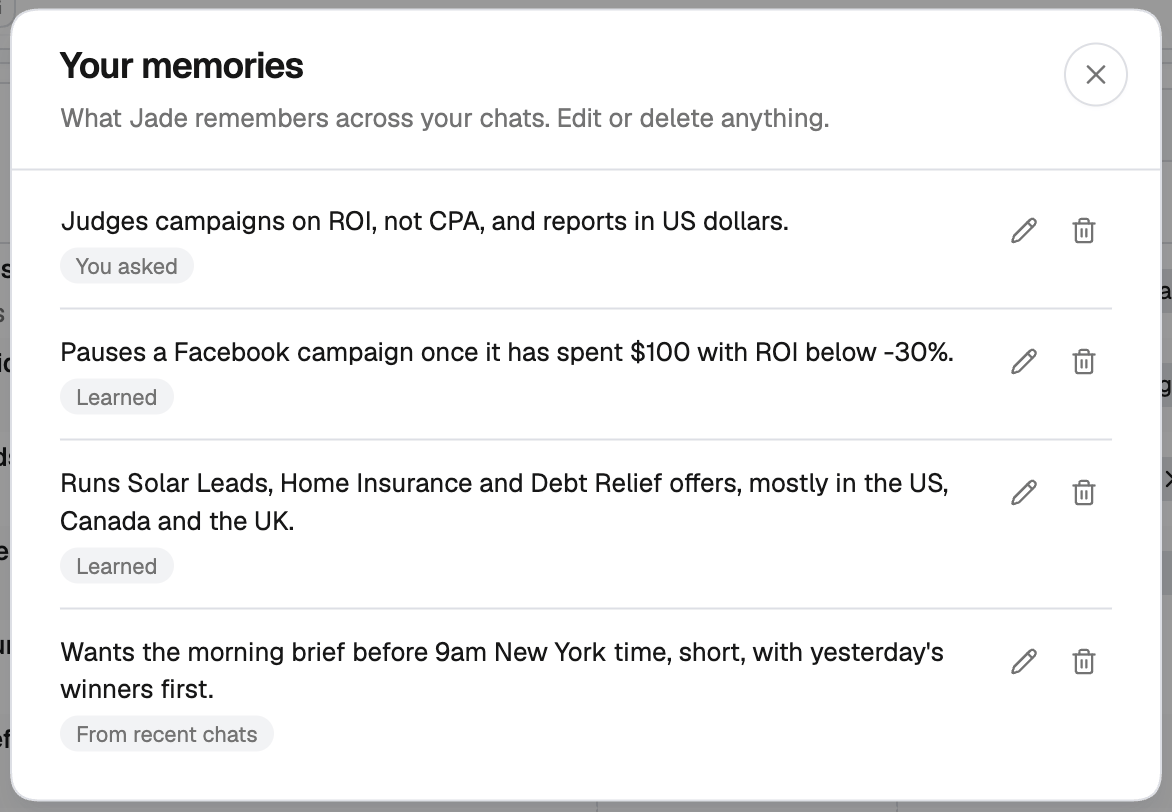
Jade remembers lasting preferences — like your target CPA, the KPI you judge campaigns by, or the accounts you usually mean — so you don’t have to repeat them in every chat. Things you mention for one chat stay in that chat. When Jade saves something, a short line appears in the conversation (Saved to memory, Updated memory) with an Undo link, so you can take it back on the spot. To see everything Jade remembers, click Memories in the panel header. The Your memories list shows each item with where it came from:
Use the pencil to edit an item, or the bin to delete it.
Managing your chats
Your conversations are listed in the Jade section of the left navigation, with Search chats at the top. From a chat’s menu you can rename it, copy a link to it, or delete it.Command palette
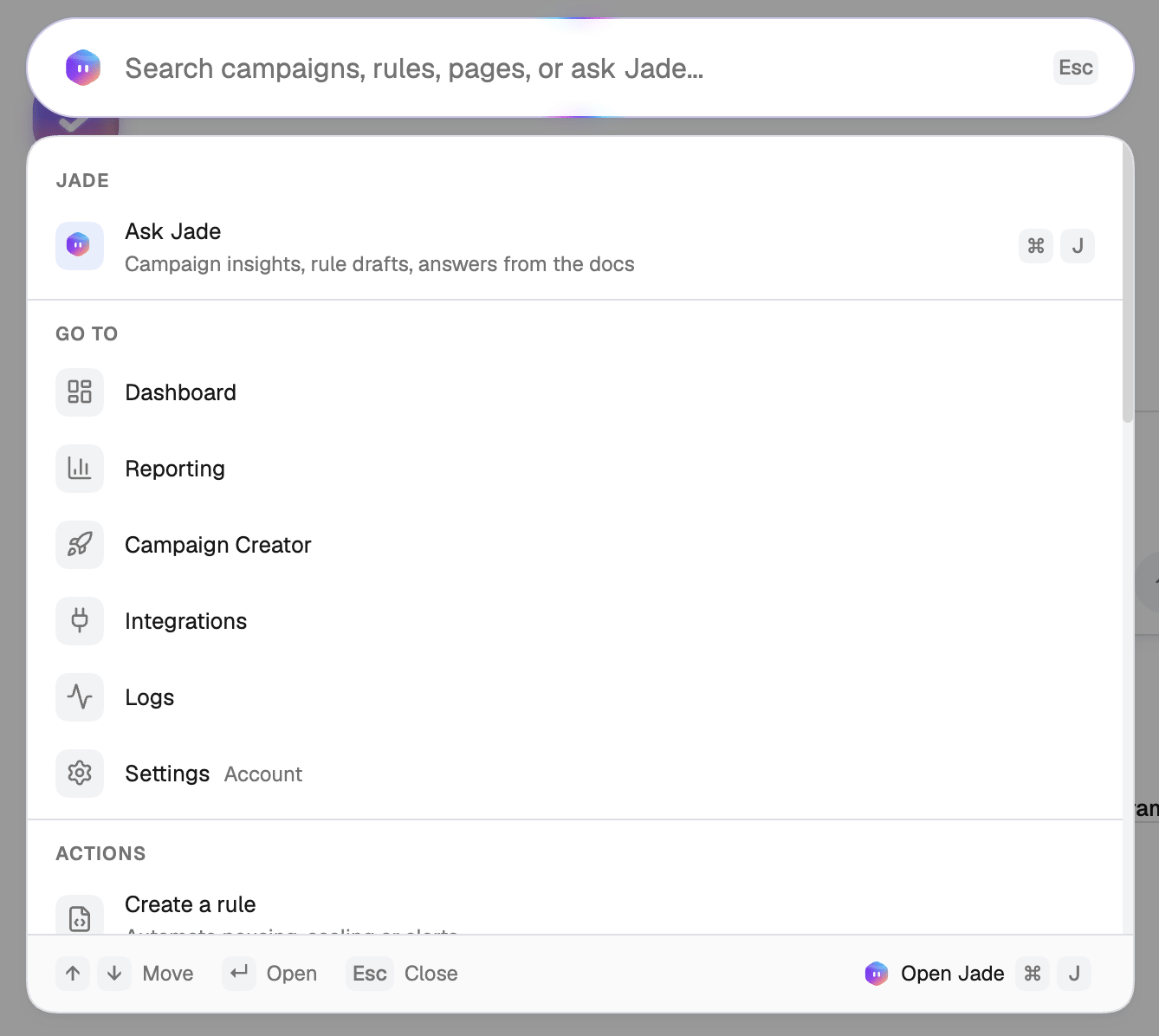
Press ⌘K / Ctrl+K, or click the search bar at the top of every page, to open the command palette. It does two jobs:- Search and jump — find campaigns, rules, smart lists and pages, or run an action such as Create a rule. Use ↑ ↓ to move and Enter to open.
- Ask Jade — type a question and press Enter when nothing matches, or press ⌘J to send what you’ve typed straight to Jade.
Related
- Scheduled tasks — put recurring checks and actions on a schedule.
- Rules guide — build rules yourself or with Jade.
- Dashboard — let Jade build a board for you.