
Where to Find Your API Credentials
Log in to the Adskeeper platform → go to Account settings → API → copy your API Key.Connecting to TheOptimizer
1
Open the Integrations page
From the left-hand menu, go to Integrations. Find the Adskeeper card and click Connect →.
2
Enter Your API Credentials
Enter the credentials requested: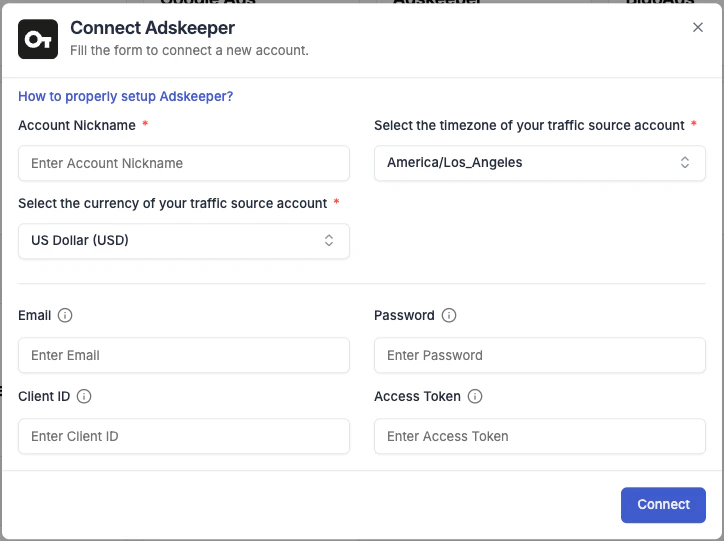
- Integration name — a descriptive label for this connection (e.g. “Adskeeper – Main Account”).
- API Key — paste the API Key from your Adskeeper account settings.
3
Connection confirmed
Once credentials are accepted, TheOptimizer begins syncing your campaign data. Initial sync takes up to 20–30 minutes.
If you have multiple ad accounts under this network, they will all be pulled in and listed under this integration after the initial sync.
Next Steps
- Connect a tracking platform to bring conversion and revenue data into your campaign reports