
Inline Actions
For individual items, several actions are available directly in the table row without opening any dialog: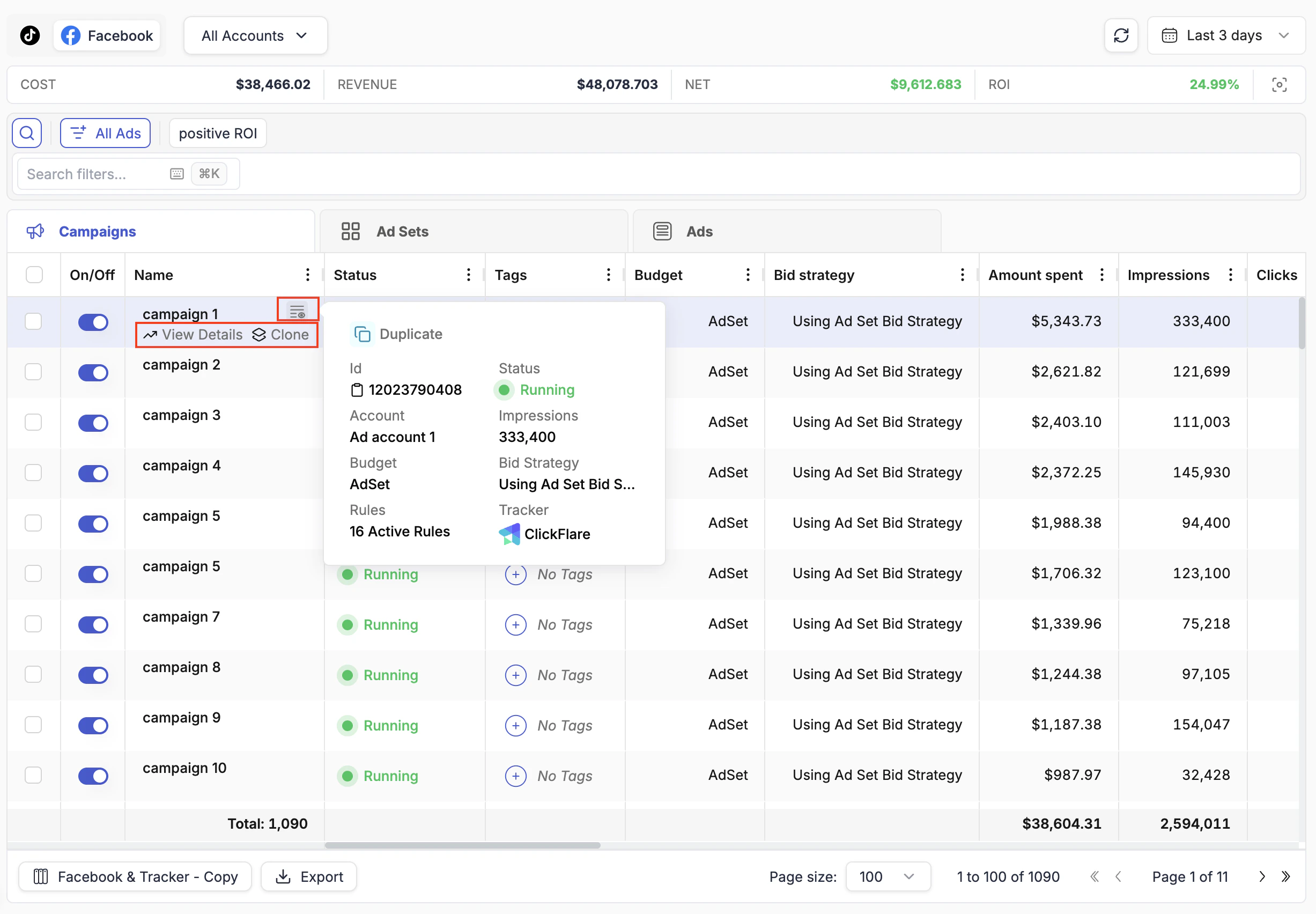
- On/Off toggle — the toggle at the left of each row pauses or activates the item immediately.
- Budget — if the budget cell is editable (indicated by a pencil icon on hover), click it to modify the daily or lifetime budget inline.
- Bid — bid values can be edited inline where supported by the ad network.
Name Hover Options
Hovering over any campaign, ad set, or ad name in the table reveals three additional options to the right of the name:Bulk Actions
To act on multiple items at once, check the boxes at the left of each row. Once one or more items are selected, a floating action bar appears at the bottom of the page.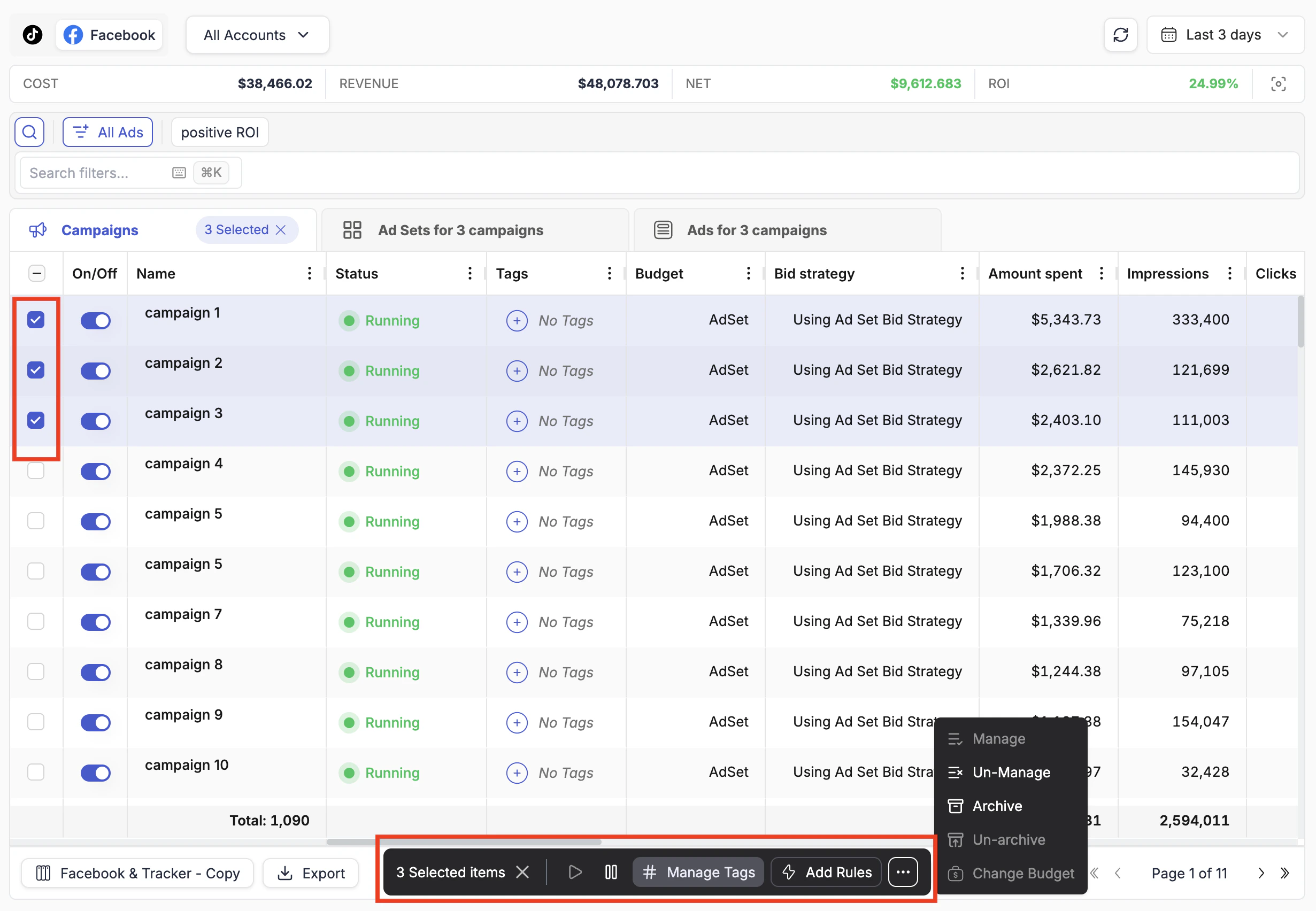
Archive and Manage / Un-Manage are only available through the bulk action bar, not as inline row actions. These are higher-impact operations most commonly applied to multiple items at once, so they are intentionally kept out of the inline row to prevent accidental single-item changes.