
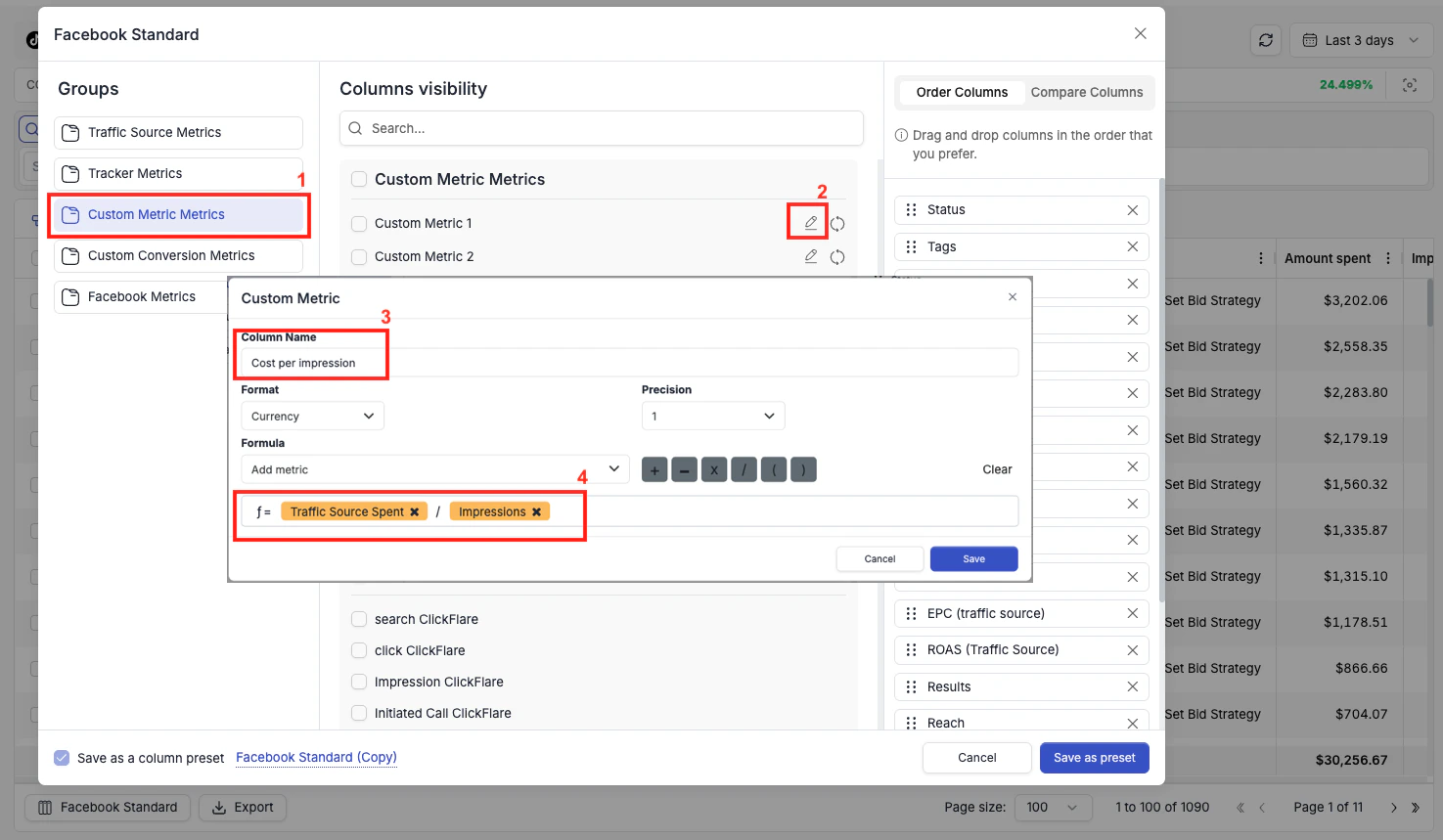
Creating a Custom Metric
1
Open Column Management
Click the column settings icon at the bottom-left of the table.
2
Select Custom Metric
Click Custom Metric in the left panel. You will see a list of 10 custom metric slots.
3
Edit a slot
Click the edit icon next to any empty slot.
4
Configure the metric
Enter a Column Name, select the Format (Currency or Percentage), and set the Precision (number of decimal places to display).
5
Build the formula
Use the formula builder to select metrics from the dropdown and combine them using
+, −, ×, /, (, ) operators.6
Save
Click Save. Your custom metric is immediately available as a column in any preset and as a condition in your automation rules.
Custom metrics are available across all ad networks — not just the one you created them on. Make sure your formula references metrics that exist for each network you plan to use the column with.