
Campaign level
Ad account
Pick the TikTok ad account to launch in under Select Ad Account. Below it, choose:- Create new campaign — build a new campaign from scratch (the default).
- Use existing campaign — add new ad groups and ads to a campaign already on TikTok. See Adding to a campaign that’s already on TikTok.
Basic info
- Campaign name — type a name, or leave it empty and one is generated. Click Create Naming Template to build the name from parts such as the date, the objective and the mode, so every campaign follows the same convention.
- Status — Active or Paused once it’s created.
- Tags — added to the campaign in TheOptimizer once it’s created, so you can filter by them in the Campaign Manager and use them in rules.
Campaign type
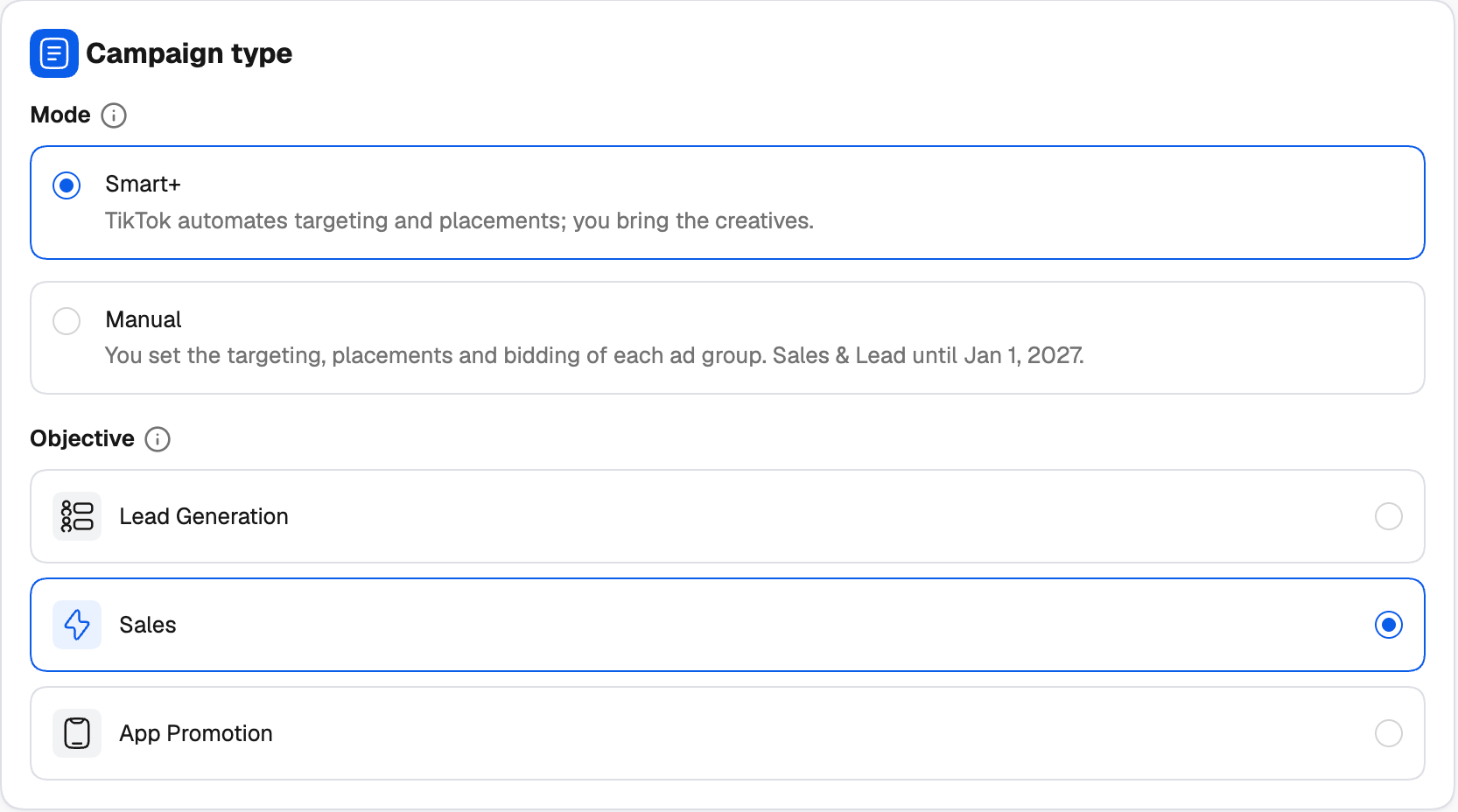
TikTok is ending the creation of Manual Sales and Lead Generation campaigns on January 1, 2027. The creator shows a reminder when you pick one. Smart+ keeps working for both after that date.
- Lead Generation — collect leads on your website or an instant form.
- Sales — drive conversions on your website, tracked by a pixel. With Smart+, the sales destination is your website.
- App Promotion (Smart+) — App install finds new users; App retargeting brings back people who already installed the app.
- Awareness (Manual) — show your ads to as many people as possible.
- Traffic (Manual) — send people to your website.
Budget
Budget level decides where the money sits:- Campaign budget (CBO) — one budget for the campaign, which TikTok spreads across its ad groups. You set the budget mode and amount here.
- Ad group budget (ABO) — each ad group spends its own budget, set on the ad group level.
Ad group level
Basic info
Ad Group name works like the campaign name: type one, leave it empty, or use Create Naming Template to build it from the date, the objective or the copy number. Set the Status and any Tags.Promotion and lead destination
Depending on the objective, you also choose what the ads promote — a Website, an App (Android), an App (iOS) or a Lead Generation form — and, for lead generation, where leads are collected: an Instant form on TikTok, or a form on your Website. For app promotion, pick the app from the ad account’s apps.Targeting
Audience Targeting has three modes:
Then set Locations, Languages (leave empty for every language), the Minimum age (18+ or 25+) or age ranges, gender, interests and interest keywords, and Operating system (Smart+ targets one at most).
Placements
Choose where the ads show: TikTok (the TikTok app’s feeds), Pangle (TikTok’s partner apps) and the Global App Bundle. With Manual campaigns you can also leave it on Automatic and let TikTok decide. Some objectives only take placements picked by hand.Optimization & bidding
- Optimization goal — the result TikTok delivers the ads for, such as conversions, value, clicks, landing page views, leads, reach, app installs or in-app events. It also sets what you’re billed for.
- Pixel and Optimization event — for goals tracked on your website, the TikTok pixel and the event that counts as a conversion (for example Purchase (complete payment), Add to cart or Lead (form submission)). For in-app goals, the in-app event.
- Bid Strategy — Maximum delivery gets the most results for the budget; Cost cap keeps the average cost per result near your bid and needs a dynamic daily budget. Click Get recommendation for TikTok’s suggested bid.
- For value goals, Highest value or Minimum ROAS (with a ROAS target), and the value window (Day 7 or Day 0).
Budget & schedule
With Ad group budget (ABO), set the budget mode and Amount here. Under Schedule, add a Start date to start later (otherwise it starts right away) and an End date to stop on a set date. Times are in UTC. A lifetime budget always runs between a start and an end; without an end it stops after 30 days. Manual campaigns also offer Pacing — Standard spreads the budget evenly, Accelerated spends it as fast as possible (it needs a cost cap) — and, for Awareness, a frequency cap.Ad level
Ad details and identity
- Ad name — type one, leave it empty, or build it with Create Naming Template from the date, the format or the creative number. With one ad per creative, each ad gets its own name.
- Status and Tags, as on the other levels.
- Identity (TikTok account) — the TikTok account the ads show as. Tick Only show as ads to publish the posts as ads only, not on your TikTok profile. Some formats also take a Display name (the brand name shown on the ad).
Ad copy
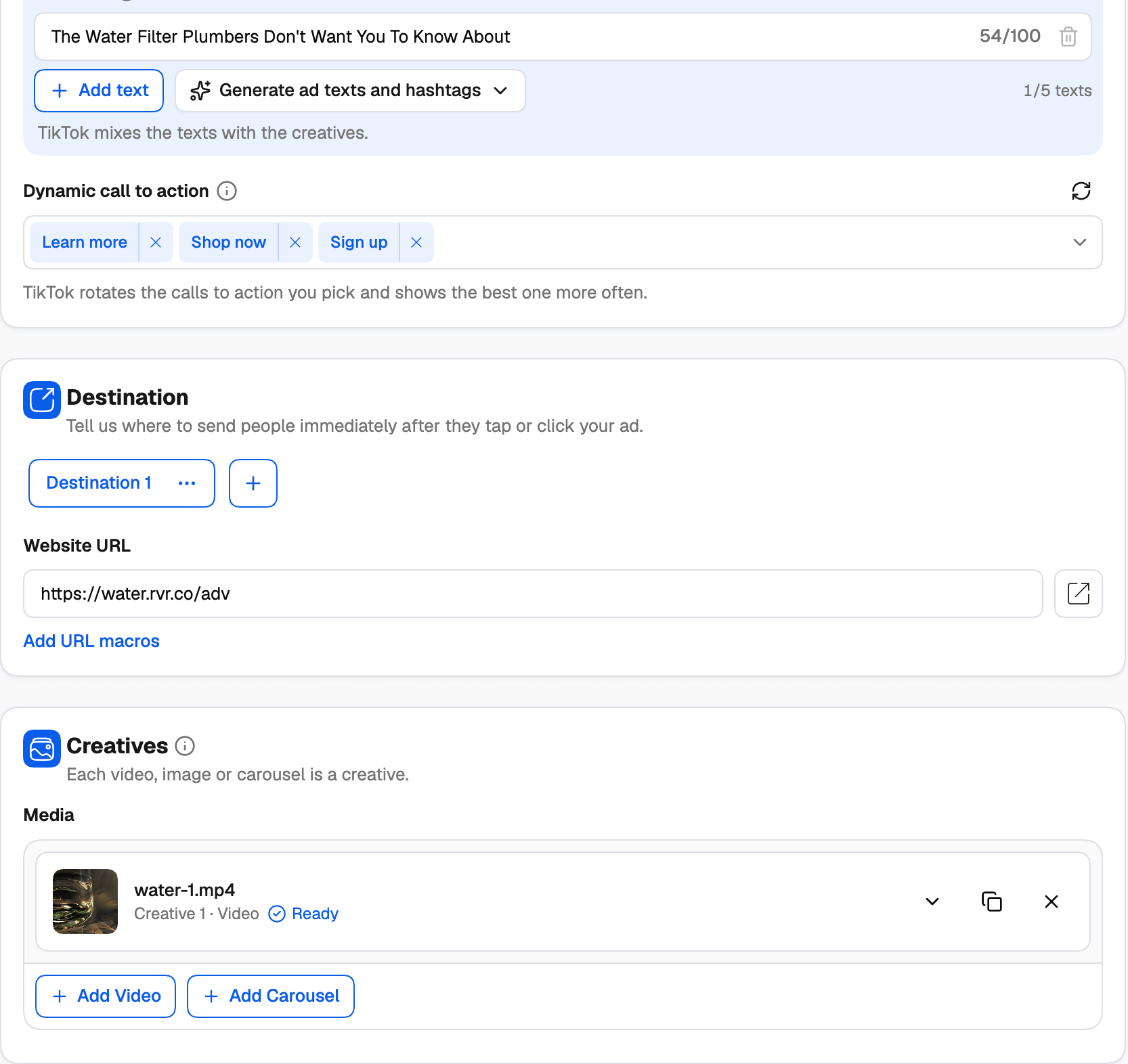
- Ad texts — up to 5 texts of 100 characters each. TikTok mixes the texts with the creatives. Click Generate ad texts and hashtags to have TikTok suggest texts and hashtags from your keywords.
- Call to action — the button on the ad, or a Dynamic call to action: pick several and TikTok rotates them, showing the best one more often. Smart+ ads take a dynamic call to action only.
Destination
Tell TikTok where to send people after they tap your ad: a Website URL (use Add URL macros to add tracking parameters), an Instant form for leads, or an Instant page hosted by TikTok.Creatives
Each video, image or carousel is a creative.- Add Video or Add Image (depending on the format the objective allows) — from the TikTok library (the ad account’s own videos or images) or the Media Manager (your uploads in TheOptimizer, sent to TikTok when the campaign is created).
- Add Carousel — several images (or, in Manual campaigns, images or videos) with music. Pick a track from your music, search TikTok’s carousel music, or upload an audio file.
Reusing your recent ad groups and ads
The right-hand panel saves you from re-entering settings you’ve used before:- At the ad group level, Suggestions lists your recent ad groups in this ad account for the same mode and objective. Click Apply to copy one’s targeting, placements, optimization, budget and bid.
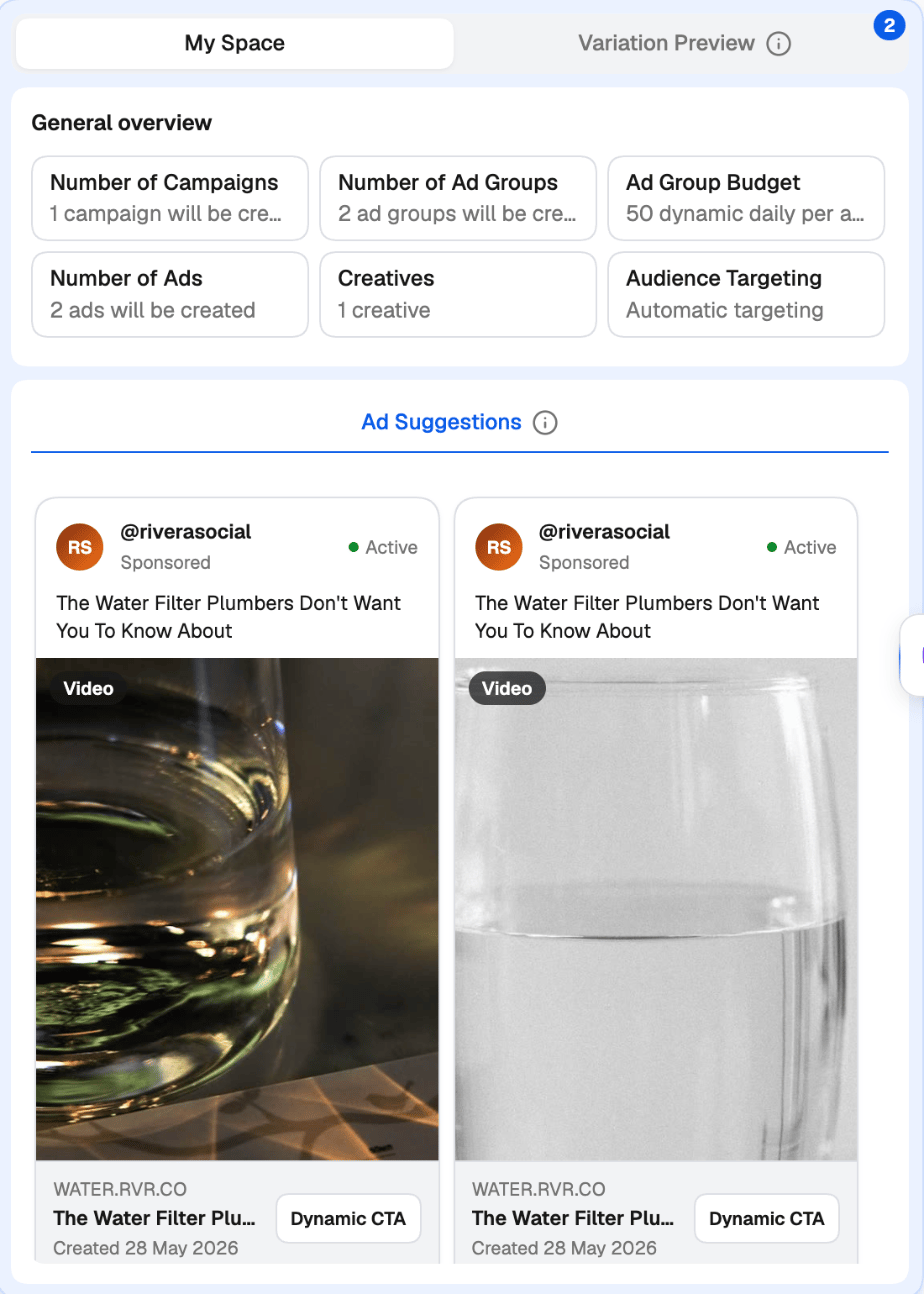
- At the ad level, Ad Suggestions lists your recent ads. Click Use This Ad to copy its creatives, texts, call to action, identity and landing page.
Next steps
- Variations — turn one setup into many ad groups, ads or campaigns.
- Publish, templates and existing campaigns