
Adding variants
Some sections have a row of variant tabs at the top — Audience 1, Budget 1, Placement 1, Destination 1. Click + next to the tabs to add a variant, then fill in its settings. Each tab holds its own values; click a tab to edit it.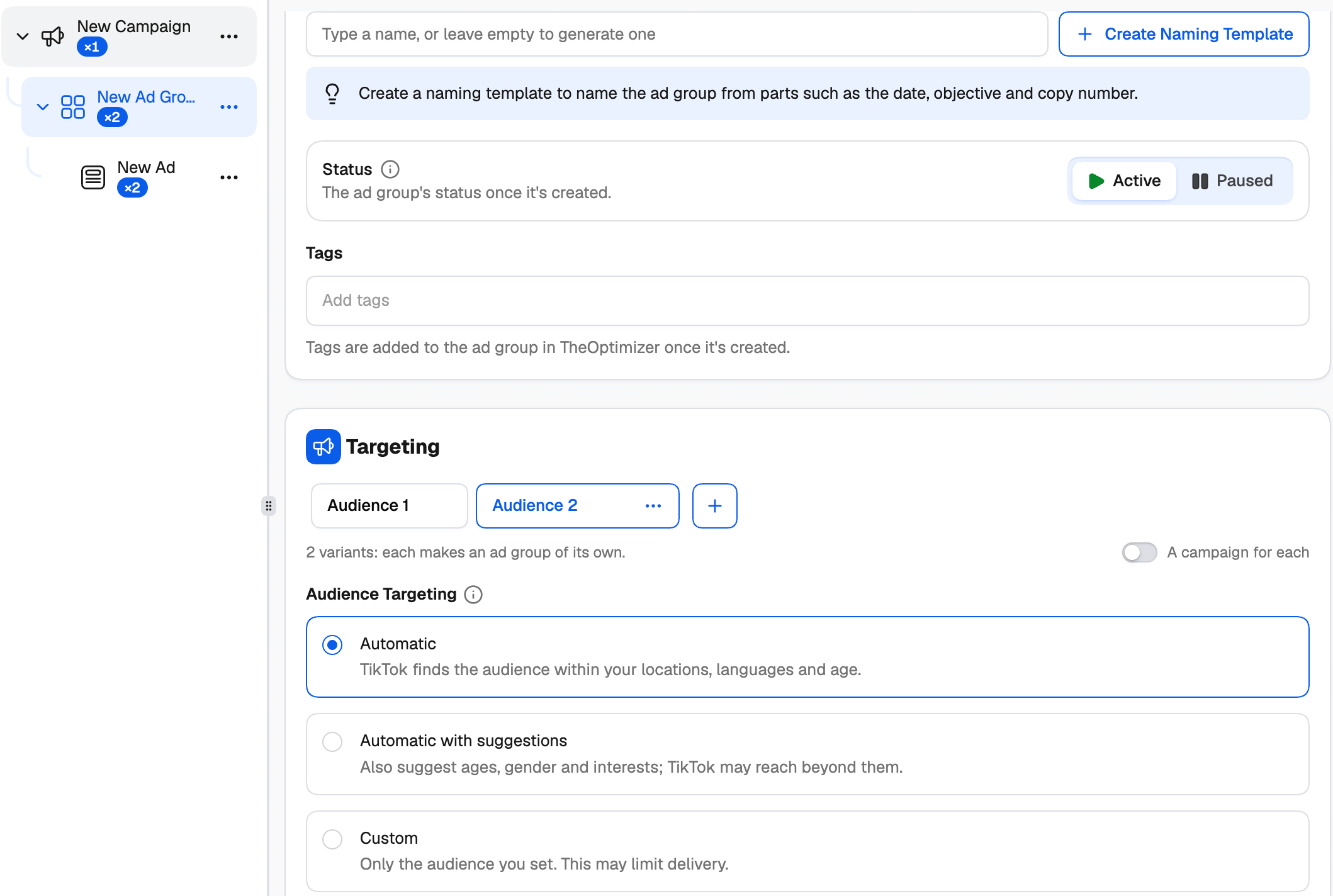
Under the tabs, a line tells you what the variants will make — for example 2 variants: each makes an ad group of its own. Use a tab’s ⋯ menu to Rename or Delete it.
Variants on the same level multiply: 3 audiences × 2 budgets gives 6 ad groups. The ×N badges in the tree and the General overview on the right update as you go, so you always know how much you’re about to create.
A campaign for each variant
By default, ad group variants become ad groups inside one campaign. Switch on A campaign for each next to the variant tabs to give each variant a campaign of its own instead — useful when you want separate campaign budgets or cleaner reporting per audience.Smart+ and destinations
Smart+ runs one ad per ad group, so in a Smart+ campaign each Destination variant makes an ad group of its own. In a Manual campaign, destination variants make separate ads inside the same ad group.More creatives, more ads
On the ad level, choose One ad per creative to turn every creative into its own ad — ten videos become ten ads. One ad with every creative keeps them in a single ad that TikTok rotates.Working with the tree
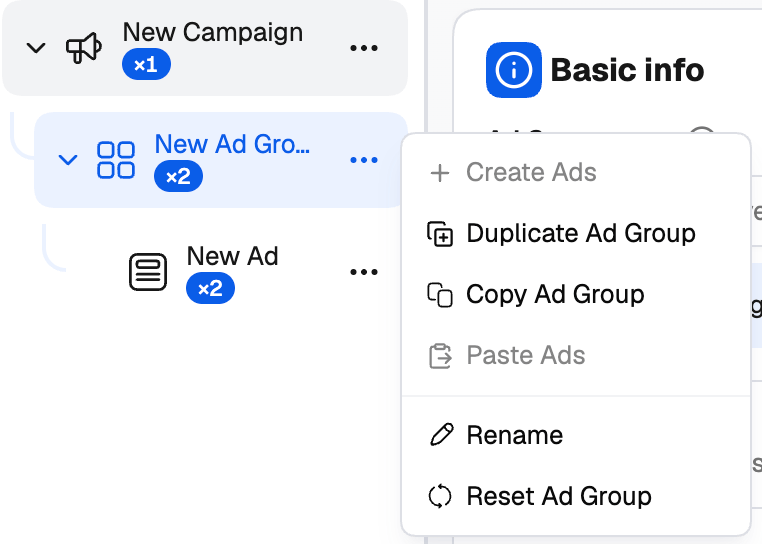
- Duplicate makes a copy right next to the original, which you can then change.
- Copy and Paste move an ad group into another campaign, or ads into another ad group.
- Reset puts a level back to its defaults; Start Over resets everything except the ad account.
Reviewing variations
Click Review Variations at the bottom of the creator to see everything that will be created.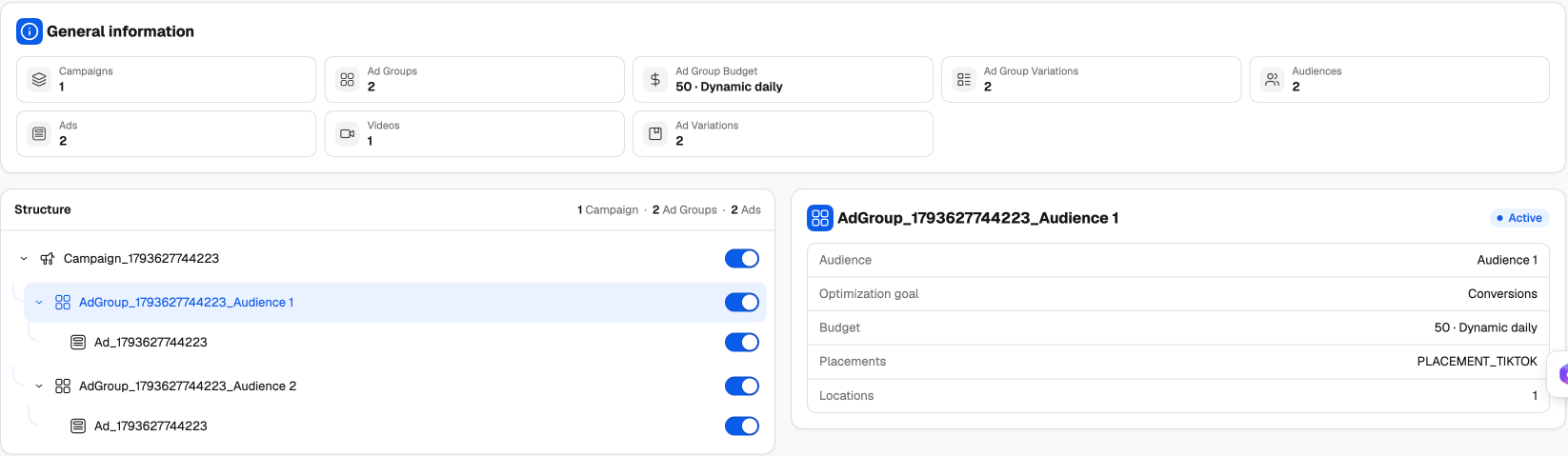
- General information totals what you’re about to launch: campaigns, ad groups, budgets, audiences, ads, videos, images and variations.
- Structure lists every campaign, ad group and ad with its generated name. Click a row to see its settings on the right — mode, objective and budget for a campaign; audience, optimization goal, budget, placements and locations for an ad group.
- Use the toggle on a row to leave it out. Switched-off combinations aren’t created. You need to keep at least one active campaign, ad group and ad.