Add Automation & Publish
The last step of the creator attaches rules and sends everything to TikTok.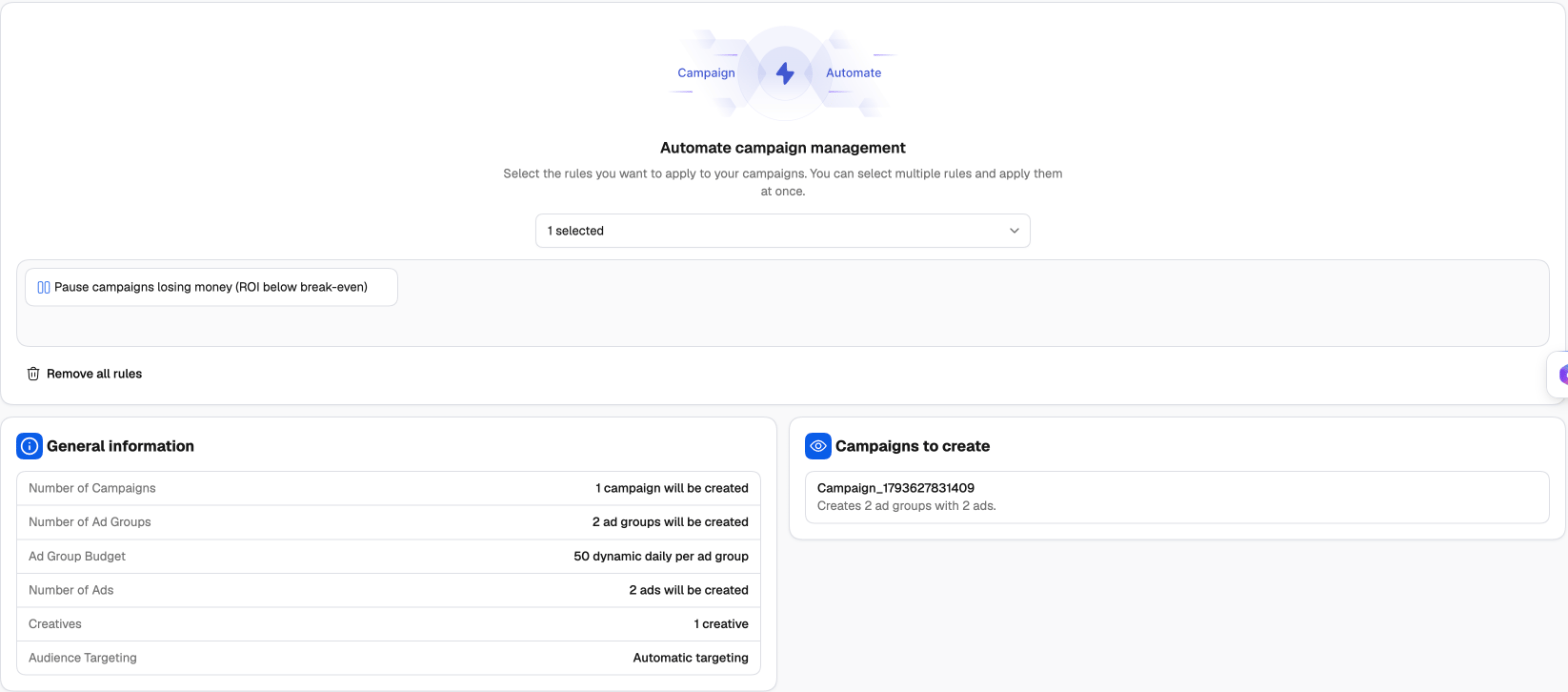
1
Attach rules (optional)
Under Automate campaign management, pick one or more rules or whole rule groups from Select a rule or rule group. The new campaigns are added to those rules as soon as they’re created, so they’re protected from the first impression. Remove all rules clears the selection. See the Rules guide and Popular TikTok rules.
2
Check what will be created
General information lists the totals — campaigns, ad groups, budgets, ads, creatives and targeting. Campaigns to create lists each campaign; hover one to see its ad groups and ads.
3
Publish
Click Publish. The Final Check dialog confirms that the campaign will be created in the background. Tick Would you like to save your settings as a template? to keep the setup for next time, then click Confirm.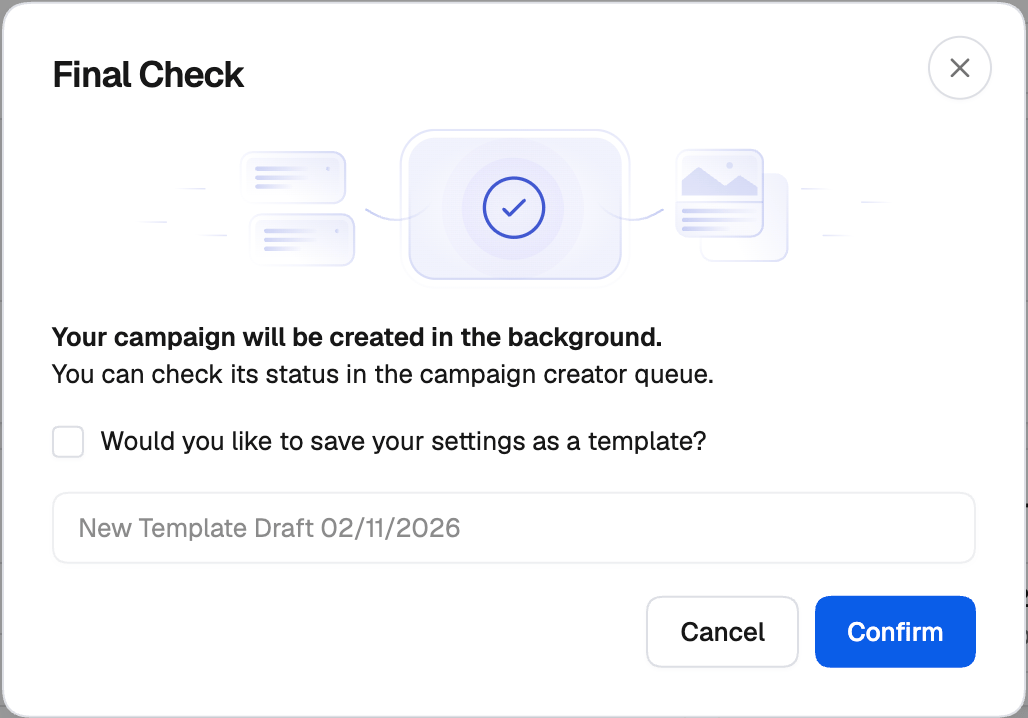
After you publish
Campaigns are created in the background and sent to TikTok in order. Follow their progress in the Campaign Creation Queue on the Campaign Creator page — see The Campaign Creation Queue. Once created, they appear in the Campaign Manager’s TikTok tab with the tags you set. You can open a launch from the queue in the creator again. Creating from it sends it as a new campaign; the one in the queue stays as it is.Templates
A template saves your whole setup — campaign, ad groups, ads, variants and rules — so the next launch only needs new creatives or a different budget. Saving. The name at the top of the creator is the template’s name; click the pencil to change it. Then use the Save button at the top right, or its menu:- Save — save the current setup under its name.
- Save As — save a copy under a new name.
- Browse Templates — open your saved templates.
Adding to a campaign that’s already on TikTok
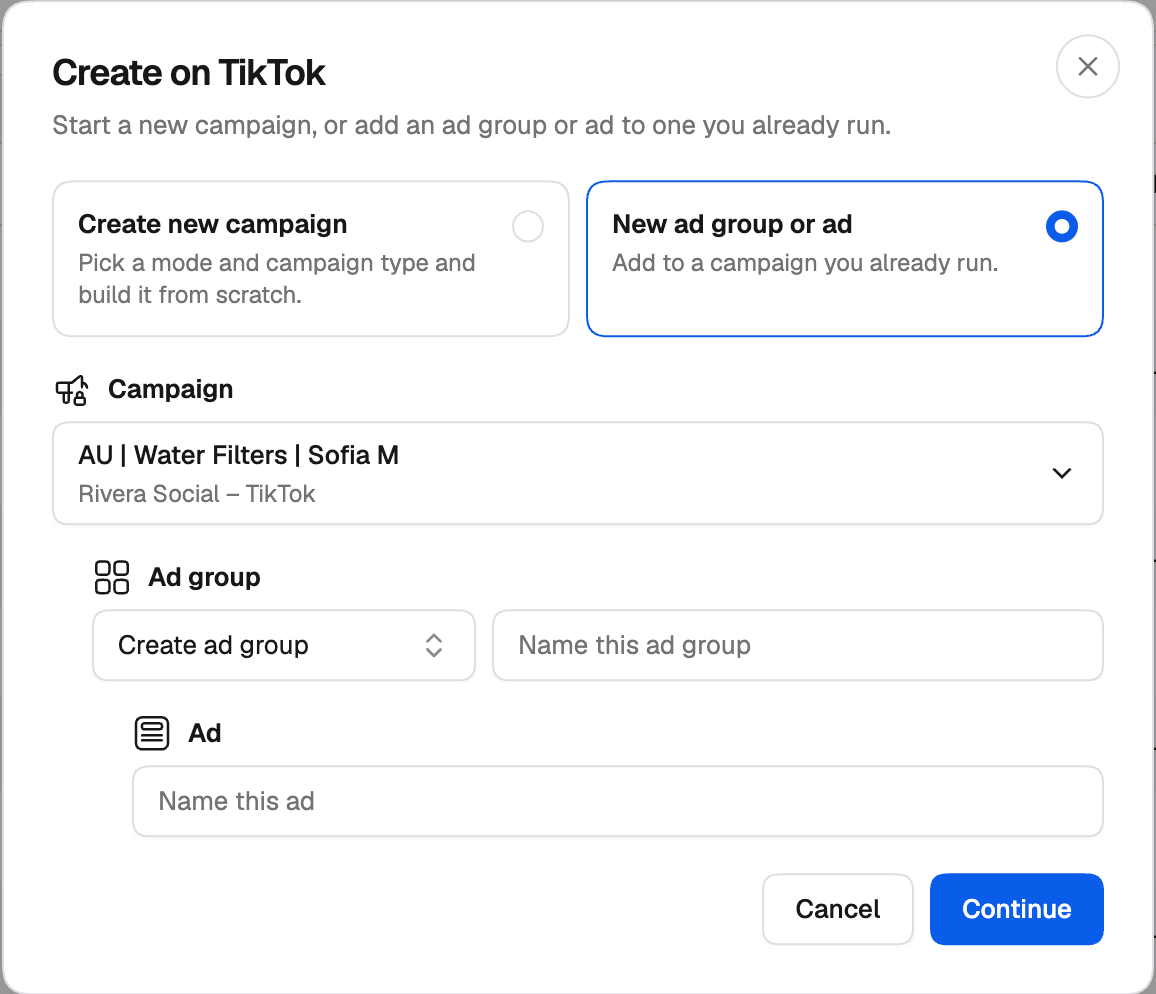
You don’t need a new campaign to test new ads. You can add new ad groups and ads to a campaign that’s already running on TikTok, or new ads to one of its ad groups. Its name, budget and settings stay as they are on TikTok — only what you build in the creator is added. From the Campaign Manager. On the TikTok tab, click Create, choose New ad group or ad, and pick the Campaign. Then either Create ad group (and name it) or use an existing ad group, name the ad, and click Continue. The creator opens on the new ad group or ads.