Loading an Existing Campaign
1
Open the launcher and select your Ad Account
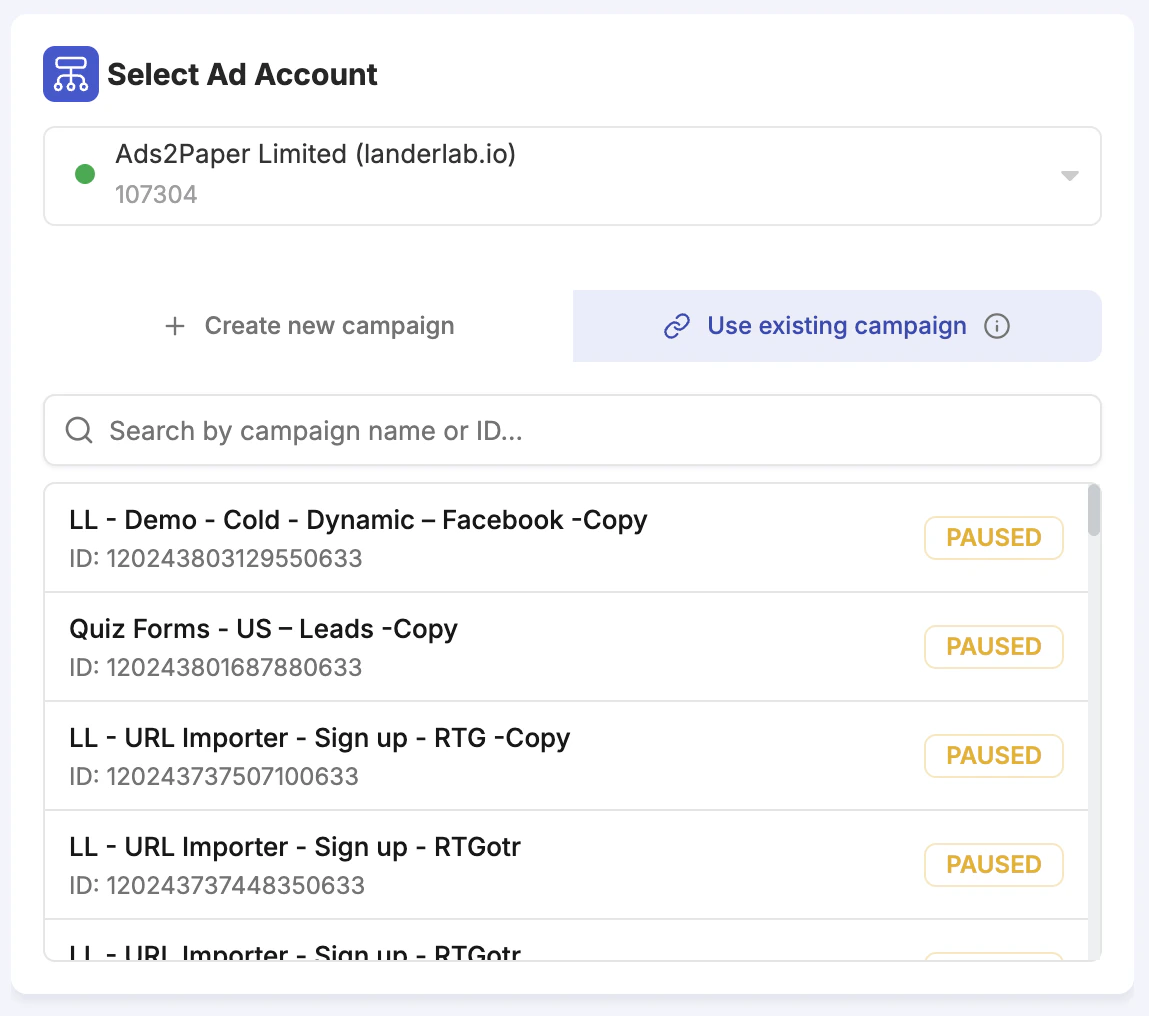
Open the Facebook Campaign Launcher and select your Ad Account.
2
Switch to Use existing campaign
Below the ad account selector, two options appear: + Create new campaign (default) and Use existing campaign. Click Use existing campaign.
3
Search for the campaign
A search box appears. Search for the campaign by name or ID, then click on it from the list.
4
Wait for the editor to load
Once loaded, the campaign and all its existing ad sets and ads are visible in the left panel tree.
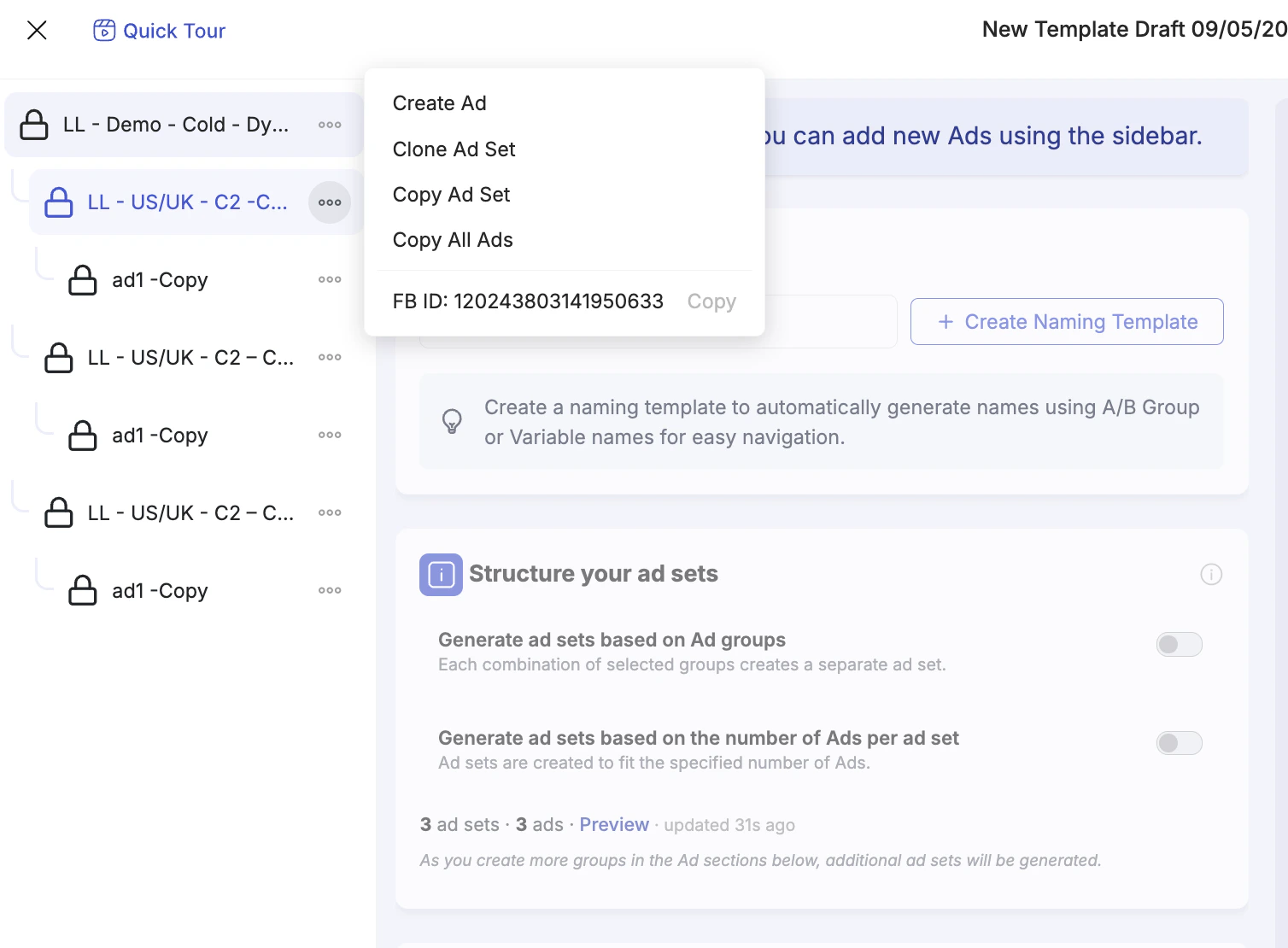
Everything that already exists in the campaign is read-only — you cannot edit existing ad sets or ads. The lock icon on existing items in the tree makes this clear. You can only add new items.
Working with Existing Ad Sets
Once an existing campaign is loaded, clicking the three-dot menu (⋯) on any existing ad set in the left panel tree reveals several actions: