
Three pages in the Ad Library sidebar turn your creative data into a weekly routine: the Leaderboard for what moved, Messaging themes for which ideas work, and Notes for what the team learned.

Leaderboard

The Leaderboard tracks performance shifts and top creatives: the last 7 days against the 7 days before. Performance shifts at the top sorts your creatives into lifecycle segments — Scaling, Declining, Newly launched and Recently paused — with their spend and ROAS and how each changed since last week.
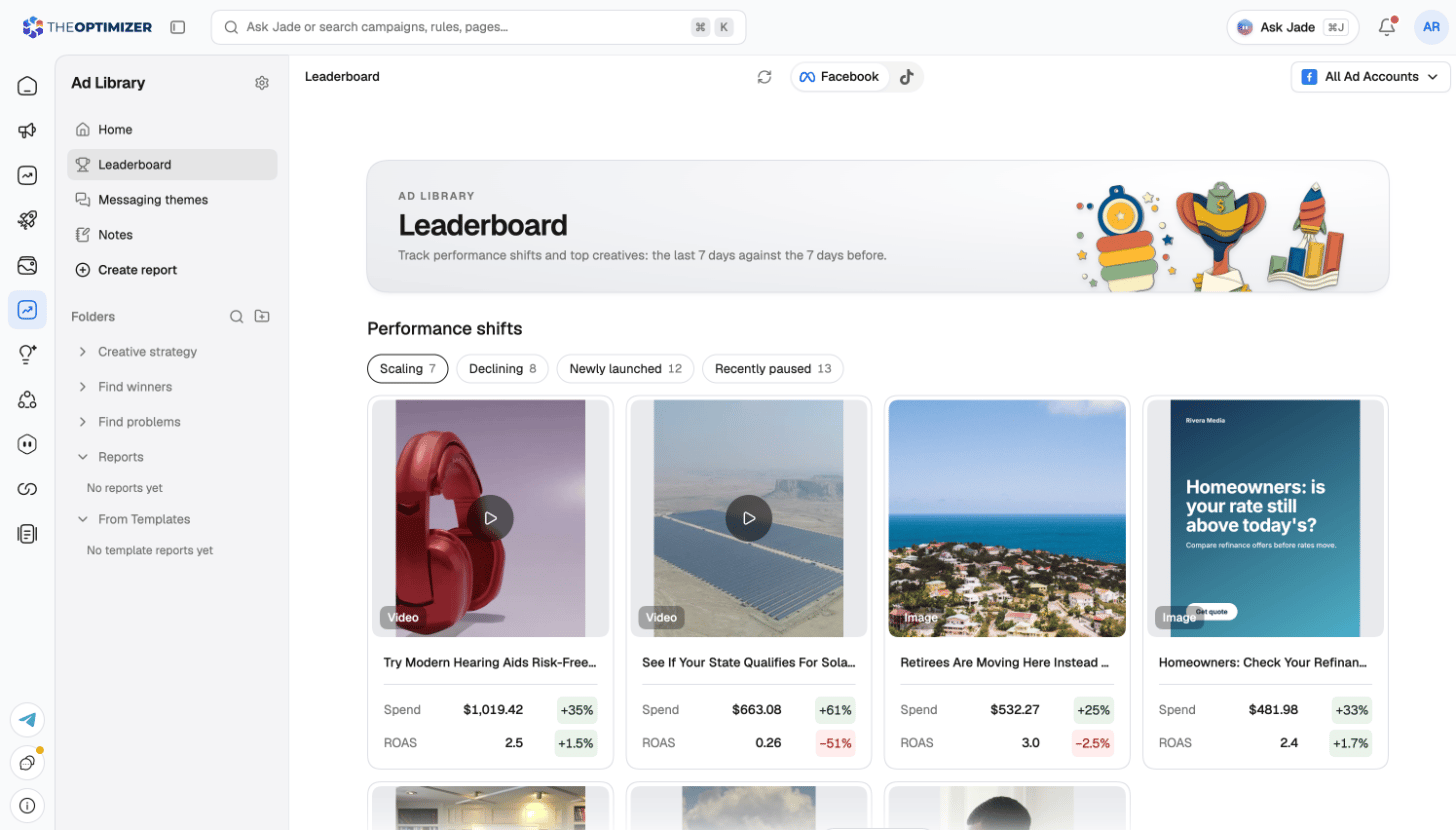
The Leaderboard page with Performance shifts on the Scaling tab
The Creative leaderboard below ranks creatives in two views: Each row shows the creative’s rank and how it moved since last week, its share of spend, its weeks on board, spend and ROAS. Click a row to open the creative.
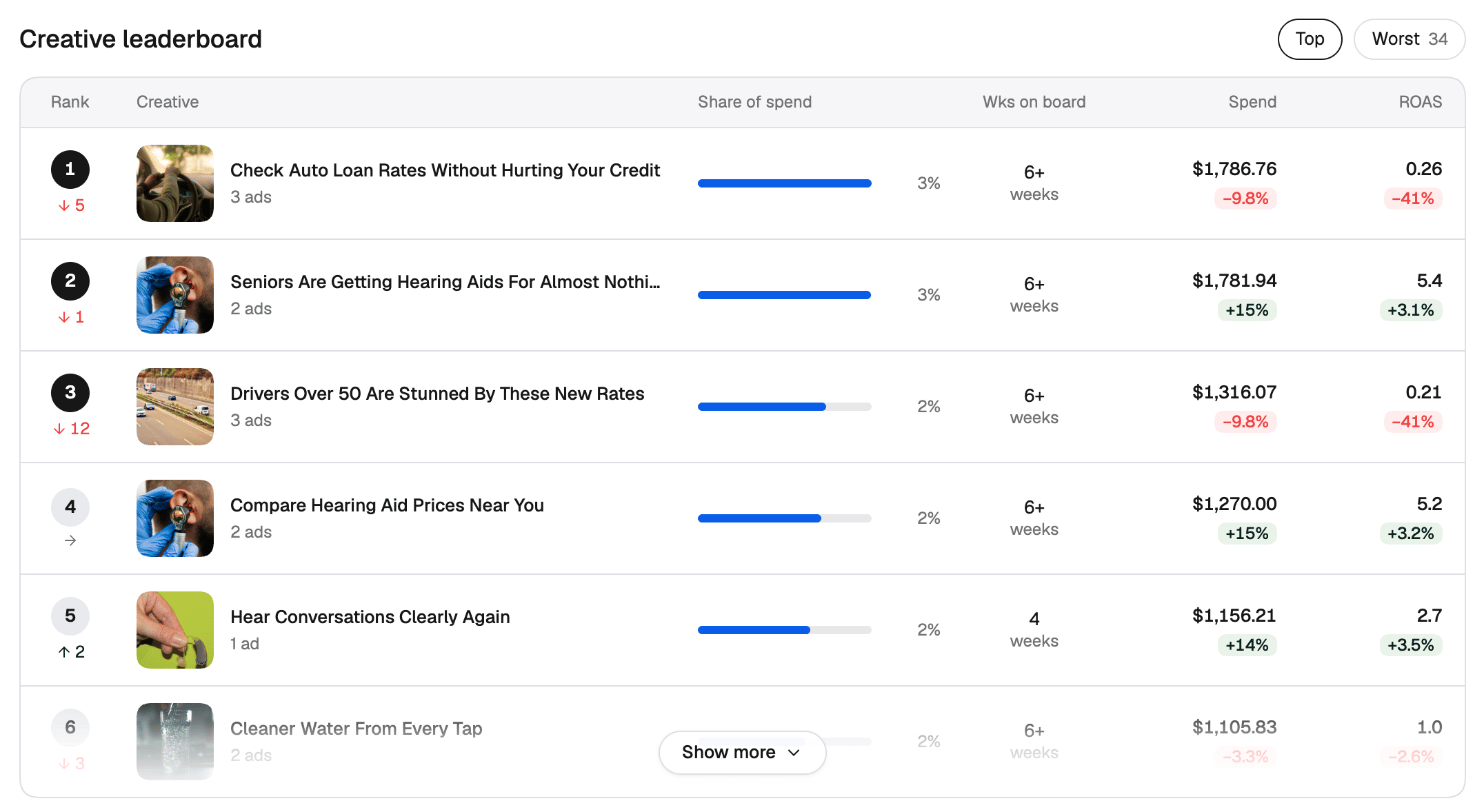
The Creative leaderboard with rank and movement, share of spend, weeks on board, spend and ROAS

Messaging themes

Messaging themes lists every messaging angle you run, with its definition, spend and hit rate over the last 30 days.
  • Hit rate is the share of a theme’s delivering ads that cleared your winner bar (ROAS of 1 or more on your goal ROAS).
  • Each theme is marked Proven or Testing by how reliably it produces winners. A theme with fewer than 5 delivering ads isn’t rated yet.
  • Sort the list by Proven, Spend, Active or Hit rate. Themes that didn’t run in the window are listed separately as Not running.
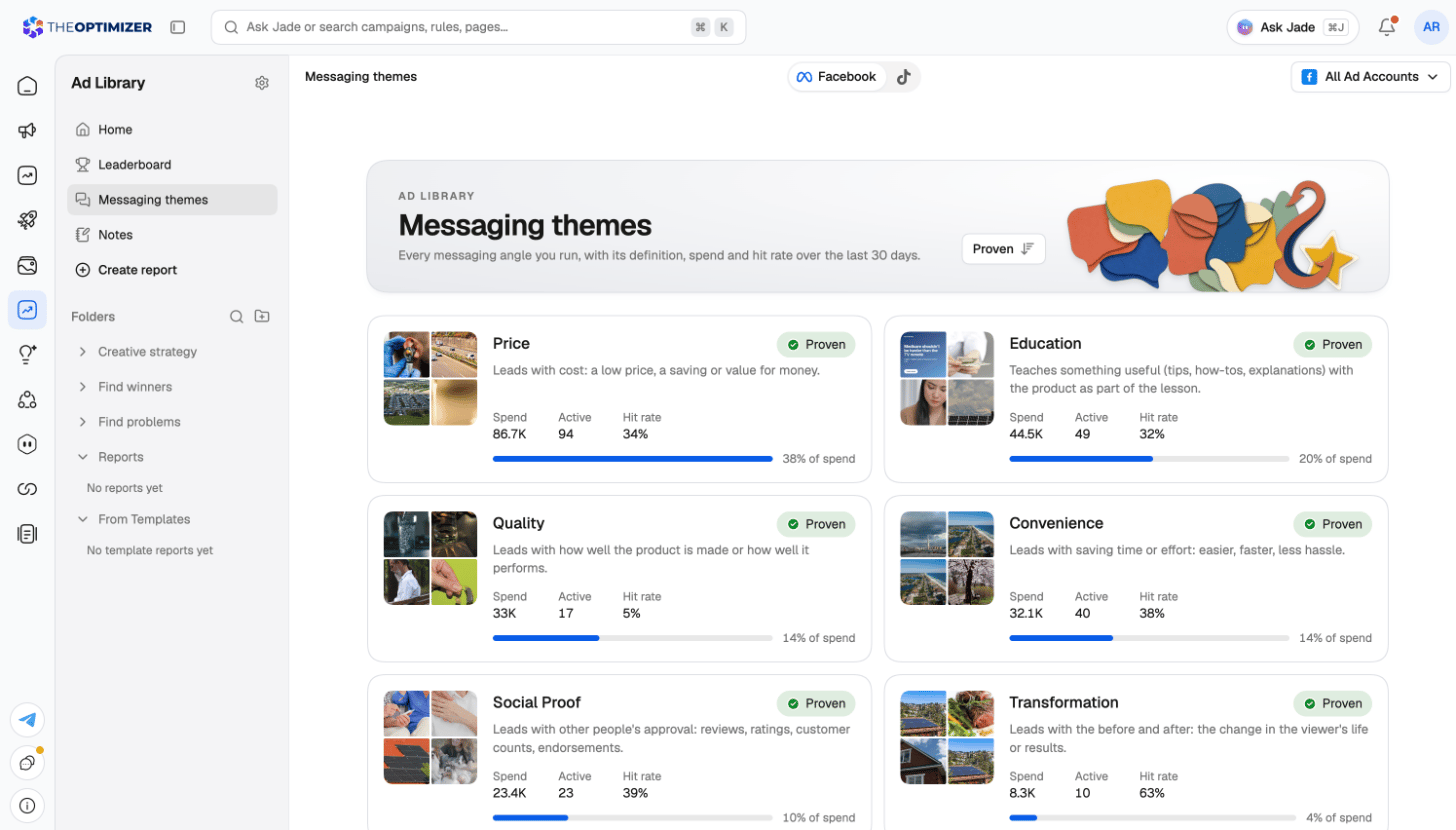
Click a theme to see its top creatives, how it has run over the last twelve months, and What’s pairing well — the hooks, personas and other tags that win most often alongside it.
Messaging themes, each with its definition, spend, active ads, hit rate and share of spend
Themes come from the AI’s angle tag. If the page is empty, turn on auto-tagging so your creatives get analysed.

Notes

Notes collects what your team learned from its ads, newest first. You write a note from any creative’s Notes tab in the creative inspector; it shows up here with the creative it’s about. Filter the feed by All, Active or Archived. Archive a note when it’s no longer relevant; archived notes stay greyed out until you restore them.