
The Ad Library replaces the analytics part of the old Creative Library. Your uploaded images, videos and headlines are still in the Media Library. See Media Library.
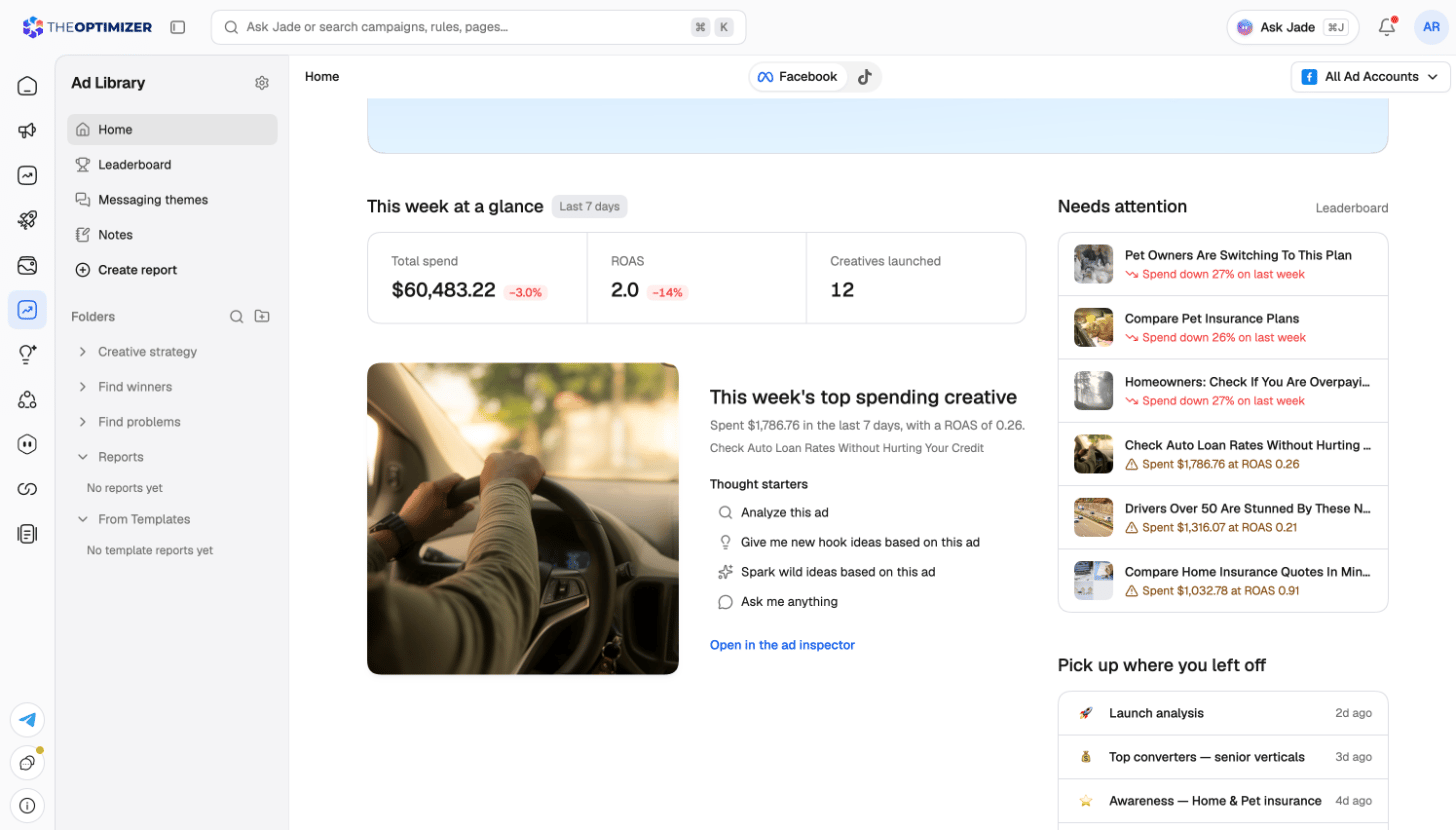
Opening the Ad Library
Click Ad Library in the left navigation. It opens on Home, with its own sidebar:Choosing the platform and ad accounts
Every page in the Ad Library reads one platform at a time. Use the platform switch in the top-right corner to move between Facebook, TikTok and Snapchat. A platform you haven’t connected yet shows Connect instead. Under the top bar, the account bar shows which ad accounts the page reads and when each one last synced. Click Filter to narrow it to some of your accounts. On a saved report, the accounts you pick are saved with the report.The Ad Library needs at least one connected Facebook, TikTok or Snapchat ad account. Right after you connect one, the page shows that it’s syncing until the first data arrives. See Ad Networks.
Home
Home sums up the last 7 days for the platform and accounts you picked.
Click any creative on Home to open it in the creative inspector.
How creatives and metrics work
- A creative is the asset, not the ad. When the same video runs in ten ads across five campaigns, the Ad Library shows it once, with the totals of all ten ads. The Ads tab of the creative lists each ad.
- Your goal metric decides the winners. By default the Ad Library ranks creatives by ROAS from the ad platform. If your tracker sees revenue the platform doesn’t, switch the goal to ROAS (tracker) in Settings → Goal.
- AI tags describe what’s in each creative — its hook, angle, persona, format, style and more — so you can compare performance by idea, not just by ad. See Tags and settings.
Next steps
Reports
Rank, compare and follow launches with templates or your own reports.
Creative inspector
Everything about one creative: performance, ads, transcript, AI analysis and notes.
Tags and settings
AI tags, custom tags, naming rules, auto-tagging and the goal metric.
Inspiration
Other brands’ ads, to find ideas for your next creatives.