
Opening Inspiration
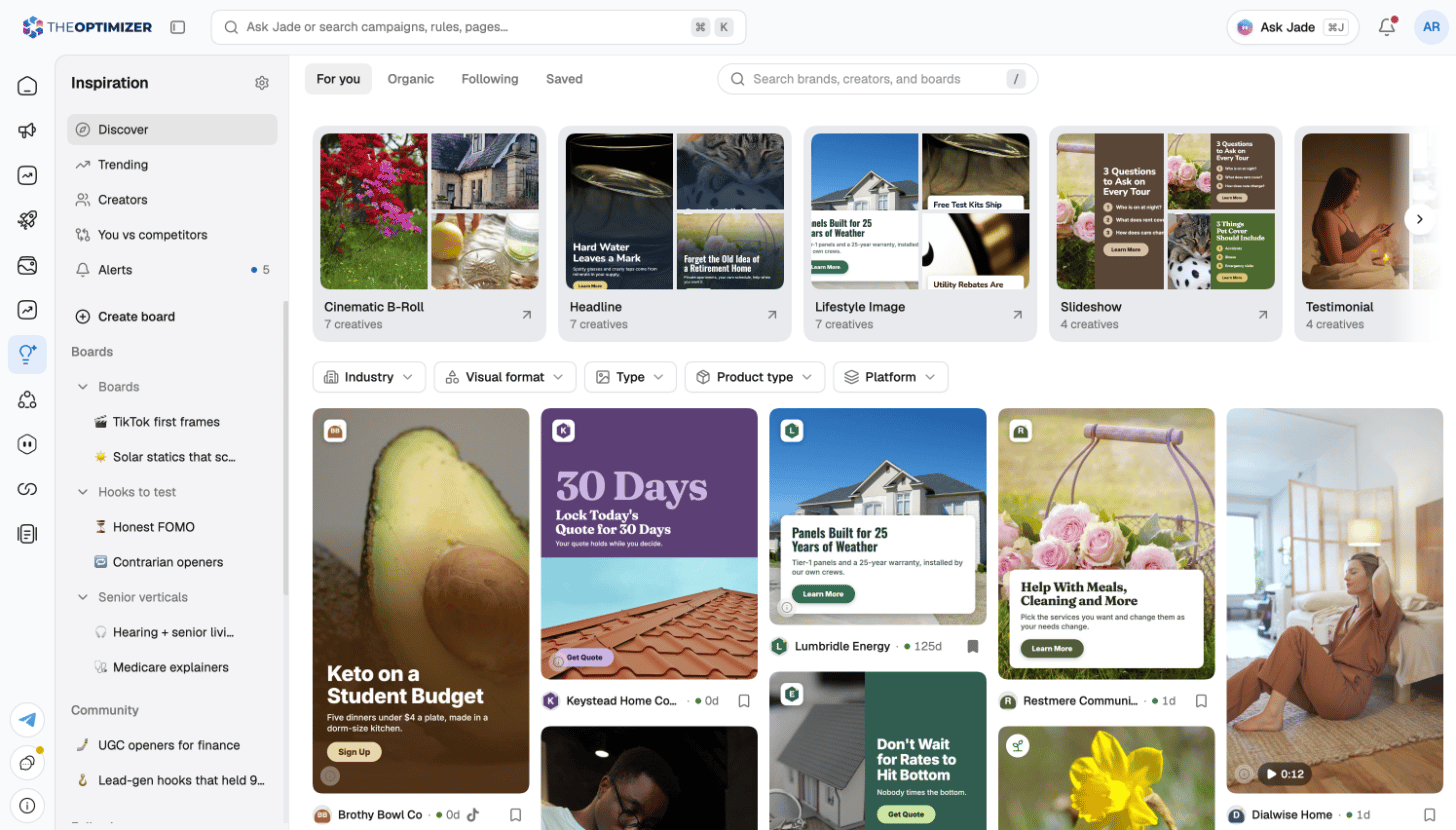
Click Inspiration in the left navigation. It opens on Discover, with its own sidebar:
Use the search at the top to find brands, creators and boards by name or website.
Discover
Discover has four tabs:Filter and sort
Narrow the feed with filters for Industry, Visual format, Type, Product type, Days active, Brand, Status, Ad length, Partnership ads, Landing page, Platform and, on saved ads, Saved by. Sort by Newest, Longest running or Most variants (saved ads sort by Latest saves or Oldest saves) — a brand that keeps an ad running for weeks, or makes many versions of it, is usually seeing results. Hover a video card to preview it.Ad details
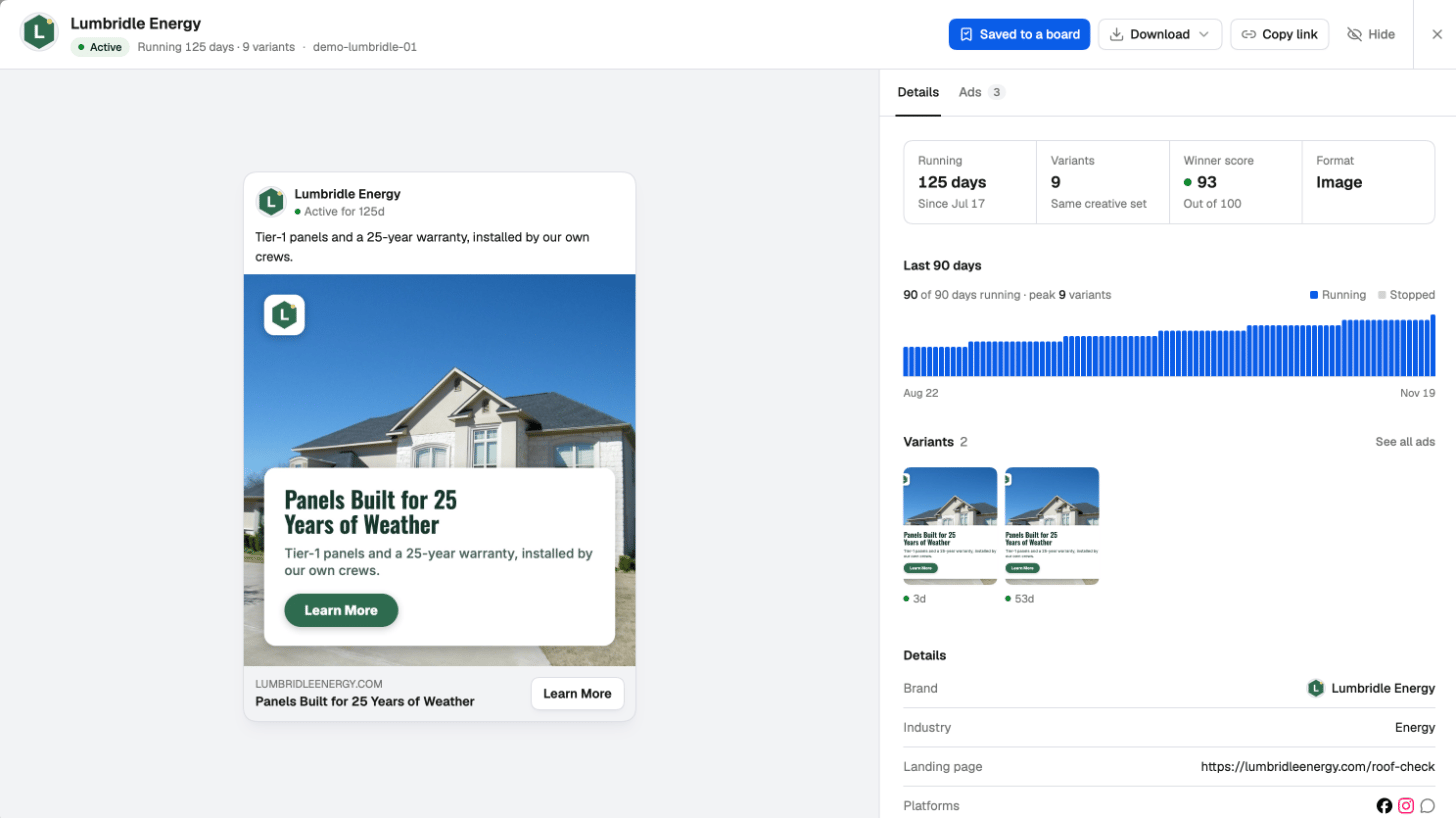
Click an ad to open its details:- Details — how long the ad has been Running, its Variants (versions of the same creative set), its Winner score out of 100 and its format; a chart of the Last 90 days, showing when it ran; then the brand, industry, landing page, platforms, call to action and ad copy.
- Ads — the brand’s other ads that use this creative.
- Transcript — for videos, what’s said in the ad.
- Download the creative, Copy link to share the ad with your team, or Hide it from your feed.
- Ask Jade — ask Jade about the ad, for example to write a brief for your own version of it.
Next steps
Brands, creators and trends
Follow brands, find creators, see trends and compare yourself with competitors.
Boards and saving
Organize saved ads in boards, and save from the Meta Ad Library or Instagram.
Alerts and settings
Daily alerts, the weekly digest, and your Inspiration settings.
Ad Library
How your own creatives perform.