
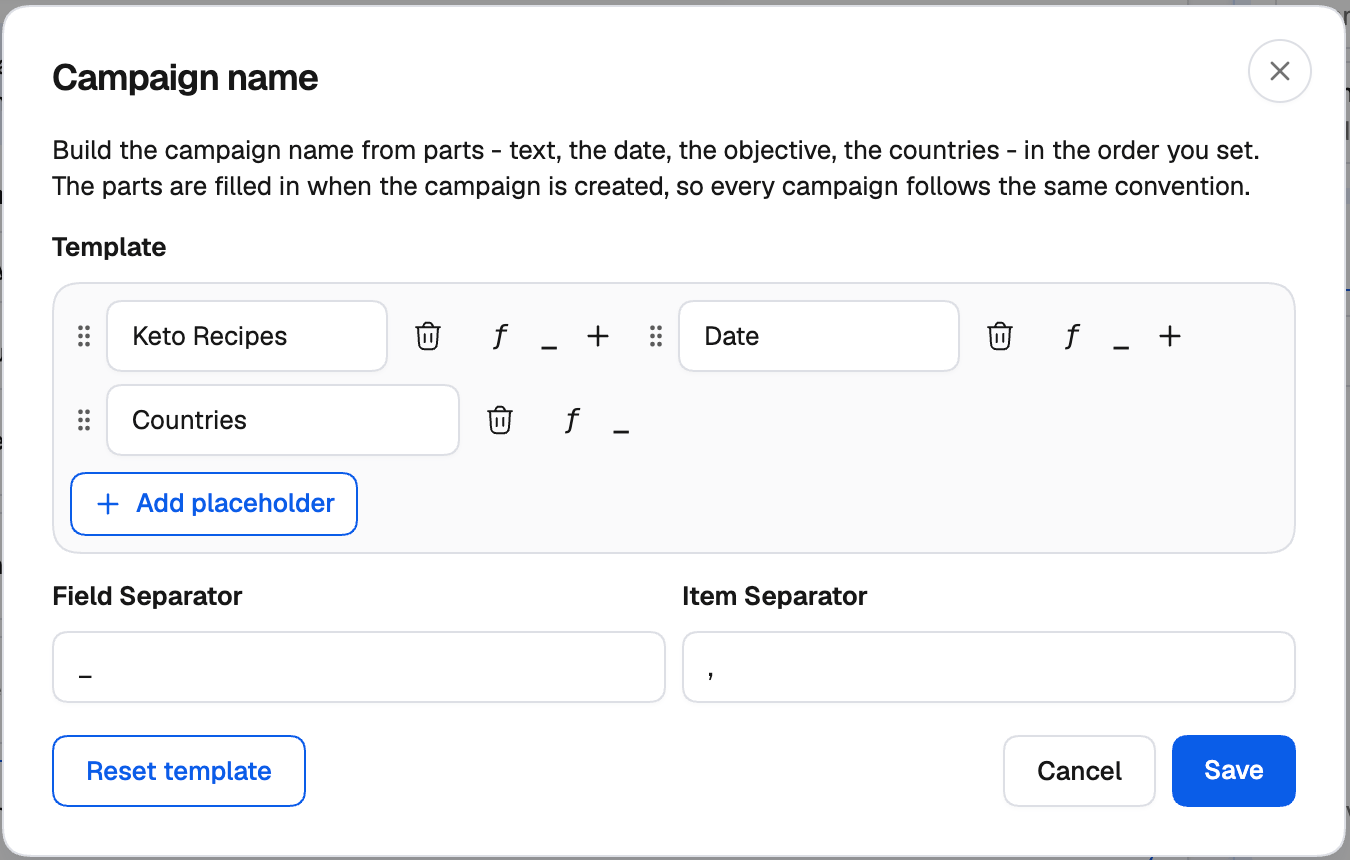
Creating a naming template
1
Open the builder
Next to the name field on a level, click Create Naming Template. Once a level has one, the button reads Edit Naming Template.
2
Add parts in the order you want
Pick the parts the name should be made of. Add your own text where you want a fixed prefix or code, such as an offer or a buyer’s initials.
3
Save
The name field now shows the template. The parts are filled in when each item is created, so every campaign, ad set/ad group or ad gets its own name.
2026-11-09_Leads_US, CA), and lists inside a part — such as several countries — are joined with **, **.
Group names keep variations apart
The most useful part is Group name: it fills in the names of the groups an item was made from, such as Budget 2 · US. Give your groups meaningful names and every generated item explains itself. Even without the part, the creators keep variations apart: on TikTok and NewsBreak the group names are added to the end of the name when a template doesn’t include them, and on Taboola each generated campaign’s name ends with the names of its groups (for example Summer Sale - Budget Group 2 - US).Parts available on each network
- Facebook
- TikTok
- Taboola
- NewsBreak
Facebook’s builder has the widest set of placeholders — targeting, placement, budget, bid amount and strategy, group names, nested names and more — plus quick suggestions and custom separators.See Dynamic naming templates.
A name can’t end up empty or too long: the builder warns you if a template would produce an empty name, or one over the network’s limit (200 characters on Taboola).