
Following brands
Click Follow on a brand’s page, or on any of its ads, to follow it. Inspiration checks each followed brand daily, and its new ads land in Discover → Following. Don’t see a brand? Follow it by its website: type the site (for example glossier.com) in the search at the top, or in Find brands to follow, and click Follow. Inspiration finds the brand’s Meta page from its site and starts collecting its ads. It takes a few minutes, and the brand shows up in Following when it’s ready.A brand’s page
A brand’s page shows its ads, with the same filters as Discover. See similar brands suggests others to follow.Brand intel
Brand intel lists every brand you follow with its media mix, its visual formats and its landing pages, so you can see at a glance how each competitor builds its ads.Trending
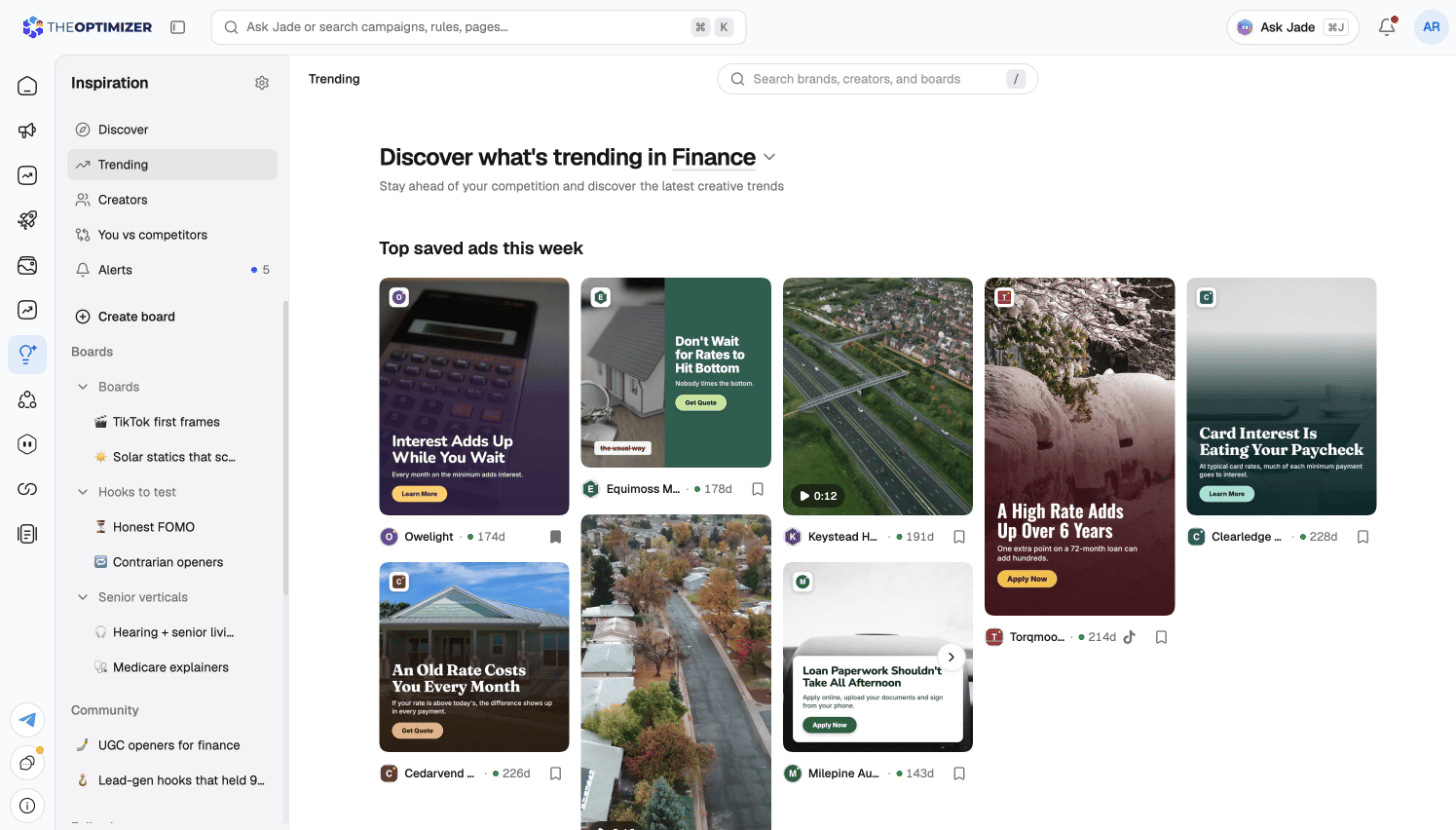
Trending shows what’s trending in your industry — pick another industry at the top to look around:- Top saved ads this week in the industry.
- Brands to Watch — the brands saved most in your industry, with Follow brands.
- Popular Visual Formats — the formats predicted to be the biggest trends this quarter. See every format opens the full list.
Visual formats
Inspiration tags every ad with the visual format it uses — UGC, meme, and many more. The Visual formats page explains what each format means; search it by name.Creators
Creators helps you discover and follow the top creators across your industry.- Top creators ranks creators by category. Bubbling up shows smaller creators whose recent top posts pull far more views than they have followers.
- Open a creator to see their Top posts, their posts By views, All content, and their Partnership ads — the sponsored ads they’ve made for brands.
- Click Follow to get alerts when a creator posts far above their usual views.
- Can’t find someone? Click Request a creator.
You vs competitors
You vs competitors compares your own creatives — the ones in your Ad Library that spent in the last 30 or 90 days — with the active ads of the brands you follow.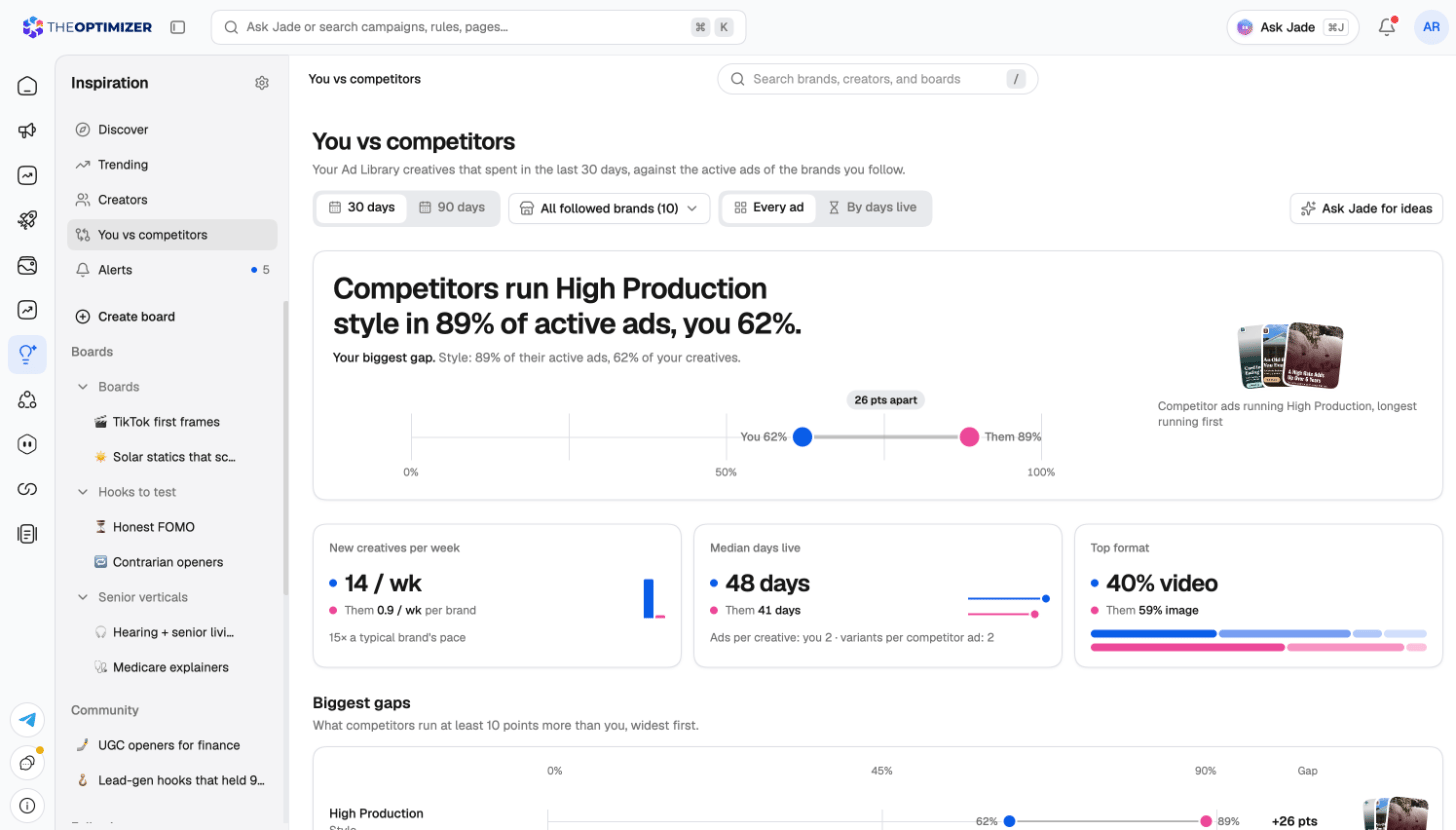
- Your biggest gap at the top, in one sentence — for example Competitors run High Production style in 89% of active ads, you 62%. — with the competitor ads behind it.
- New creatives per week, Median days live and Top format — your pace and mix next to theirs.
- Biggest gaps — what competitors run at least 10 points more than you, widest first. These are ideas you haven’t tested.
- Where you lead — what you run at least 10 points more than they do.
- By dimension — your share against theirs for each format, call to action, video length, hook, angle, offer, persona, emotion and style.
- Your side by creatives or by spend.
- The competitors by every ad, or by days live — weighting longer-running ads more, since those are usually the ones that work.
Format, call to action and video length compare right away. Hook, angle, offer, persona, emotion and style need your own creatives to have AI tags — turn on auto-tagging in the Ad Library. Without a connected ad account, you see the competitors’ side only.