
How a group works
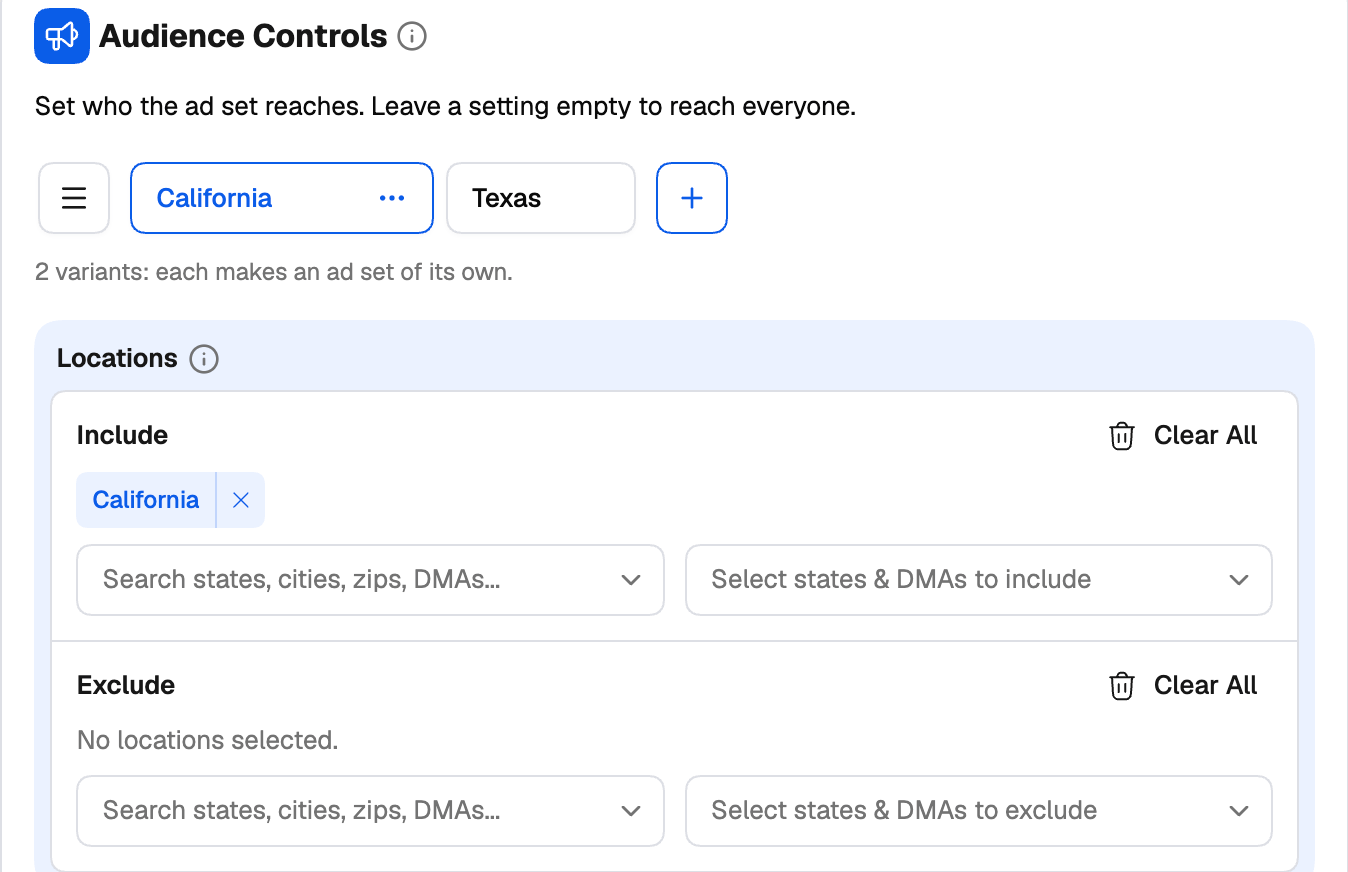
Some settings cards have a row of group tabs at the top: Audience 1, Budget 1, Budget Group 1, Audience Group 1, and so on. Each tab holds its own values for that card — its own locations, its own budget, its own bid.- Add a group with + next to the tabs. The new group starts as a copy of the one you’re on, so you only change what’s different.
- Switch groups by clicking a tab. The card’s fields show that group’s values.
- Rename a group by double-clicking its tab, or from its ⋯ menu. Give groups names that mean something — US 18-34, Budget $50, Desktop only — because group names flow into your naming templates and into the names of everything that’s generated.
- Clone or Delete a group from its ⋯ menu.
- Manage groups with the ☰ button next to the tabs (it’s enabled once there are two or more). The manager lets you search, drag to reorder, and select several groups to clone, rename (add a prefix or suffix) or delete them in one go.
How combinations multiply
Groups on the same level multiply. Each combination of groups becomes its own item:3 audience groups × 2 budget groups = 6 ad groups (or campaigns, depending on the network)Creatives multiply ads in the same way. On every network the creator can turn each image or video — and on some, each headline — into its own ad.
Keeping track of what you’re about to create
- ×N badges in the tree show how many of each item the launch will create (Facebook, TikTok and Taboola).
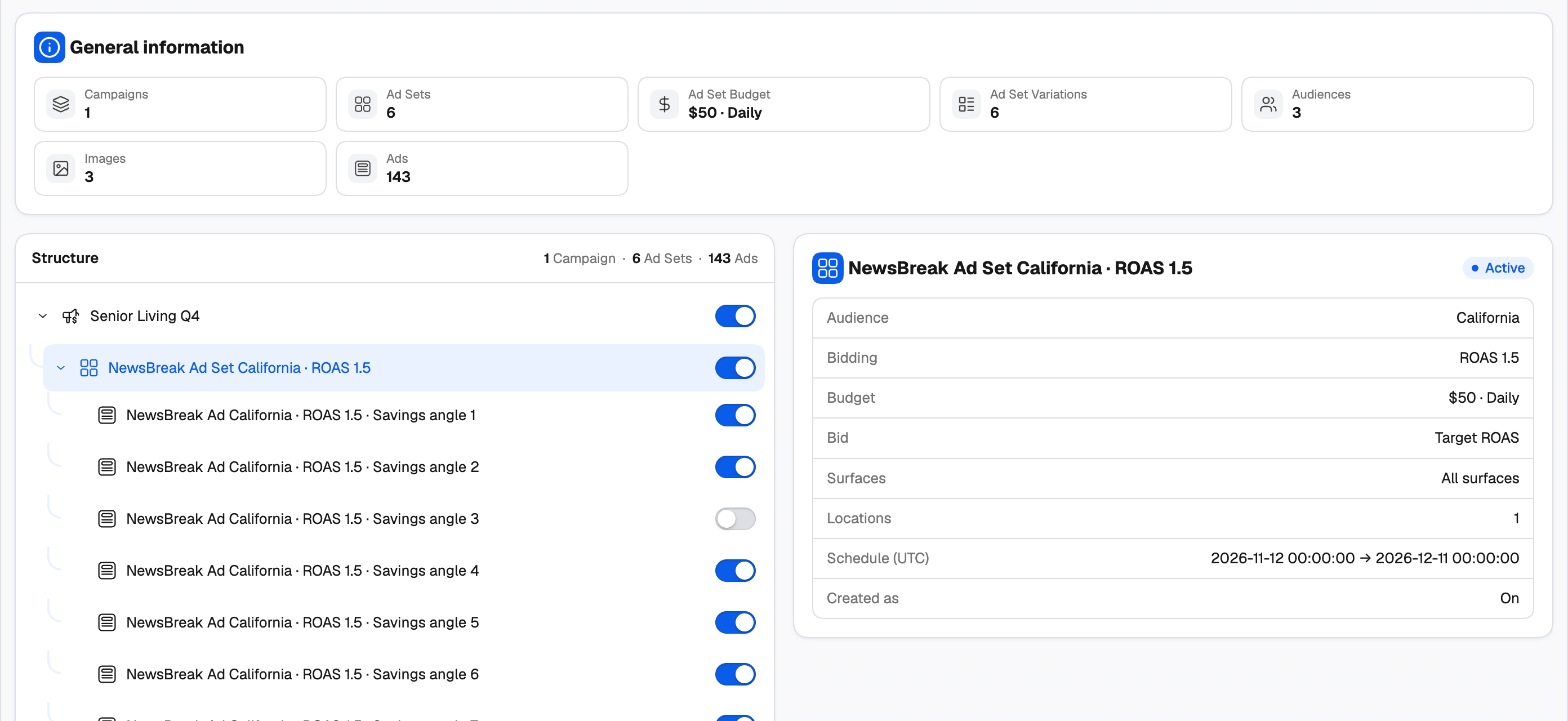
- General overview on the right counts campaigns, ad sets/ad groups, ads and creatives as you go.
- Variation Preview lists the combinations of the level you’re on. Switch one off and it isn’t created.
- Review Variations — the second step of every guided creator — shows the full tree of what will be created, with a switch on every row. Leave out any combination you don’t want.
What you can group, network by network
- Facebook
- TikTok
- Taboola
- NewsBreak
Facebook has the most complete group system: Budget, Audience, Placement, Identity and Creative groups, plus Campaign Restructuring to decide which groups become separate campaigns or ad sets.See Generate campaign variations.
A worked example
You’re launching a new offer on Taboola and want to test three countries at two bid levels:1
Build one campaign
Set up the campaign once: objective, schedule, tracking, devices, and the ads.
2
Add audience groups
In Audience Controls, rename Audience Group 1 to US and target the United States. Click + twice, rename the copies UK and AU, and change only their country.
3
Add budget groups
In Budget and bidding, rename Budget Group 1 to CPC 0.30, click +, rename the copy CPC 0.45 and raise its CPC.
4
Check the count
The tree and the overview now show 6 campaigns: US / UK / AU × CPC 0.30 / CPC 0.45, each named after its groups.
5
Review and publish
On Review, switch off any combination you don’t want, attach your rules, and publish. All six are created in one launch.