
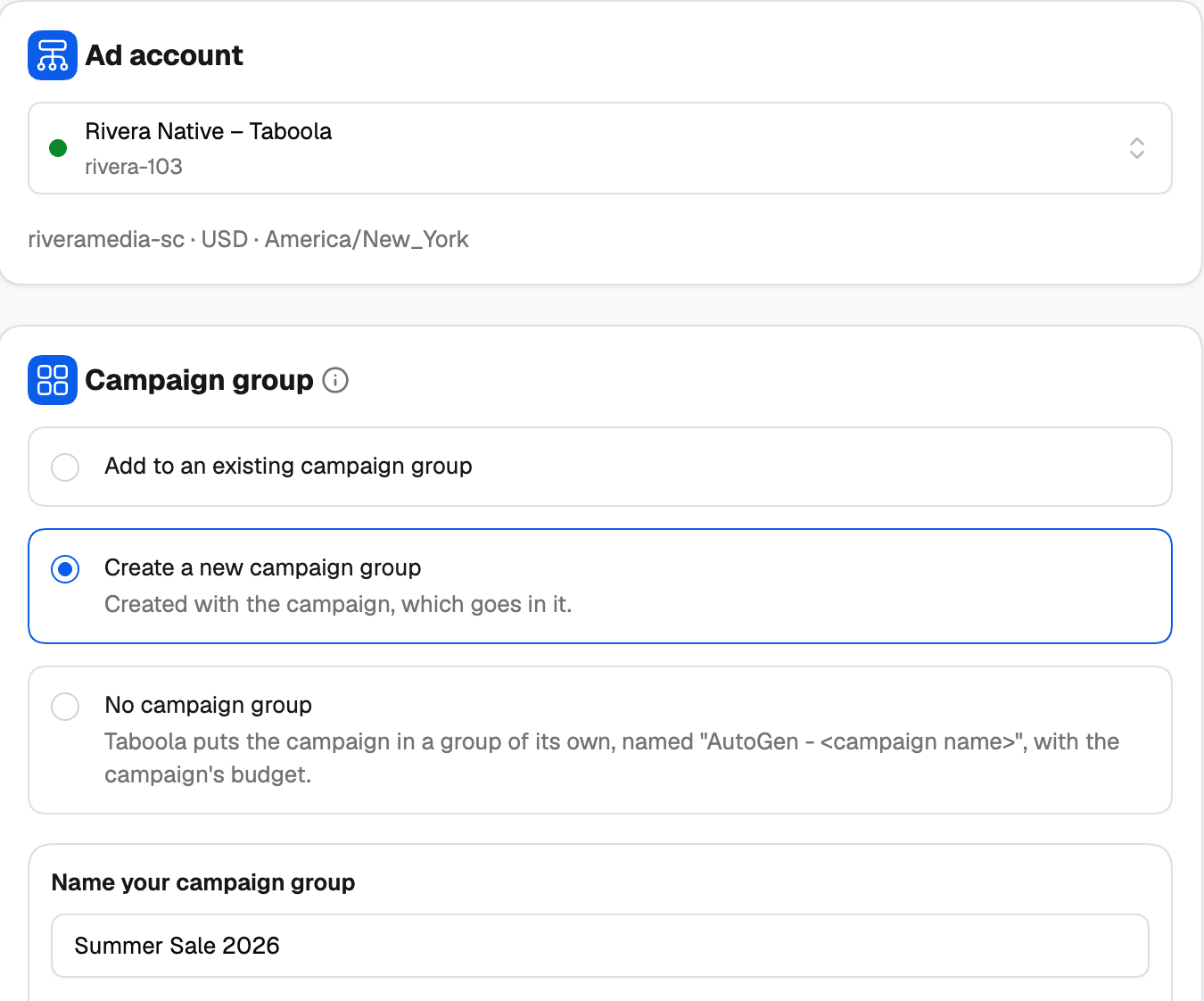
Choosing the ad account
The Ad account card lists your Taboola accounts (inactive ones are greyed out); the first active account is picked for you. Under the list you see the account’s ID, currency and time zone. Pick the account first: the group options, conversions, audiences and sites you see later all come from it.Three ways to group your campaigns
Under Campaign group, choose one:
One launch has one campaign group: every campaign in the tree goes into it.
Creating a new campaign group
1
Name your campaign group
Up to 200 characters. The group is named with plain text — it’s created once per launch.
2
Pick the group objective
Brand awareness, Website engagement, Lead generation, Online purchases or App promotion.
3
Choose your success metric
The KPI Taboola’s algorithms optimize toward. The choices depend on the objective:
4
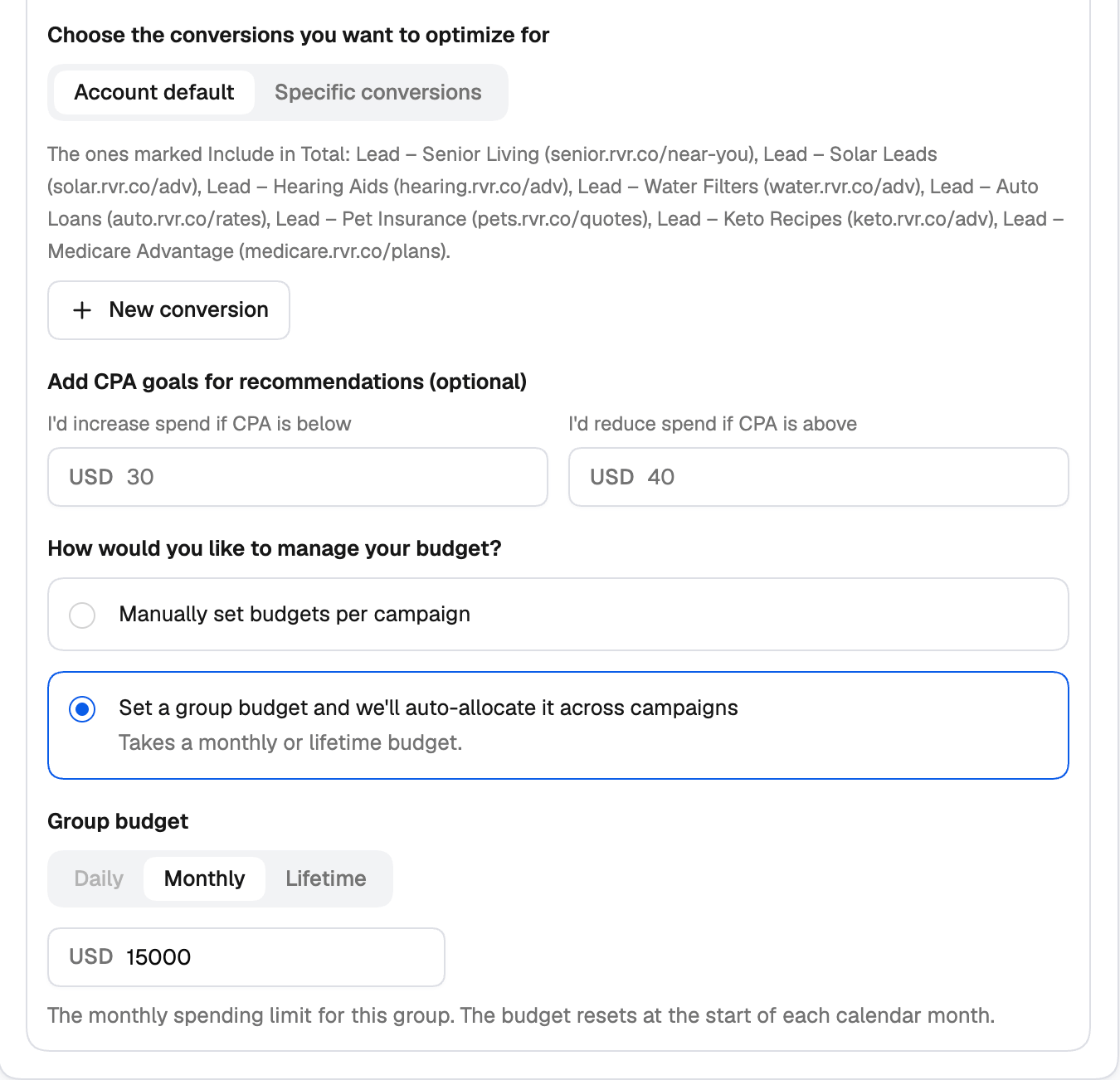
Pick the conversions to optimize for
Account default, or Specific conversions from the account. Need one that doesn’t exist yet? Click + New conversion and create it right here — see New conversion.
5
Add KPI goals (optional)
Tell Taboola where you’d act — I’d increase spend if CPA is below … and I’d reduce spend if CPA is above … — so its recommendations match your targets.
6
Decide how to manage the budget
- Manually set budgets per campaign — each campaign keeps its own budget, set on the Settings step.
- Set a group budget and we’ll auto-allocate it across campaigns — Taboola spreads one budget across the group’s campaigns. This needs a Monthly or Lifetime group budget.
What’s set on the group, and what’s set on the campaigns
On the campaign’s Settings step:
- Conversions show From the campaign group when the campaign is in a group. To change them, change them on the group — on the Group step for a new group, or in Realize for an existing one. With No campaign group, each campaign picks its own conversions.
- Budget shows that the group auto-allocates its budget, when it does, and the campaign has no budget field of its own.