
Groups that make campaigns: Budget, Audience and Targeting
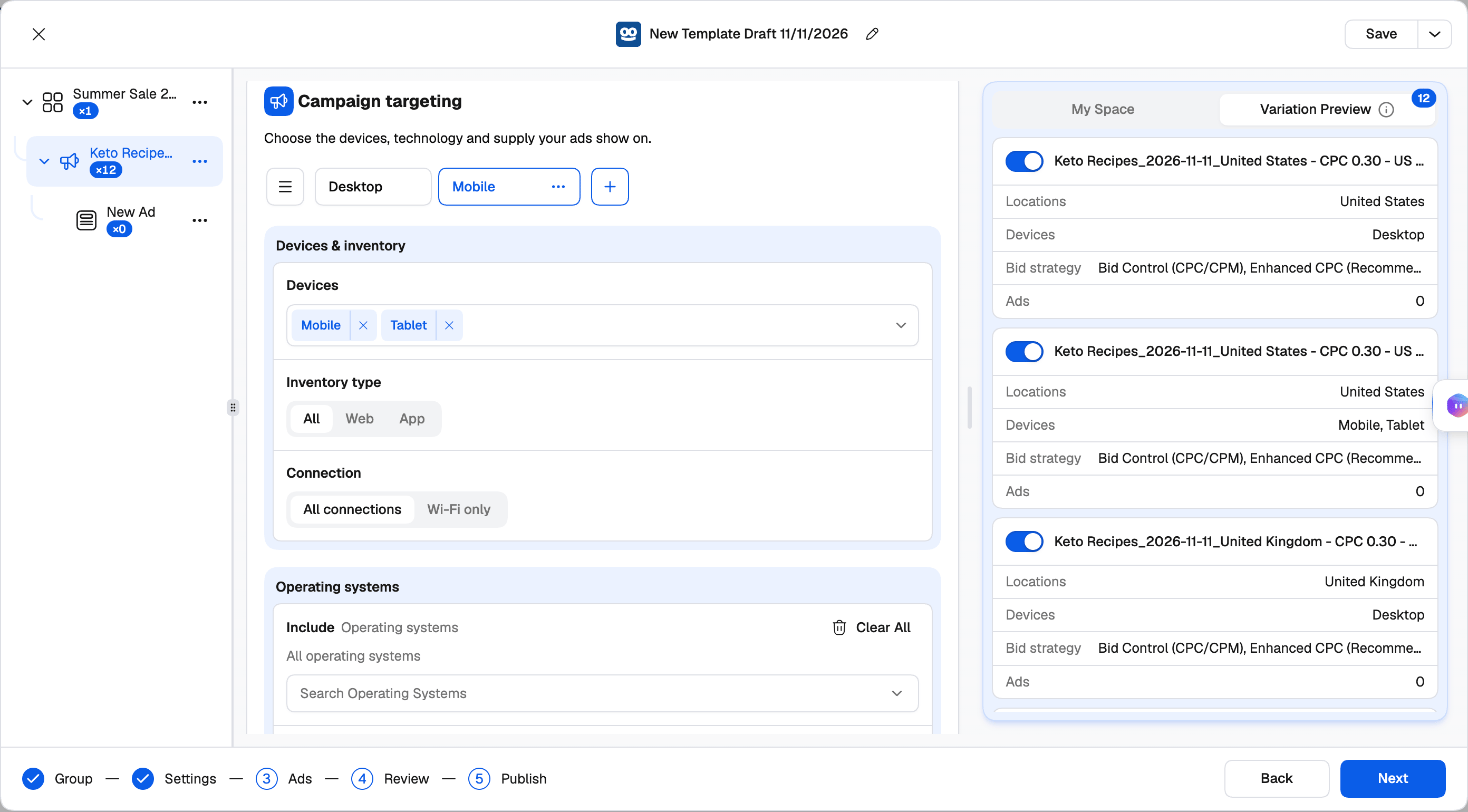
Three cards on the Settings step can hold groups, and every combination of them becomes its own campaign:
Everything else — the campaign setup, schedule, contextual targeting, tracking and ads — is shared by all of them.
For example: three Audience Groups for the US, the UK and Australia × two Budget Groups with different CPCs × two Targeting Groups (Desktop, Mobile) make 12 campaigns, all in the same campaign group. In Realize, that’s twelve campaigns built and kept in sync by hand.
Groups that make ads: Creative and Click-through
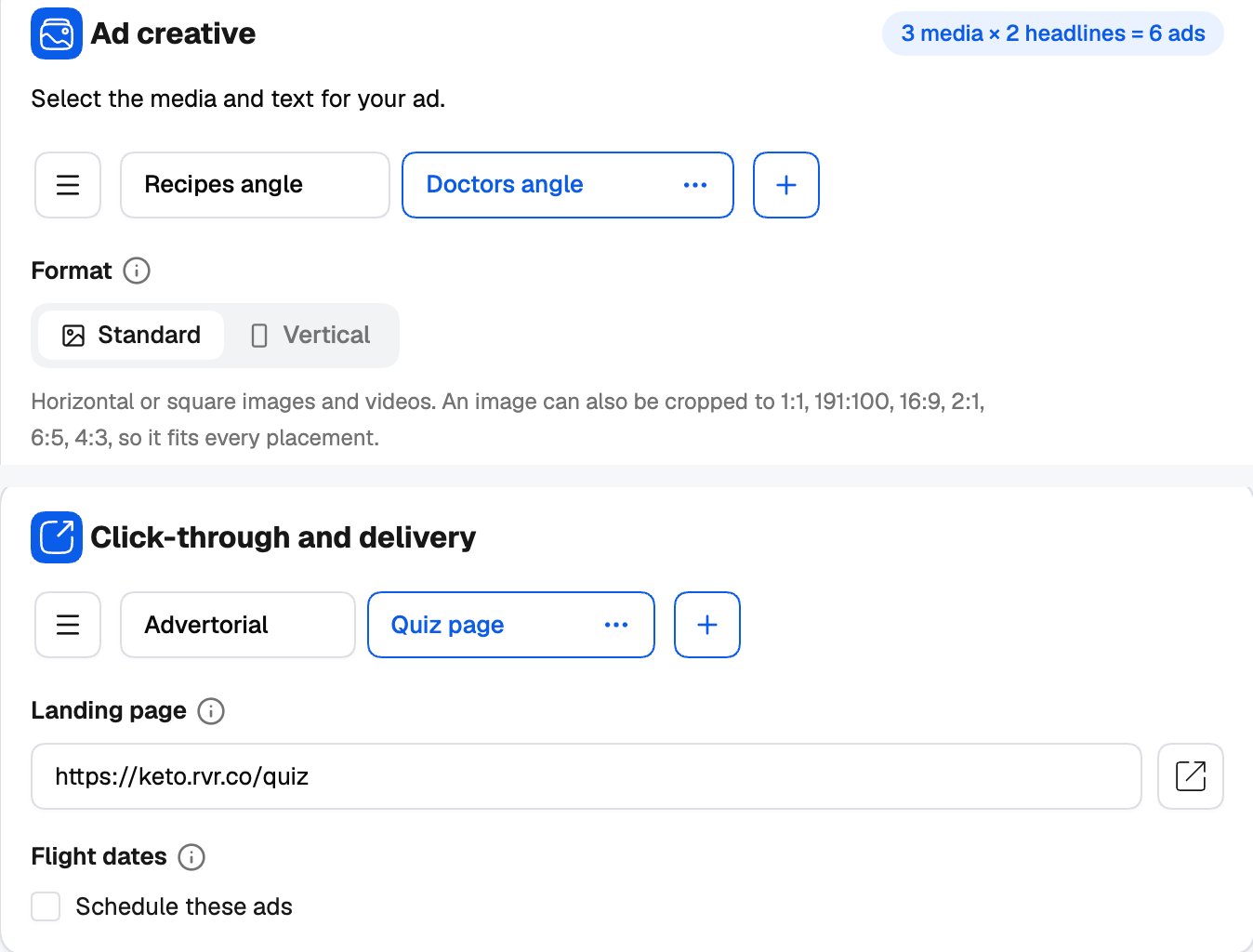
Two cards on the Ads step can hold groups too:
Every creative group × click-through group makes ads of their own, in the same campaign. Inside each pair, every image still runs with every headline. Two creative sets × two landing pages is four sets of ads — a full creative and landing-page test in one campaign.
Working with groups
- Click + next to the tabs to add a group. It starts as a copy of the open one, ready to rename.
- A group’s ⋯ menu has Rename, Clone, Delete other groups and Delete.
- Manage groups opens the full list: search, drag to reorder, clone, rename or delete — and rename many at once with a prefix or suffix.
- An error in a group you’re not looking at is shown on the card with the group’s name, so nothing gets missed.
How generated campaigns are named
Each generated campaign is named after its groups: the campaign name, then the name of each group that has siblings — for example Summer Sale - Budget Group 2 - US. Rename your groups (US, CPC 0.45) and the names explain themselves. Add a naming template for a fixed convention on top.Switching combinations off
Variation Preview, on the right, lists every campaign your groups generate. Switch one off and it isn’t created. You need at least one campaign switched on to launch.More campaigns in one launch
Groups vary budget, audience, targeting, creatives and landing pages. To launch campaigns that differ in anything else — another objective, another schedule, other tracking — add more campaigns to the tree:- Create New Campaign on the campaign group row starts a fresh one.
- Duplicate Campaign on a campaign makes a copy to change.
- Copy Campaign / Paste Campaign, Copy All Ads / Paste Ads move work between campaigns.
Review
The Review step shows everything the launch will create before anything is sent.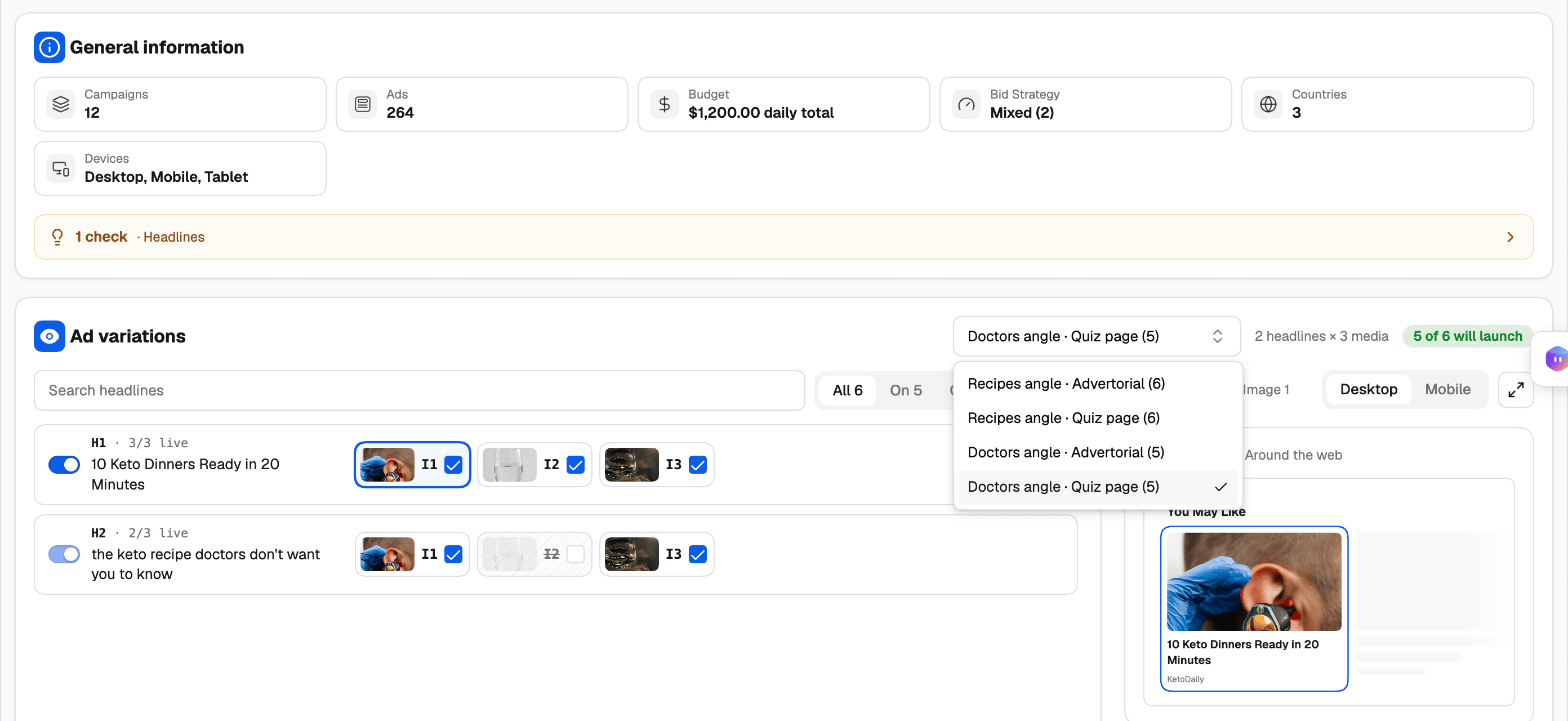
- General information — campaigns, ads, budget, bid strategy, countries and devices.
- Checks — a summary of anything worth a second look (countries, conversions, headlines, media, ads, status), each with a Fix link that takes you to it. Checks don’t block the launch.
- Ad variations — the ads as rows: each headline with the images it runs with. When the ads have several Creative or Click-through Groups, a second picker lists every creative × click-through pair with how many of its ads launch; pick one to see and edit those ads. Filter by All, On, Off or Edited, and use Launch this ad to leave any single ad out.
- Per-ad overrides — give one ad its own Landing page URL or Status without touching the others. Edited ads are badged.
- Preview — see the ad in a Desktop or Mobile You May Like widget.
Publish
1
Attach rules (optional)
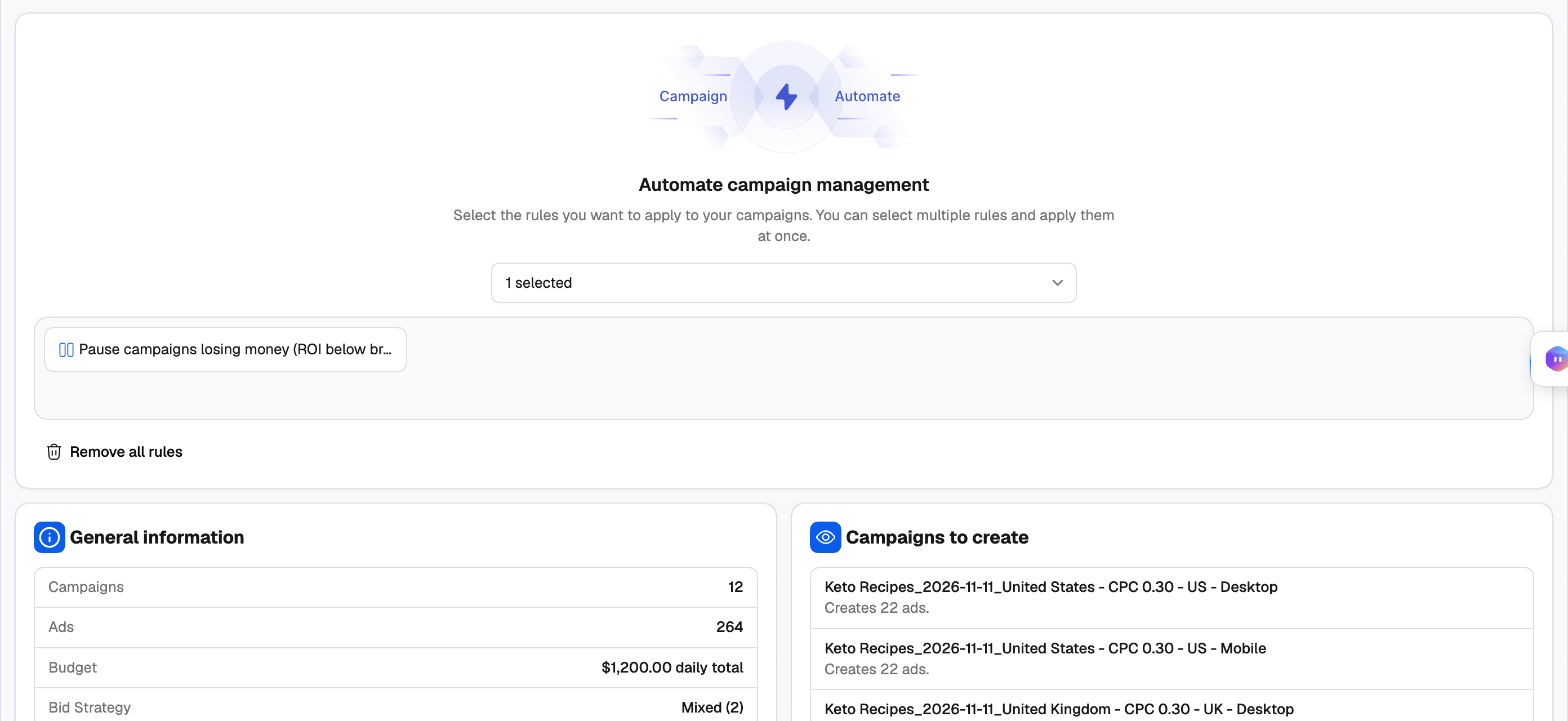
Under Automate campaign management, pick rules or rule groups from Select a rule or rule group. The new campaigns are added to them as soon as they’re created — protected from the first impression. See the Rules guide and Popular Taboola rules.
2
Check the summary
General information totals the launch, and Campaigns to create lists each campaign with its number of ads.
3
Publish
Click Publish. The launch is sent to the Campaign Creation Queue and created in the background; the launcher closes and your draft is cleared.
After you publish
- When you create a new campaign group, the whole launch is one task in the queue, so the group is created once with all its campaigns. Otherwise each campaign is its own task.
- New ads go to Taboola’s review before they serve. Track progress in the queue, and find the campaigns in the Campaign Manager’s Taboola tab once they’re created.