
Groups on NewsBreak
Six cards can hold groups:
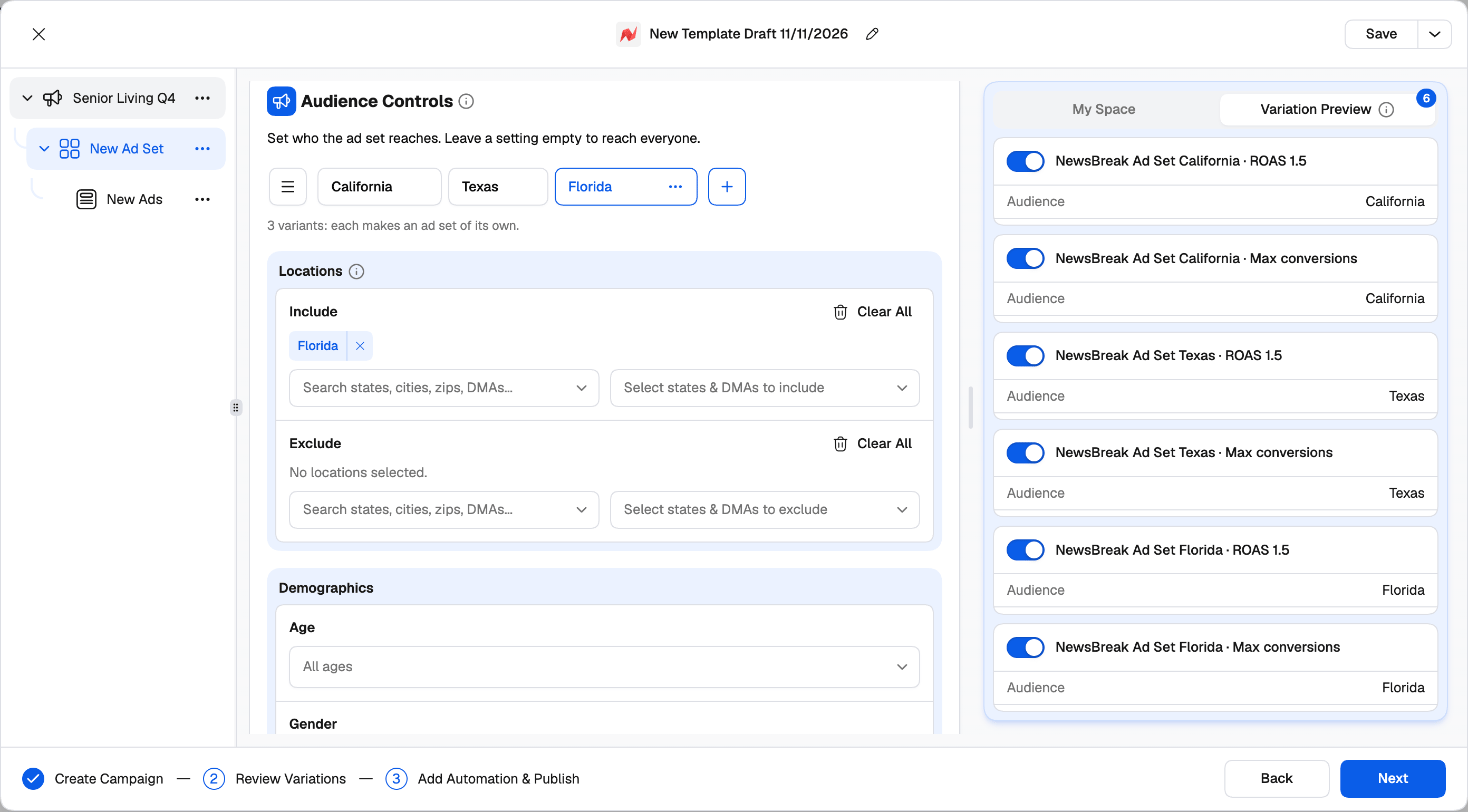
On the ad set, every combination of groups becomes its own ad set — all inside the same campaign. Once a card has two or more groups, the launcher tells you: “2 variants: each makes an ad set of its own.”
On the ads, every creative group × destination makes its own ads in that ad set. Inside each creative group, every creative still runs with every headline and description.
A worked example
One campaign. On the ad set: 3 Audience groups (California, Texas, Florida) × 2 Bidding groups (CPC $0.25, Maximize conversions). On the ads: 2 Creative groups, each with 2 images × 2 headlines × 1 description, and 1 destination.- Ad sets: 3 × 2 = 6 ad sets
- Ads per ad set: 2 creative groups × (2 × 2 × 1) × 1 destination = 8 ads
- Total: 48 ads, built and named in one launch.
Working with groups
- Click + next to the tabs to add a group. It starts as a copy of the open one.
- Double-click a tab (or click the pen icon) to rename it. Its ⋯ menu has Rename, Clone and Delete (available once a card has two or more groups).
- ☰ Manage variants opens the full list once a card has two groups: search, drag to reorder, and clone, rename or delete in bulk.
- A group with an error is marked on its tab, so nothing gets missed.
How generated ad sets and ads are named
Group names go into the names of what they generate (for example Budget 2 · Audience 1). Add Group name to a naming template to decide where it appears — if your template doesn’t include it, the group names are added at the end, joined with the template’s separator. Rename your groups (California, CPC 0.25) and the names explain themselves.Switching combinations off
Variation Preview, on the right, lists the variations of the level you’re on — one per combination of its groups. Switch one off and it isn’t created.More campaigns in one launch
Use Create New Campaign or Duplicate Campaign in the tree’s ⋯ menu to add campaigns — each with its own objective, ad sets and ads. Copy All Ad Sets / Paste Ad Sets and Copy Ad Set / Paste Ads move work between them.Review Variations
The second step shows everything the launch will create before anything reaches NewsBreak.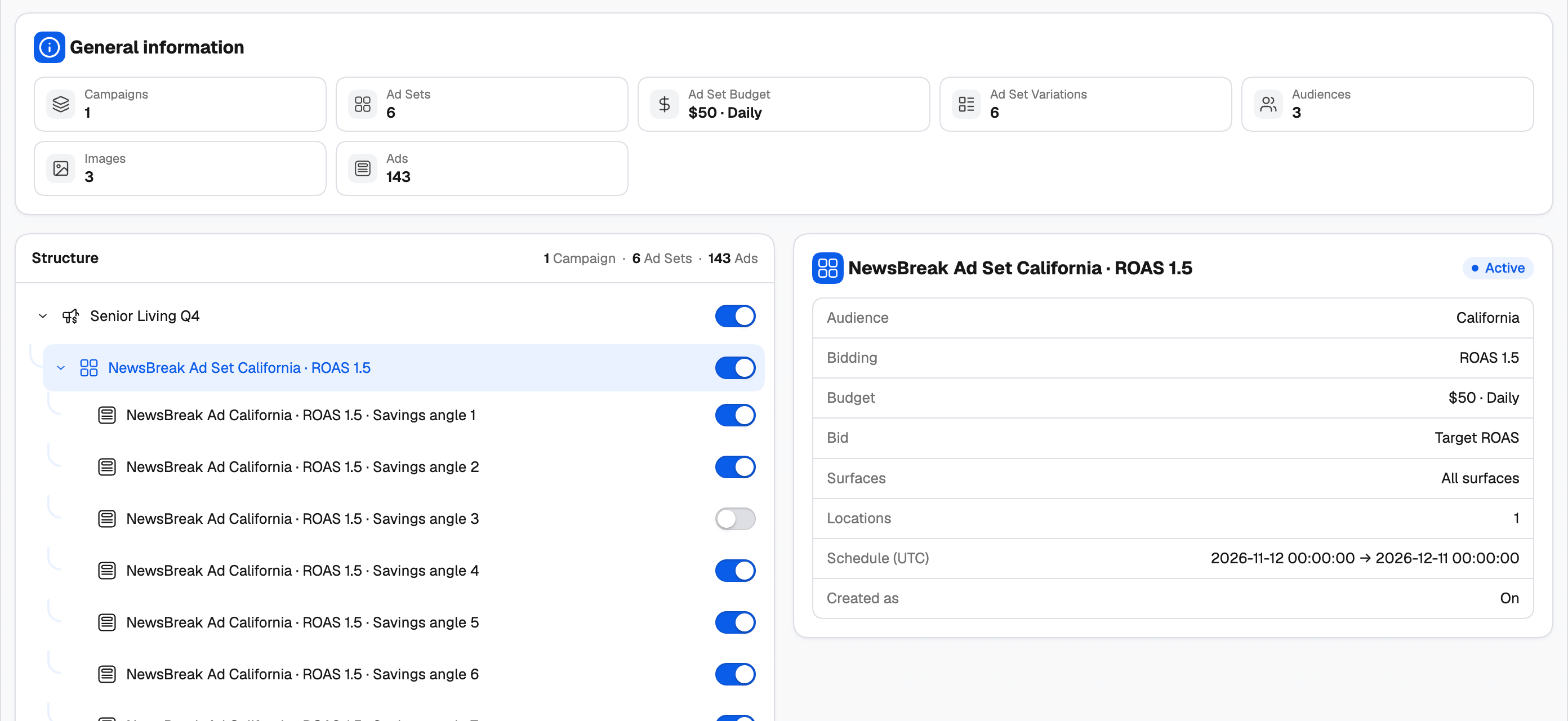
- General information — totals for campaigns, ad sets, ad set budget, ad set variations, audiences, videos and images, and ads.
- Structure — every campaign, ad set and individual ad, each with a switch. Switch a row off and it isn’t created. You need at least one active campaign, ad set and ad.
- Details — select a row to check it:
- Campaign: objective, created as on/off, tags.
- Ad set: the groups it was made from (audience, bidding…), budget, bid, surfaces, locations and schedule (UTC).
- Ad: format, media, status, headline, description, brand name, link URL and call to action.
Add Automation & Publish
1
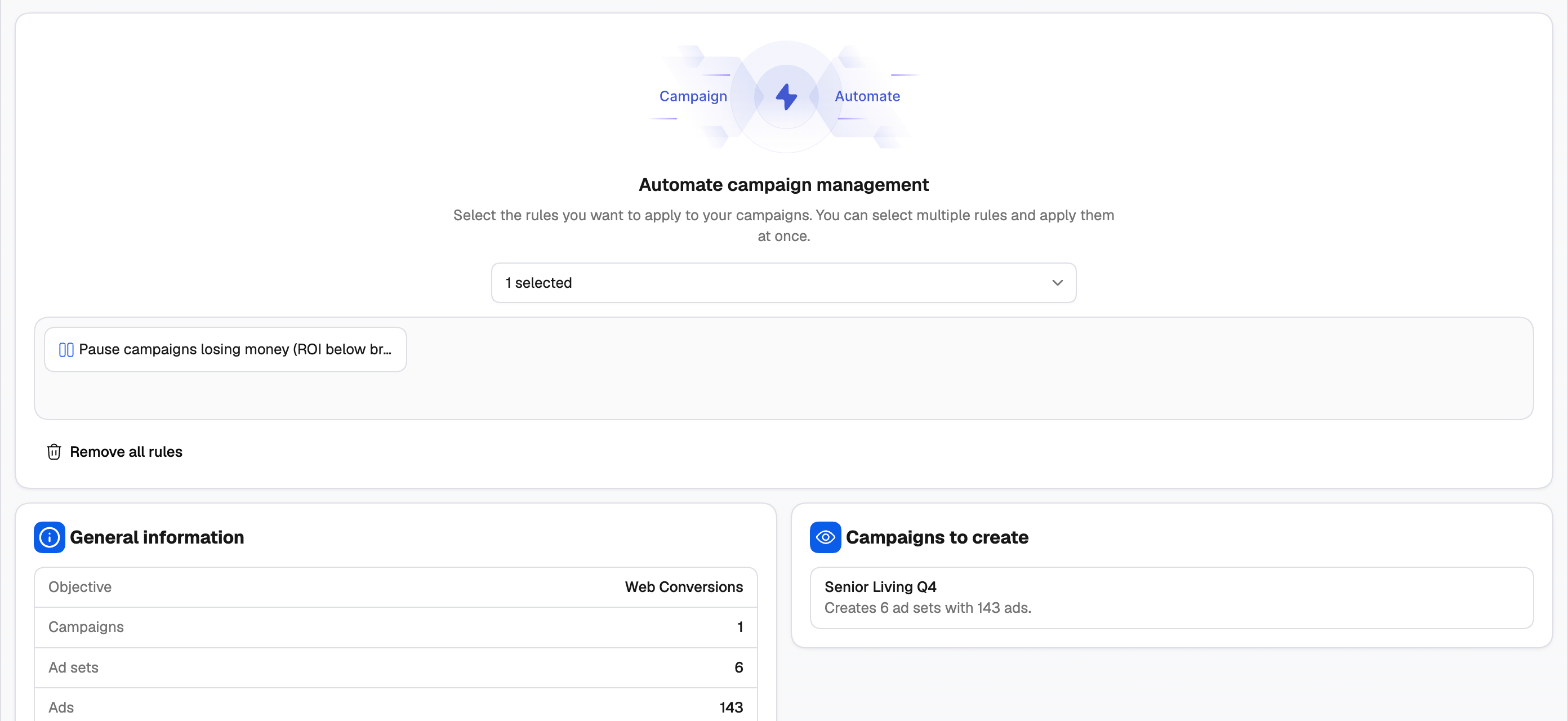
Attach automation rules
Under Automate campaign management, pick a NewsBreak rule or rule group. It starts managing what you launch from the first impression. See Automation rules.
2
Check the summary
General information shows the objective and how many campaigns, ad sets, ads and rules will be created. Hover a campaign under Campaigns to create to see its ad sets and ads.
3
Publish
Click Publish. In the Final Check, you can tick Would you like to save your settings as a template? and name it. Click Confirm.
After you publish
Campaigns are created in the background — one task per campaign in the Campaign Creator queue. TheOptimizer uploads your media to NewsBreak and creates the campaign, its ad sets and ads. Check each campaign’s status in the queue.Related
Groups and variations
How groups work across every network in the Campaign Creator.
Naming templates
Build names from the date, objective, group name, format and creative number.