
Opening the Creative Lab
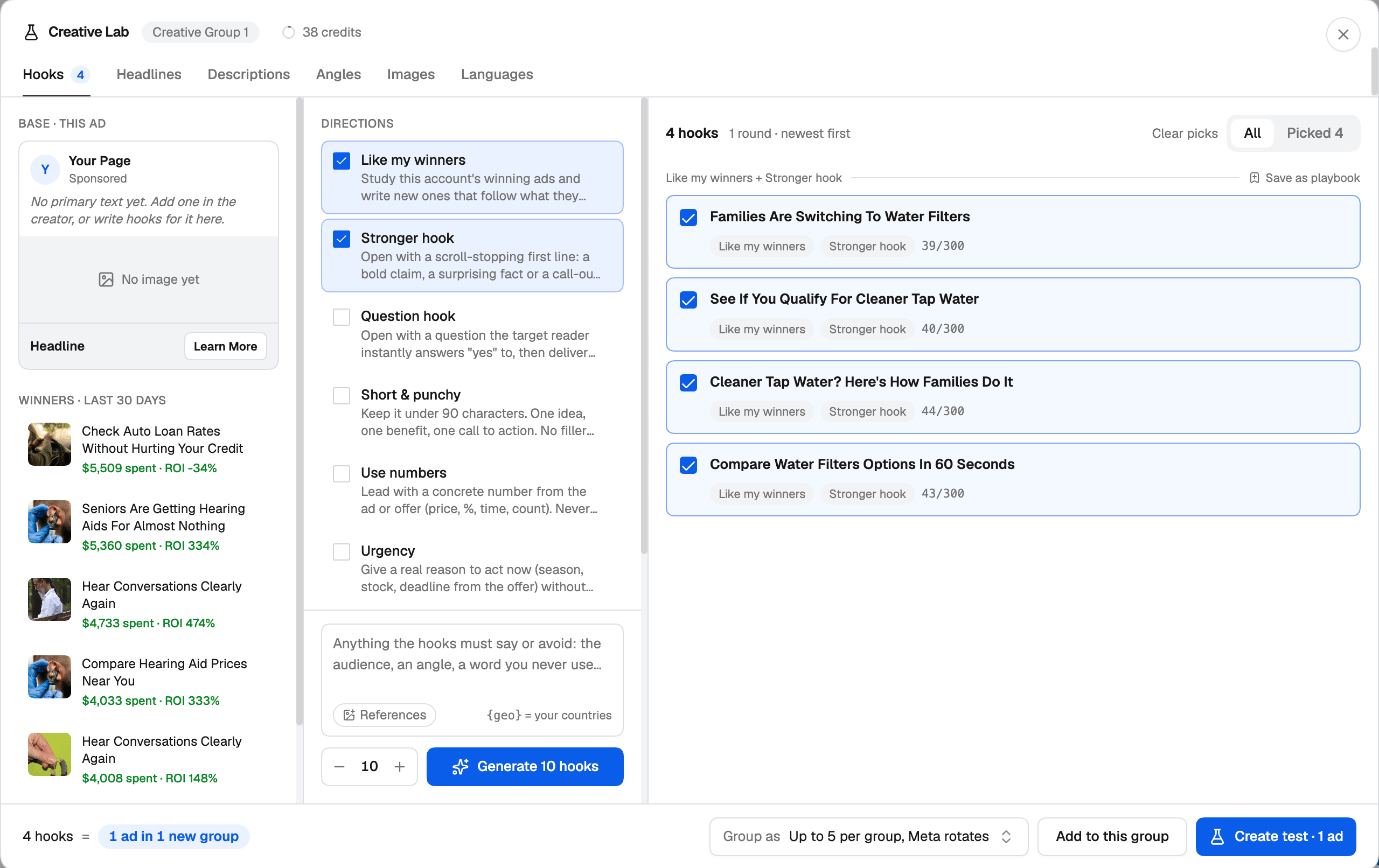
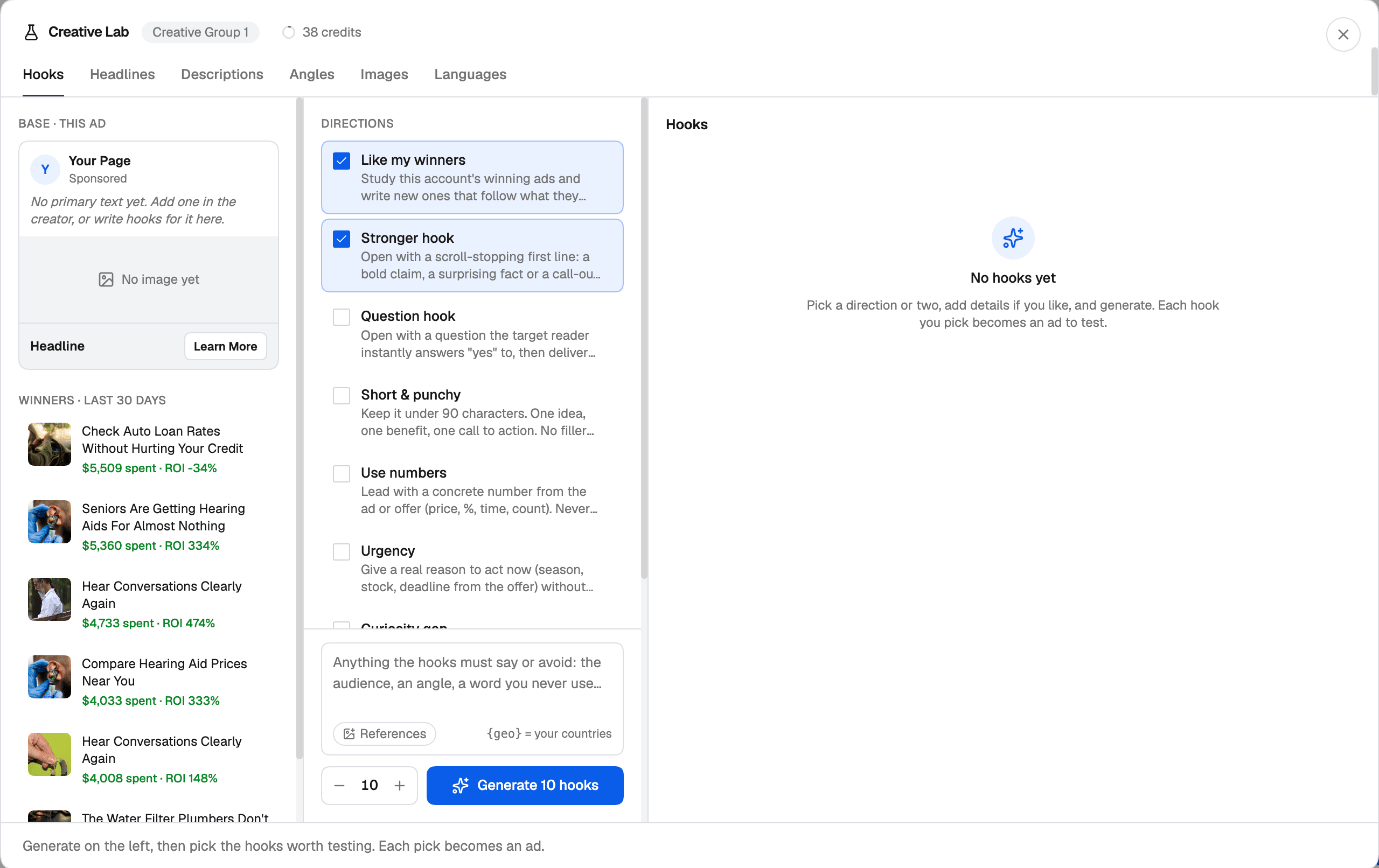
In the Facebook Campaign Creator, on the ad level, click Creative Lab at the top right of the Ad creative card. Every AI button next to a field (primary text, headline, description, image) opens the Lab on the matching tab too. The Lab has three columns:- Base on the left — the ad you’re testing from: its primary text, image, and what the Lab learned from your Winners · last 30 days (your account’s best ads with at least $10 spent) and From the landing page (the product, offer, audience and benefits it read from your final URL).
- Directions in the middle — the playbooks to apply, details about what the copy must say or avoid, optional References, and how many variants to make.
- Results on the right — the variants, where you pick the ones worth testing.
What you can generate
Set how many variants you want with − and +, then click Generate (for example Generate 10 hooks). Generate again for another round; each round is kept, so you can compare them.
Playbooks
A playbook is a saved instruction the AI follows every time you pick it — like a brief to a copywriter. The Lab comes with built-in playbooks, such as Like my winners, Stronger hook, Question hook, Short & punchy, Use numbers, Urgency, Curiosity gap, Social proof, Native advertorial, UGC selfie, Bold text overlay, Before / after and Problem close-up. To make your own, click New under My playbooks, or Save as playbook on a direction that worked. Write the instruction, choose whether it’s for Copy, Images or Both, and insert variables the Lab fills in for you: the product, the offer, the audience (from the landing page) and the countries your ad sets target.Turn picks into a test
Pick the variants worth testing on the right — each pick becomes an ad. Then choose how to group them:- One per group — each variant gets its own group, so every variant is tested on its own.
- Up to 5 per group, Meta rotates (text) or All in one group (images) — the variants share a group.
Every round of generation spends AI credits from the same balance as Jade. The Lab shows your remaining credits at the top.